QUICKSTART OPERATING OVERVIEW
Items Required for Basic Installation and Conguration
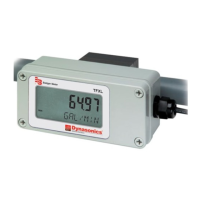
• TFXL meter
• Transducers (remote-mount versions sold separately)
• Mounting straps (for remote-mount versions)
• Acoustic couplant
• Power source
• UltraLink Software
• Configuration cable kit P/N D010-0204-001
• USB-to-DB9 converter P/N D005-2116-004 (required if PC does not have a serial port)
• Phillips screwdriver
• Flathead screwdrivers (large and small)
• 5/16 in. nut driver (optional, for remote-mount versions)
Follow these instructions to get the system up and running quickly. Refer to the detailed instructions if you require
additional information.
OTE:N The following steps require information supplied by the transmitter itself so it will be necessary to supply power
to the transmitter, at least temporarily, and connect to a computer using the UltraLink® software utility to obtain
setup information.
Transducer Location
1. Select a mounting location on the piping system with a minimum of ten pipe diameters (10 × the pipe inside diameter) of
straight pipe upstream and ve straight diameters downstream. See Table 1 on page 16 for additional congurations.
2. If the application requires DTTR, DTTN or DTTH transducers, select a mounting method for the transducers based on pipe
size and liquid characteristics. See Table 2 on page 17. The three transducer mounting congurations are shown in
Figure 4. See “Transducer Mounting Configurations” on page 20 for mounting procedures.
OTE:N All DTTS and DTTC transducers use V–Mount configuration.
Power Connections
Power for the TFXL meter flow meter is obtained from a direct current (DC) power source.
1. Verify that the power source is capable of supplying 12…28V DC at a minimum of 250 milliamps.
2. With the power from the DC power source disabled or disconnected, connect the positive supply wire and ground to the
appropriate eld wiring terminals in the ow meter. See Figure 1. A wiring diagram decal is on the inside cover of the ow
meter enclosure.
O
N
1
PIC16F628
DC Ground
12 . . . 28V DC
DC Ground
12 . . . 28V DC
Figure 1: Power connections
Transducer Connections for Remote Mount Transducers
1. Guide the transducer terminations through the transmitter conduit hole on the bottom-left of the enclosure using a
sealed cord grip or NEMA 4 conduit connection. Secure the transducer cable with the supplied conduit nut (if exible
conduit was ordered with the transducer).
Quick-Start Operating Overview
Page 6 April 2016TTM-UM-00369-EN-03


 To Next Page
 Loading...

