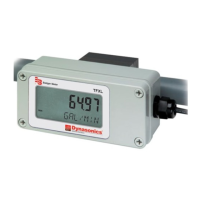
2. The remote mount transducers use an add-in connection board on the left side of the meter below the LCD (TFXL meter
2 version). The terminals within the TFXL meter are of a screw-down barrier terminal type. Connect the wires at the
corresponding screw terminals in the transmitter. Observe upstream and downstream orientation and wire polarity. See
Figure 2 on page 7.
Upstream
Transducer
Downstream
Transducer
Up Blue/Red
Up White/Black
Down Blue/Red
Down White/Black
Figure 2: Remote mount connections
Initial Settings and Powerup
1. Apply power to the transmitter.
2. Enter the following data into the TFXL meter via the UltraLink software utility.
1 Transducer mounting method 7 Pipe liner thickness
2 Pipe O.D. (Outside Diameter) 8 Pipe liner material
3 Pipe wall thickness 9 Fluid type
4 Pipe material 10 Fluid sound speed*
5 Pipe sound speed* 11 Fluid viscosity*
6 Pipe relative roughness* 12 Fluid specific gravity*
OTE:N * Nominal values for these parameters are included within the transmitter operating system. The nominal values may
be used as they appear or may be modified if the exact system values are known.
3. Record the value calculated and displayed as transducer spacing.
Quick-Start Operating Overview
Page 7 April 2016 TTM-UM-00369-EN-03


 To Next Page
 Loading...