AIR setups
Dynaudio Professional AIR reference manual – 2014-09-28 37
5.3 setup – analog
5.3 setup – analog
Master
Left
Slave
Left
surround
Master
Center
System Ctrl.
Slave
Right
surround
Sub
Left
subwoofer
Sub
Center
subwoofer
Sub
Right
subwoofer
Slave
Right
L LS C LFE R RS
L R L R L R
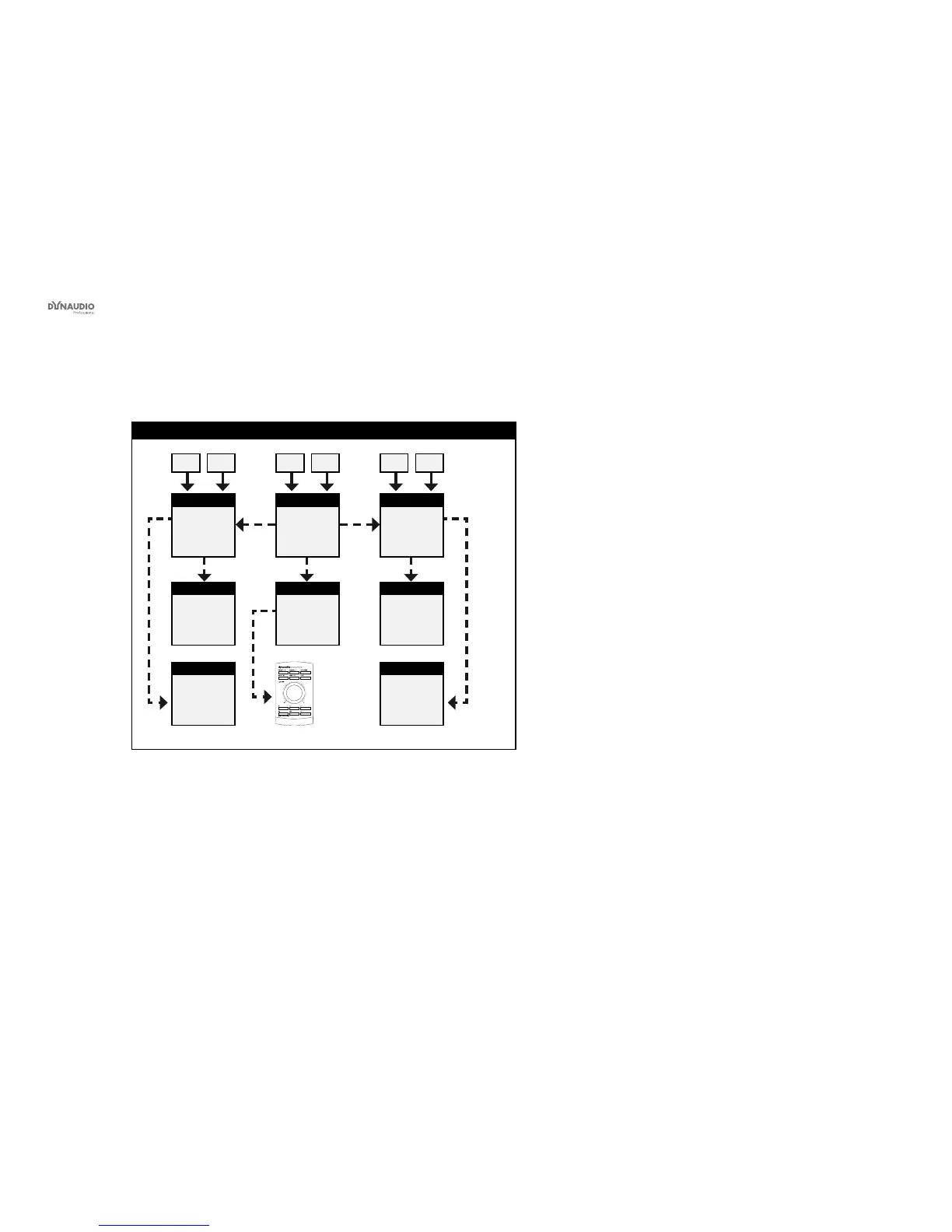
Fig. 19: This illustration shows how to connect an analog 5.3 setup.
Understanding and using this setup
Please see the description of the digital 5.3 setup re-
garding bass management, but make analog connec-
tions as explained in this section:
►
The left input of the left monitor receives the left
signal.
►
The right input of the left monitor receives the left
surround signal.
►
The left input of the center monitor receives the
center signal.
►
The right input of the center monitor receives the
LFE signal.
►
The left input of the right monitor receives the right
signal.
►
The right input of the right monitor receives the
right surround signal.
►
The AIR Remote or a computer running the AIR
Control software (both optional) can be connected
to any available TC LINK Out connection.



 To Next Page