EasyManua.ls Logo

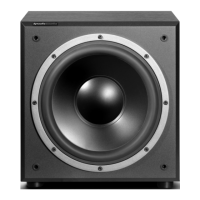
Dynaudio BM14S - User Manual

Dynaudio BM14S
32 pages
Print Icon
To Next Page IconTo Next Page
Loading...
BM14S
Operating Guide
© DYNAUDIO Acoustics, BM14S Manual INT 0306, Item No. 455276. All text and image copyrights reserved.

Questions and Answers

  • R
    russellbarbaraAug 11, 2025
    What to do if my Dynaudio BM14S is on but has no sound?
    • M
      Michelle RobertsAug 11, 2025
      If your Dynaudio Subwoofer is on but producing no sound, there are several things you can check: * First, ensure all signal cables are properly connected. * Next, verify that the subwoofer hasn't been disabled in the source's bass-management settings. If it has, enable it. * Also, check that the subwoofer volume level on the source is not turned down. Carefully and gradually increase the subwoofer volume. * Finally, make sure the subwoofer volume level hasn't been turned down using the subwoofer's control. If it has, carefully and gradually increase the subwoofer volume using the Gain control.
  • N
    Nathaniel MendezAug 18, 2025
    Why does my Dynaudio Subwoofer switch off while playing music?
    • V
      velezjayAug 18, 2025
      Your Dynaudio Subwoofer might be switching off during music playback because there is hardly any low-frequency signal present in the audio. This can occur if the music or movie you're playing doesn't contain very low frequencies, such as during extended dialogues. The subwoofer will switch on automatically as soon as low frequent music signals are detected. You can also toggle the power switch from Auto to On.
  • B
    bradleychanAug 26, 2025
    What to do if my Dynaudio BM14S Subwoofer will not switch on at all?
    • L
      Lisa MorrisonAug 26, 2025
      If your Dynaudio Subwoofer isn't turning on, here are a few things to inspect: 1. Check if the AC mains cable is properly connected. If it isn't, reconnect it. 2. Make sure the mains switch on the back of the subwoofer is switched to ON. 3. Verify that all signal cables are connected correctly.
  • S
    Steven PierceSep 2, 2025
    How to fix a Dynaudio BM14S Subwoofer that won't switch on automatically?
    • A
      Anna TaylorSep 2, 2025
      If your Dynaudio Subwoofer isn't automatically switching on, it could be due to a couple of reasons. First, check if there is a signal present on either of the subwoofer’s inputs. If there isn't, ensure all signal cables are properly connected. Also, check if the subwoofer output on the source is engaged.

Summary

Important Safety Instructions

Getting Started with the BM14 S

Controls and Connections Overview

Details all rear panel controls, connections, and their functions for the subwoofer.

Connecting the BM14 S Subwoofer

Guidance on how to properly connect the subwoofer to audio sources and power.

Operating the BM14 S Subwoofer

Switching the Subwoofer On and Off

Explains the power modes (On, Auto) and how to properly switch the subwoofer on and off.

Adjusting Volume (Gain)

How to set the subwoofer's volume level for optimal balance with other speakers.

Setting Subwoofer Cut-off Frequency (Lowpass)

Adjusting the lowpass filter to define the subwoofer's upper frequency limit.

Troubleshooting Common Issues

Technical Specifications

Dynaudio BM14S Specifications

General IconGeneral
BrandDynaudio
ModelBM14S
CategorySubwoofer
LanguageEnglish

Related product manuals