EasyManua.ls Logo

Dynex DX-60D260A13 - User Manual

Dynex DX-60D260A13
50 pages
Print Icon
To Next Page IconTo Next Page
Loading...
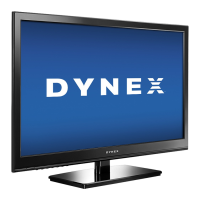
60” LED TV
DX-60D260A13
USER GUIDE
Before using your new product, please read these instructions to prevent any damage.
12-1236_DX-60D260A13 MAN_V1_EN.book Page 0 Thursday, March 21, 2013 8:17 AM

Table of Contents

Other manuals for Dynex DX-60D260A13

Questions and Answers

  • C
    Christina SerranoSep 8, 2025
    Why do after images appear on my Dynex DX-60D260A13 LED TV?
    • J
      jameshaleSep 8, 2025
      After images appear on your Dynex LED TV if you display a still image, such as a logo, game, or computer image, for an extended period of time. This can cause a permanent after-image to be burned into the screen. This type of damage is not covered by your warranty.
  • T
    tiffany12Sep 7, 2025
    What causes audio noise on a Dynex DX-60D260A13 and how to fix it?
    • S
      sandrahoffmanSep 7, 2025
      Audio noise on your Dynex LED TV may be caused by interference from other devices such as surround sound receivers, external speakers, fans, or hair dryers. Try turning off one device at a time to determine which device is causing the interference. After you have determined which device is causing interference, move it further from the TV to eliminate the interference.
  • D
    David DouglasAug 22, 2025
    Why is there no picture and sound on my Dynex LED TV?
    • M
      Melissa McguireAug 22, 2025
      If your Dynex LED TV has no picture and no sound, try the following: - Press the power button on the TV or the remote control. - Ensure the power cord is plugged in securely. - Verify the video cables are securely connected to the back of the TV. - Select the correct video input source. - Adjust the contrast and brightness settings. - Try another channel as the station may be experiencing problems. - Confirm the incoming signal is compatible. - Ensure the antenna or cable TV is connected correctly and securely. - Check the closed caption settings, as some TEXT modes can block the screen.
  • K
    Kathleen MeyerSep 4, 2025
    How to fix a Dynex DX-60D260A13 with good sound but poor color?
    • M
      Megan WarrenSep 4, 2025
      If your Dynex LED TV has good sound but poor color, adjust the contrast, color, and brightness settings.
  • S
    Sara MolinaSep 3, 2025
    How to fix a Dynex DX-60D260A13 LED TV picture that does not fill the screen?
    • D
      Donald WilkersonSep 3, 2025
      If the picture on your Dynex LED TV does not fill the screen and there are black bars around it, change the aspect ratio. An increasing amount of digital TV and movies are presented in wide screen (16:9).
  • E
    ewoodSep 1, 2025
    What to do if my Dynex DX-60D260A13 LED TV only shows snow (noise) on the screen?
    • J
      Joseph RogersSep 1, 2025
      If your Dynex LED TV only shows snow (noise) on the screen, try another channel. Make sure that the antenna or cable TV is connected correctly and securely. If you are using an antenna, the digital channel signal may be low. If you are using an antenna and the signal strength is low, adjust the antenna or use a highly directional outdoor antenna or set-top antenna with a built-in amplifier.
  • K
    Kelsey BakerAug 31, 2025
    Why is there no color or the picture is dark on my Dynex DX-60D260A13?
    • J
      Joshua FergusonAug 31, 2025
      If your Dynex LED TV has no color, a dark picture, or incorrect color, try another channel as the station may be experiencing problems. Adjust the color saturation. Make sure that the video cables are connected correctly and securely to the back of your TV. Also, ensure that the antenna or cable TV is connected correctly and securely. If you are using an antenna, the digital channel signal may be low. If you are using an antenna and the signal strength is low, adjust the antenna or use a highly directional outdoor antenna or set-top antenna with a built-in amplifier.
  • D
    debra66Aug 30, 2025
    How do I fix poor picture quality on some Dynex LED TV channels?
    • S
      scottclarkAug 30, 2025
      If the picture quality is good on some channels and poor on others on your Dynex LED TV, the problem may be a weak signal from the broadcaster or cable TV provider. If you connect to cable or satellite TV without a set-top box and experience poor picture quality, you may need to install a set-top box to improve signal reception and picture quality. Contact your cable or satellite TV provider about upgrading to a set-top box.
  • P
    Peter JensenAug 28, 2025
    How to fix dotted lines or stripes on my Dynex LED TV screen?
    • C
      Cynthia YoungAug 28, 2025
      If you see dotted lines or stripes on your Dynex LED TV screen, ensure the antenna or cable TV is connected correctly and securely. If using an antenna, check the digital channel signal strength and adjust the antenna or use a highly directional outdoor antenna or set-top antenna with a built-in amplifier if the signal is low. Also, make sure the video cables are connected securely and try a new set if the current ones are bad. Other devices may be interfering with your TV, so try turning them off one at a time to identify and move the source of interference further away.
  • M
    Mark WilsonAug 27, 2025
    What to do if my Dynex DX-60D260A13 has a dark, poor, or no picture but sound is good?
    • A
      Anthony JacobsonAug 27, 2025
      If your Dynex LED TV has a dark, poor, or no picture (but the screen is lit) and the sound is good, try another channel as the station may be experiencing problems. Make sure that the antenna or cable TV is connected correctly and securely. Ensure that the Audio Only option is set to Off. Adjust the brightness and make sure that the correct picture mode is selected. If you are using an antenna, the digital channel signal may be low. If you are using an antenna and the signal strength is low, adjust the antenna or use a highly directional outdoor antenna or set-top antenna with a built-in amplifier. Also, make sure that the video cables are connected securely to the back of your TV and try a new set of video cables, as the ones you are using may be bad.

Summary

Child Safety Guidelines

Important Safety Instructions

General Safety Precautions

Read and follow all instructions, avoid water, use dry cloth for cleaning.

Electrical, Lightning, and Environmental Safety

Warnings about electric shock, lightning, power lines, condensation, and mobile interference.

Product Introduction and Setup

Initial Setup Wizard Guide

Step-by-step guide for setting up language, time, and TV source.

Connecting Devices

Choosing the Right Connection

Guide to selecting the best connection method for various devices.

Power and Antenna;Cable Connections

Instructions for connecting power, antenna, and cable TV sources.

Video;Audio Device Connections

Connecting sources like DVD, Blu-ray, VCR, camcorders using HDMI, Component, Composite.

Basic Operations

Picture and Sound Settings

Advanced Features

Parental Controls Setup

Setting passwords, blocking content, and managing TV ratings for supervision.

Maintenance and Troubleshooting

Troubleshooting Common Problems

Solutions for common issues like no picture, poor quality, and remote control problems.

Dynex DX-60D260A13 Specifications

General IconGeneral
BrandDynex
ModelDX-60D260A13
CategoryLED TV
LanguageEnglish

Related product manuals