Page 16
6.0 KWh Meter Features & Functions (Continued)
6.2 How to read the kWh Meter
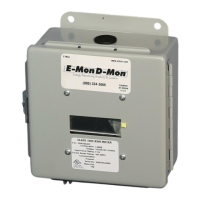
The Class 1000 kWh meter displays readings in whole numbers, there are no
decimals.
To fi nd the dollar cost for the power used by the load(s) being monitored, you
must fi rst fi nd out what the cost per kWh is in your area (this cost can be found
on your utility electric bill, or call your local utility and ask for their cost per kilo-
watt hour.) Simply multiply the cost per kWh by the kWh reading from the E-Mon
D-Mon meter. The resultant fi gure is the dollar cost for power used by the load(s)
being monitored by this meter.
Example:
8-digit display reading 00000250
Cost per kWh from utility $0.12100
250 x $0.121 = $30.25
NOTE: THE FOLLOWING ONLY APPLIES TO METERS USING MORE THAN
ONE SET OF CURRENT SENSORS. For meters using parallel current sensors
you must multiply the kWh display reading by the number of sets of current sen-
sors installed.
Example:
250 (meter display reading) x 2 (sets of sensors in parallel) = 500 kWh
500 kWh x $0.121 (utility cost per kWh) = $60.50


 To Next Page
 Loading...