090000964 - Telecamere IP e-Vision serie SMART - Quick Guide
17
4. GENERALS
IP e-Vision SMART series cameras cameras ensure recording high quality and excellent frame rate thanks to H.264 and/
or H.264+ compression algorithms they are equipped with; one of their main features is the extremely user-friendly inter-
face that allows easy setup and usage. IP e-Vision SMART series cameras are compact devices with high-professional
functions and solutions; the devices are also suitable to be used for entry-level systems.
5. CAMERAS INSTALLATION AND SETUP
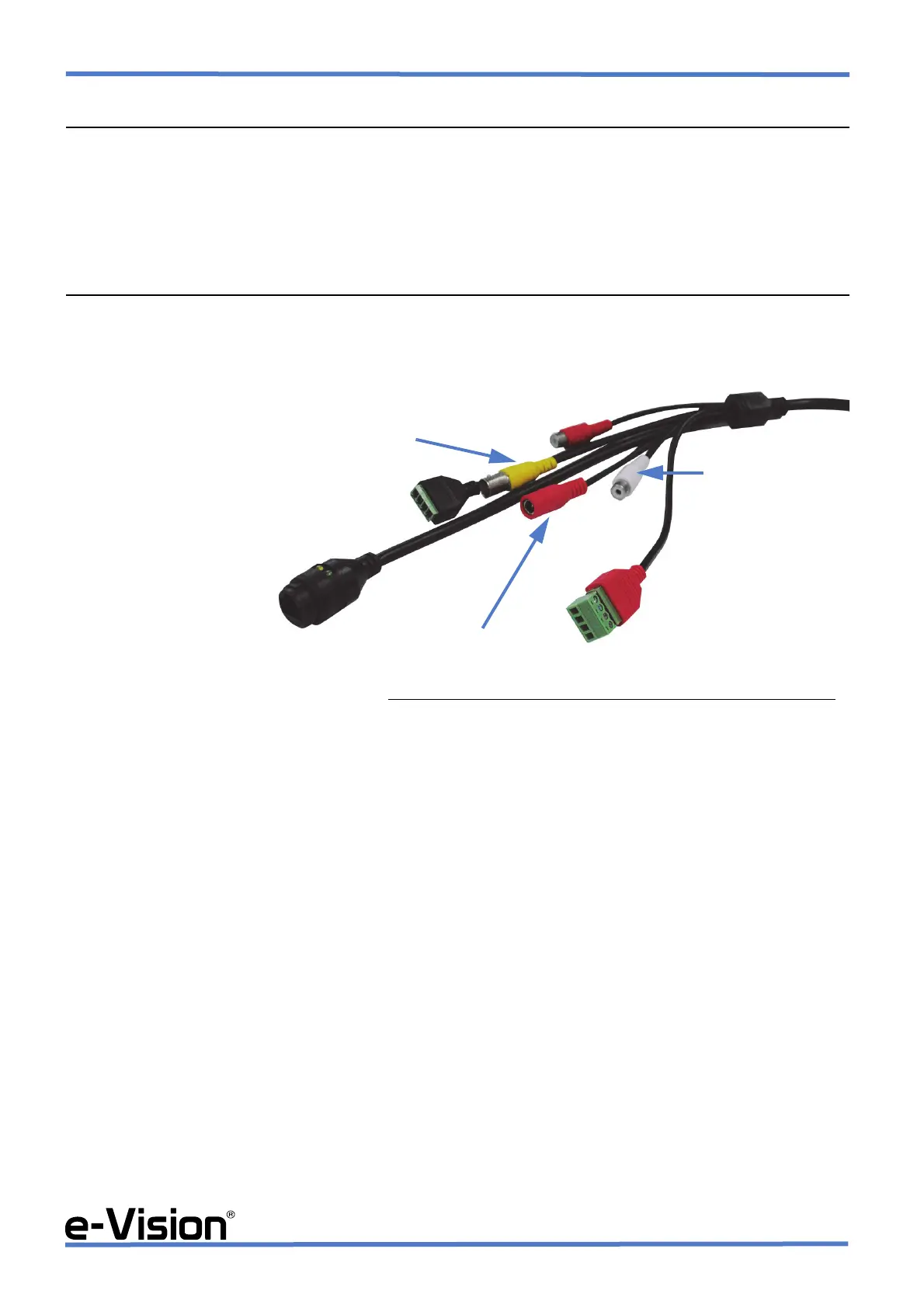
5.1 Camera connectors
PLEASE NOTE that the image is only an example. The type and number of connectors may vary according to the model.
NOTE: to wire RJ45 connector (Network Interface) use the supplied cable gland.
IMPORTANT NOTES FOR CAMERAS INSTALLATION
1. For cameras installation, we recommend the use of TLC/ALVS2 (ALI38002) or TLC/AL4 (ALI38001) power supply
unit to be connected to the camera using the output jack.
2. When the cameras are not powered through PoE but with an external power supply unit, we recommend to power
the camera with DC 12 V, ±10%. The stabilized power supply unit must supply more than 1 A. Do not use power supply
units for burglar alarm systems: such units may cause irreparable damage to the camera.
3. When using PoE-powered cameras, use PoE standard 802.3.af or 802.3.at according to camera model in use (for
more details, please see technical manual).
4. Make sure the network to which the camera is connected is a certified network. The use of non-certified network
may cause irreparable damage to the camera.
5. The IP protection class is granted only when the camera is installed following thoroughly the indications in the
diagrams below.
NETWORK INTERFACE
ANALOGUE VIDEO OUTPUT
AUDIO OUTPUT
AUDIO INPUT
RS-485 SERIAL LINE
WIRED INPUTS
POWER CONNECTOR
and WIRED OUTPUT


 To Next Page