090000964 - Telecamere IP e-Vision serie SMART - Quick Guide
27
6.1 Home page elements
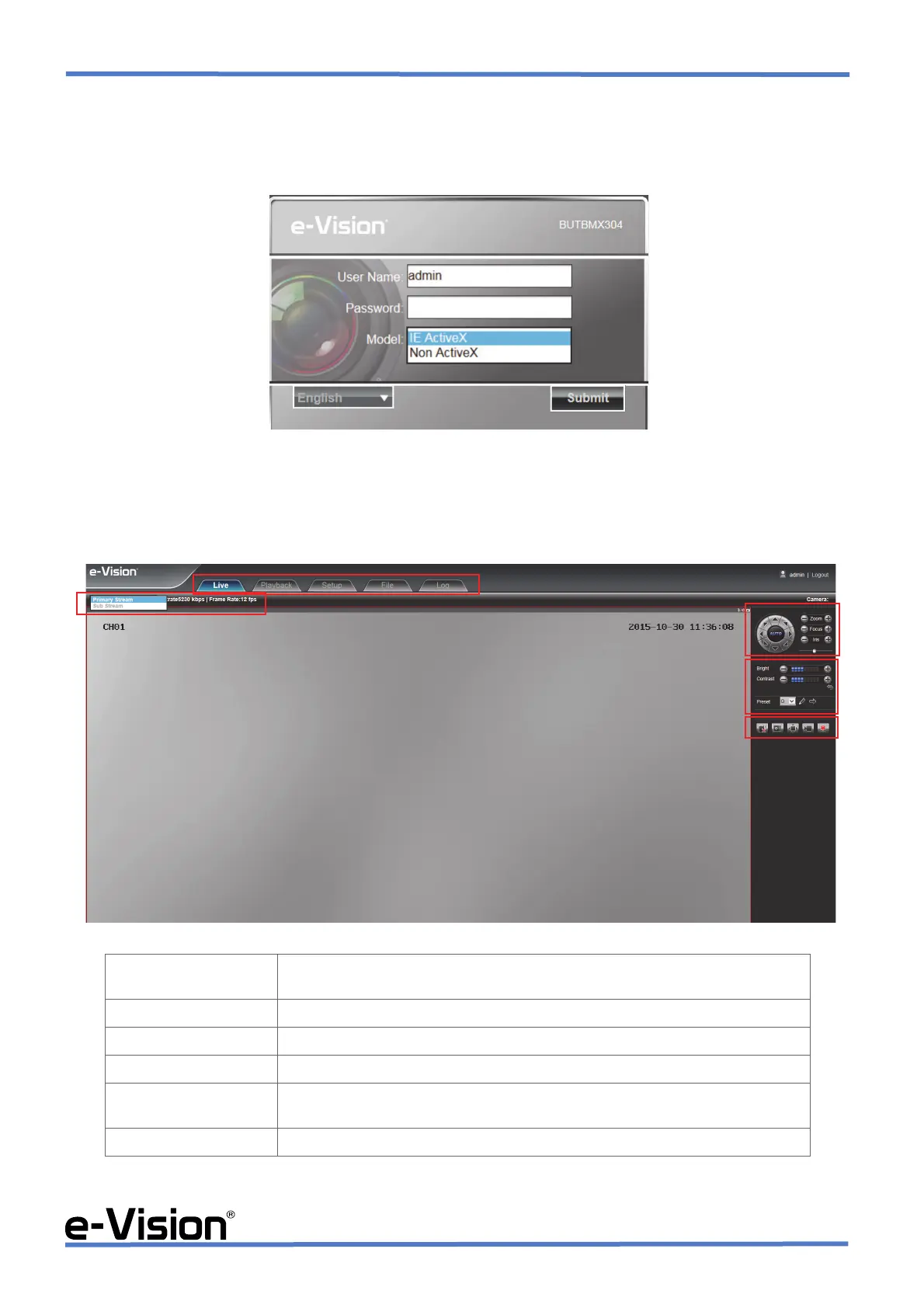
To access camera software, open a browser application (Internet Explorer, Safari, etc.) and digit camera IP address.
Digit username and password in the window displayed:
Default: username admin - password no default password.
When using IE browser, select <IE ActiveX>; with different browsers, select <Non ActiveX>.
The software main window will be displayed:
AREA 1 Main menu functions.
Preview, Playback, Record, File, Configuration.
AREA 2 Playback stream management.
AREA 3 PTZ controls. (DISABLED)
AREA 4 Bright, contrast and preset controls.
AREA 5 Controlli Intercom Voc, Capture, Full Screen, StopAll, Alarm Info.
Camera display format controls.
AREA 6 Cameras display area.


 To Next Page