28
Quick Guide - Telecamere IP e-Vision serie SMART - 090000964
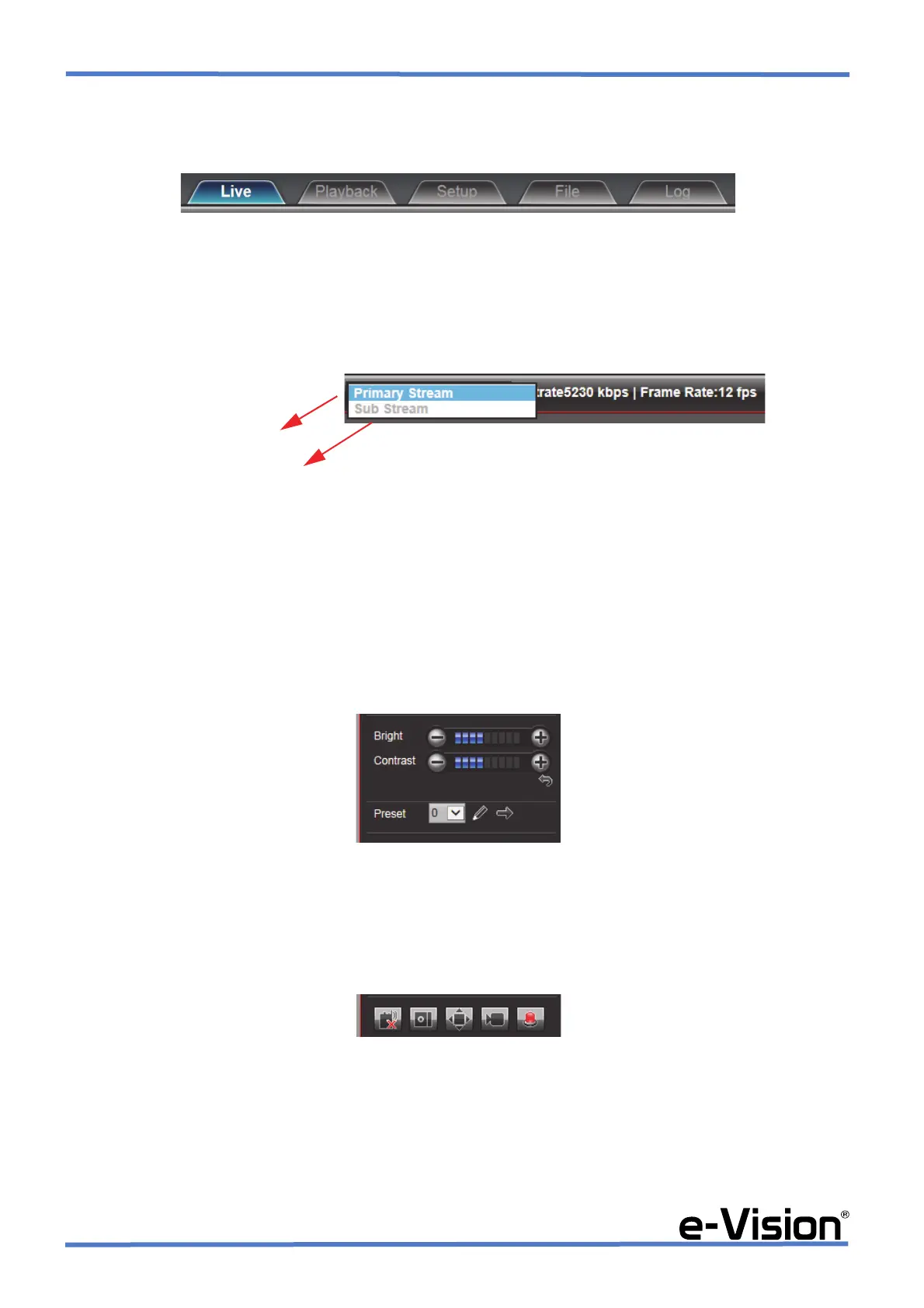
6.1.1 AREA 1: Functions menu
Area to select software functions:
For further information, please see the relevant technical manual on the CD-Rom provided.
6.1.2 AREA 2: Main / secondary stream and recording controls
Area to select camera stream (main / secondary) and recording parameters for the selected stream.
Select Main stream / Secondary stream according to the bandwidth available to improve images display.
Main stream supported values: 1080p / 720p / D1 / CIF / QCIF (resolution may vary according to the channels.)
Secondary stream supported values: QCIF / CIF only, and is normally used for network connections.
6.1.3 AREA 4: Bright, contrast, and preset controls
Adjust cameras brightness, contrast and preset using the controls in this area.
6.1.4 AREA 5: Voice Intercom, Capture, Full Screen, Stop All, Alarm Info
Menu functions (left to right): Voice Intercom, Capture, Full Screen, StopAll, Alarm Info.
Secondary stream
Main stream


 To Next Page