26
Quick Guide - Telecamere IP e-Vision serie SMART - 090000964
6. SYSTEM ACCESS
The system access requires the user to search for devices connected to the system beforehand.
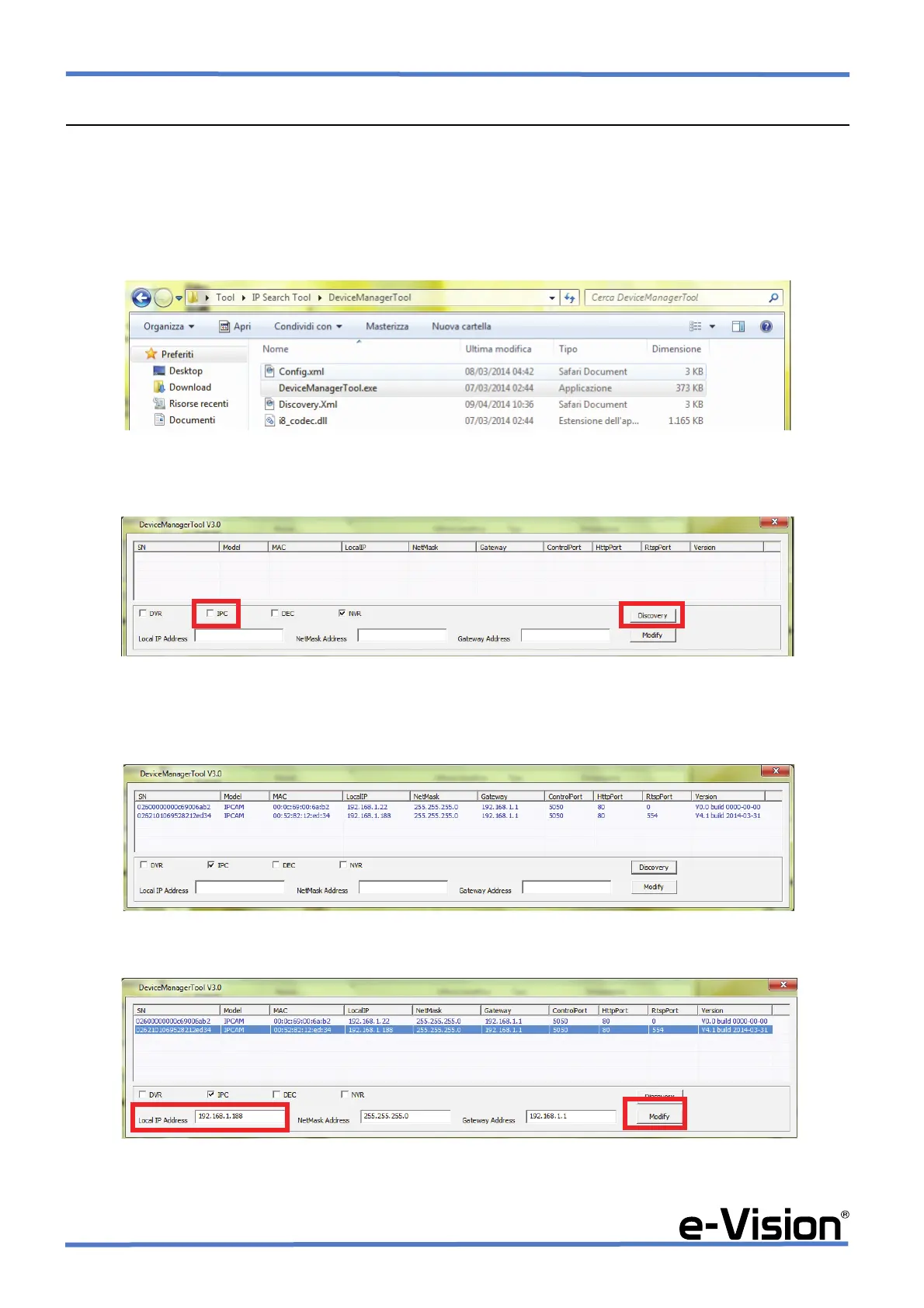
To search for devices connected, launch DEVICE SEARCH application.
In Tool > IP Search Tool > DeviceManagerTool folder, select DeviceManagerTool.exe.
The following window will appear:
Select <IPC> options, then DISCOVERY function.
The application will detect connected devices:
Select the camera, then modify network parameters and press MODIFY:


 To Next Page