22
Quick Guide - Telecamere IP e-Vision serie SMART - 090000964
5.3 BULLET cameras installation
To install the camera, please follow the instructions given below carefully.
•STEP 1
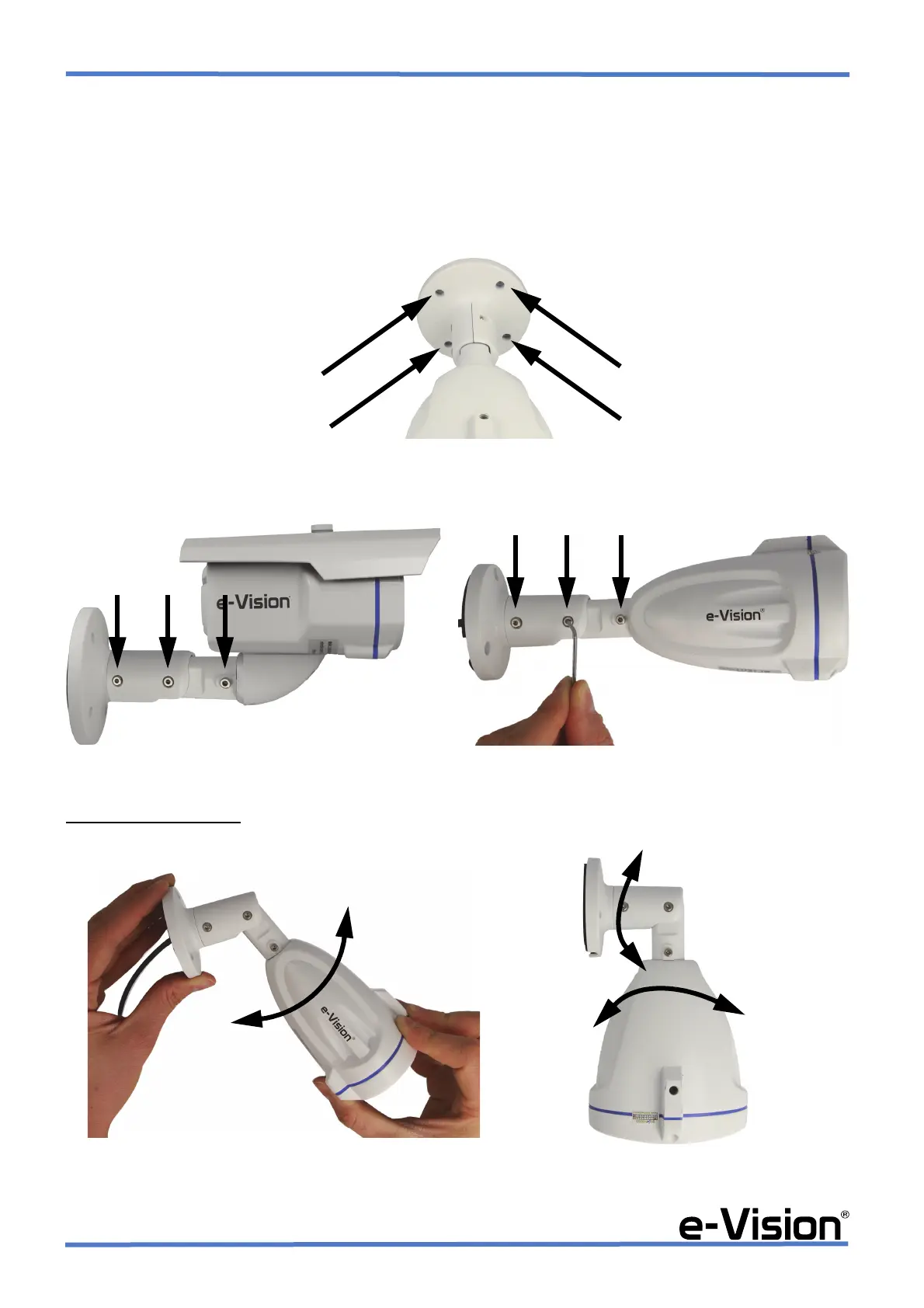
Drill the holes for the dowels, insert the dowels into the holes, and screw the base to the dowels with the screws (both
dowels and screws provided).
•STEP 2
Loosen the screws indicated by the arrows with the hex key provided to adjust the 3-axis setting of camera and joint.
•STEP 3
To adjust camera positions
: move and rotate the camera body, joint and bracket as shown by arrows in the images below
(A) and (B). To enable tilt movement, loosen the two screws on both sides of the camera indicated by the arrows at STEP 2.


 To Next Page