090000964 - Telecamere IP e-Vision serie SMART - Quick Guide
23
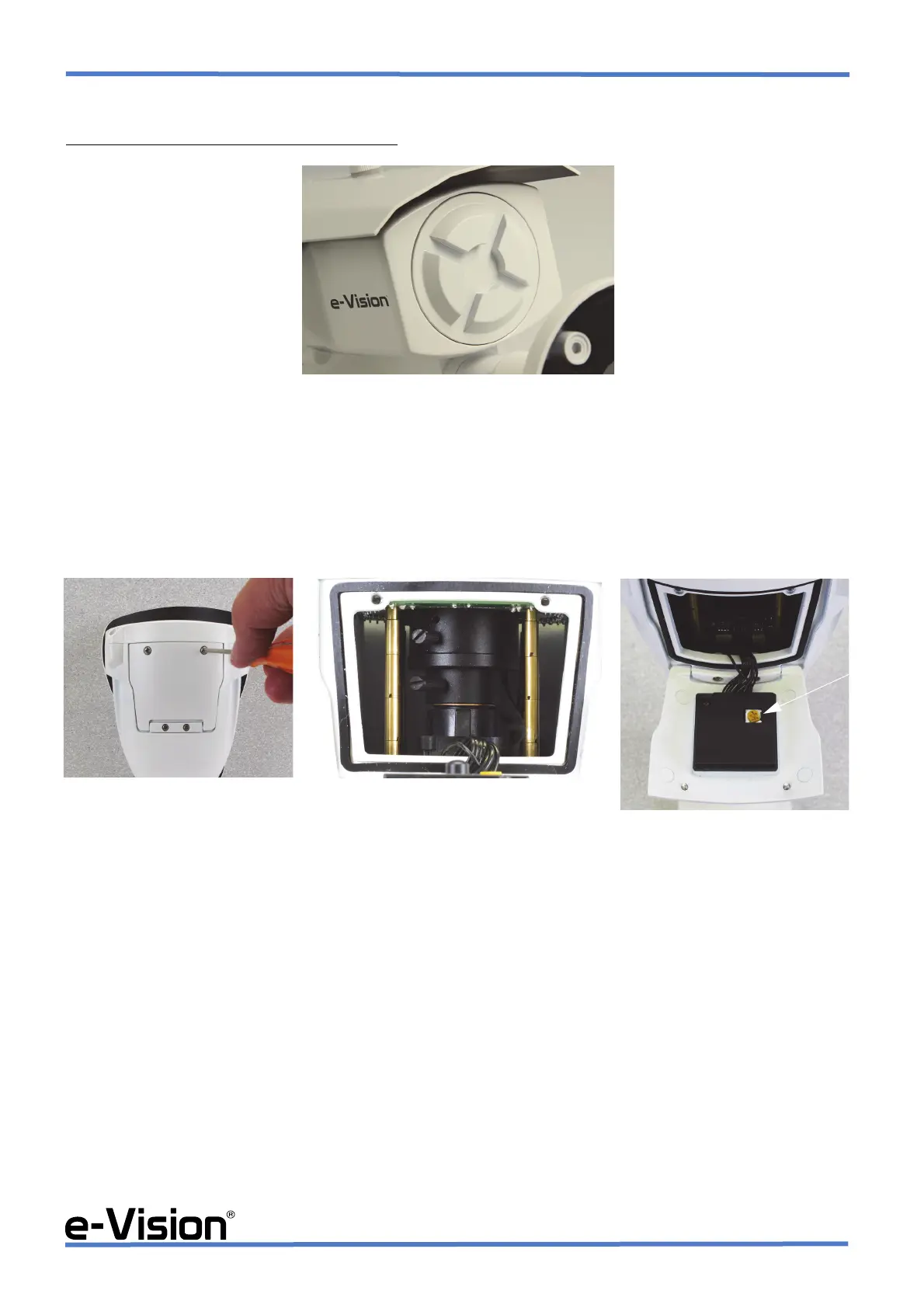
•STEP 4a (motorized bullet cameras)
When installing a bullet camera with motorized lens
, adjust the lens from the webpage.
NOTE
DO NOT open the panel at the back of the camera.
•STEP 4b (bullet cameras with internal screws)
To access camera controls, open camera door (A) and adjust lens, focus and zoom. Use a suitable screwdriver to adjust
focus and zoom screws. Use the trimmer indicated by the arrow to adjust camera IR level (C).
:
!!! PAY THE UTMOST ATTENTION WHEN ADJUSTING CAMERA LENS, ZOOM and FOCUS !!!
Place the Silica Gel packet inside the door (See chapter 5.4 on page 24).


 To Next Page