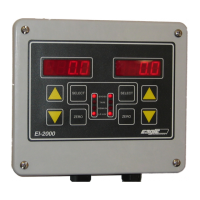
EI-1000 & 2000: Setup, Calibration and Troubleshooting.
Page 10 of 19
Display stays at zero when chemical is pumped into the tank but increases
if the scale is stepped on or a test weight is applied:
• Turn off the automatic zero function. (Set parameter P113 off.) See the
Changing Configuration Parameters and day tank setup section for
more info.
If the weight reading starts drifting wildly or shows OL, UL, or A-OL:
• Check the cable from the scale to the instrument for damage.
• Check the wiring in the instrument for broken or loose connections.
• The LP4320, LP4300, and most multiple load cell scales have a summing
box mounted under the deck. This box will need to be opened and
inspected for moisture or corrosion if the cable looks good.
• On all scales with a summing box, inspect the connections inside the box
for loose or broken wires. Also check the cables from the load cells to the
summing box for damage.
If the weight reading doesn’t track properly:
• Inspect the scale and tank to make sure they are not rubbing against
anything.
• Check that all piping to the tank has a flexible section to allow the tank to
move.
• Check under the scale to see if anything is stuck there.
• Check that the adjustable feet have not been backed out so far that they
are hitting the underside of the deck.
Remaining weight is wrong but the gross weight is correct:
• Press SELECT several times. If you can select the tare weight use the
UP/DOWN arrows to change it.
• If you cannot get the tare weight to show, select the remaining weight.
Hold down the UP arrow. After about three seconds the unit will jump to
the tare weight and start scrolling. Release the button and use the
UP/DOWN arrows to set the tare. Press SELECT when finished.
• If that doesn’t work you have an older indicator. Enter the configuration
mode by closing dip switch S1 position 1. Set parameter P001 to “1”. This
selects the manual mode. Open the switch and you will be able to select
the tare. Note: On old style EI-1000’s hold down SELECT until “nOnE” flashes. Press
UP to get to “CFG” and press SELECT to get to “P001”. Hold down “SELECT” until
“DONE” appears to exit.



 To Next Page