LAMP SENSITIVITY
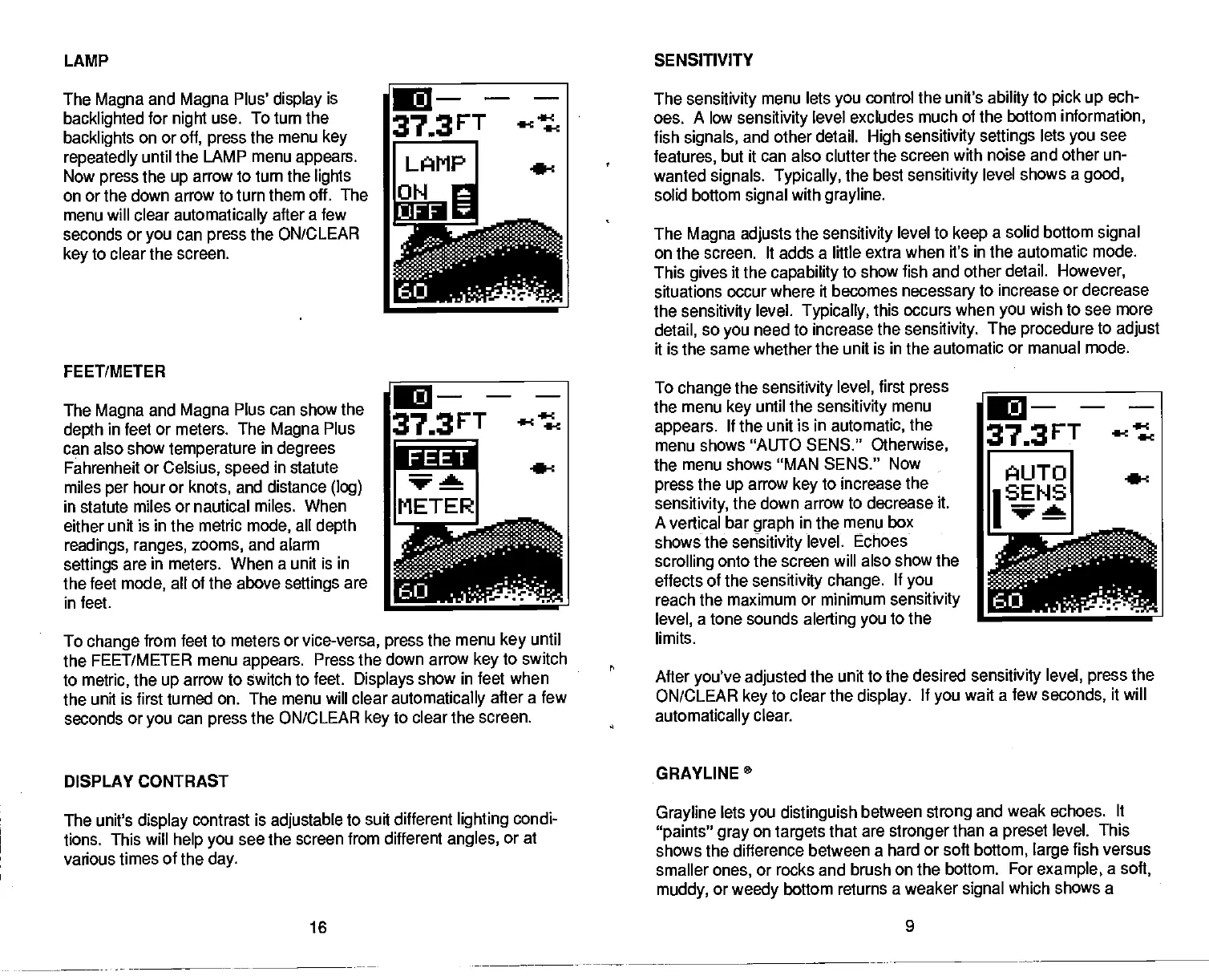
The
Magna
and
Magna
Plus'
display
is
backlighted
for
night
use. To turn the
backlights
on or
oft, press
the menu
key
repeatedly
until the
LAMP menu
appears.
Now
press
the
up
arrow to turn the
lights
on or the down arrow to turn
them off. The
______
menu will clear
automatically
after a
few
___________
seconds or
you
can
press
the ON/CLEAR
key
to clear the screen.
FEET/METER
The
Magna
and
Magna
Plus can show the
depth
in feet or meters. The
Magna
Plus
can also show
temperature
in
degrees
Fahrenheit or
Celsius,
speed
in statute
miles
per
hour or
knots,
and distance
(log)
in statute miles or nautical miles. When
either unit is in the metric
mode,
all
depth
readings, ranges,
zooms,
and alarm
settings
are in meters. When a unit is
in
the feet
mode,
all of the above
settings
are
in feet.
To
change
from feet to meters or
vice-versa, press
the menu
key
until
the FEET/METER menu
appears.
Press the
down arrow
key
to switch
to
metric,
the
up
arrow to switch to feet.
Displays
show
in feet when
the unit is first turned on. The menu will clear
automatically
after a few
seconds or
you
can
press
the ON/CLEAR
key
to clear the
screen.
DISPLAY CONTRAST
The
sensitivity
menu lets
you
control the unit's
ability
to
pick up
ech-
oes. A low
sensitivity
level excludes
much of the bottom
information,
fish
signals,
and other detail.
High sensitivity settings
lets
you
see
features,
but it can also clutter the
screen with noise and other un-
wanted
signals. Typically,
the best
sensitivity
level shows a
good,
solid bottom
signal
with
grayline.
The
Magna adiusts
the
sensitivity
level to
keep
a
solid bottom
signal
on the
screen. It adds a little extra when it's in the automatic
mode.
This
gives
it the
capability
to show fish and other
detail.
However,
situations
occur where it becomes
necessary
to increase
or
decrease
the
sensitivity
level.
Typically,
this occurs when
you
wish to see more
detail,
so
you
need to increase the
sensitivity.
The
procedure
to
adjust
it is the same whether the unit is in the automatic
or manual mode.
To
change
the
sensitivity
level,
first
press
the menu
key
until the
sensitivity
menu
appears.
If the unit is in
automatic,
the
menu shows "AUTO SENS."
Otherwise,
the menu shows "MAN SENS." Now
press
the
up
arrow
key
to increase the
sensitivity,
the down arrow to decrease it.
A
vertical bar
graph
in the menu box
shows the
sensitivity
level. Echoes
scrolling
onto the screen will also show the
effects of the
sensitivity change.
If
you
reach the maximum or minimum
sensitivity
level,
a tone sounds
alerting you
to the
limits.
After
you've adjusted
the unit to the desired
sensitivity level, press
the
ON/CLEAR
key
to clear the
display.
If
you
wait a
few
seconds,
it will
automatically
clear.
GRAYLINE°
The unit's
display
contrast is
adjustable
to suit different
lighting
condi-
tions. This will
help you
see
the screen from different
angles,
or at
various times
of the
day.
Grayline
lets
you distinguish
between
strong
and weak echoes. It
"paints" gray
on
targets
that are
stronger
than a
preset
level. This
shows the difference
between a hard or soft
bottom,
large
fish versus
smaller
ones,
or rocks and brush
on the bottom. For
example,
a
soft,
muddy,
or
weedy
bottom returns
a weaker
signal
which shows a
16 9
373FT
ect
I LAMP
a-:
FEET
It—-
37•3FT
AUTO
iSENS
na
PDF compression, OCR, web-optimization with CVISION's PdfCompressor



 To Next Page