-20-
2. Press the function setting key “ ” for more than 5 seconds to enter the
setting interface. Press the key “ ” momentarily to select inverter no-load
power saving function setting interface. Press the key “ ” or “ ”
momentarily to select the inverter no-load power saving function. The user can
select ON or OFF the inverter no-load power saving function is off by default.
3. After selecting “Confirm”, press the key “ ” momentarily to save the interface
(by reference to “save and exit setting”). Press the key “ ” or “ ”
momentarily, choose “Yes”, and then press the key “ ” momentarily to save
and exit it.
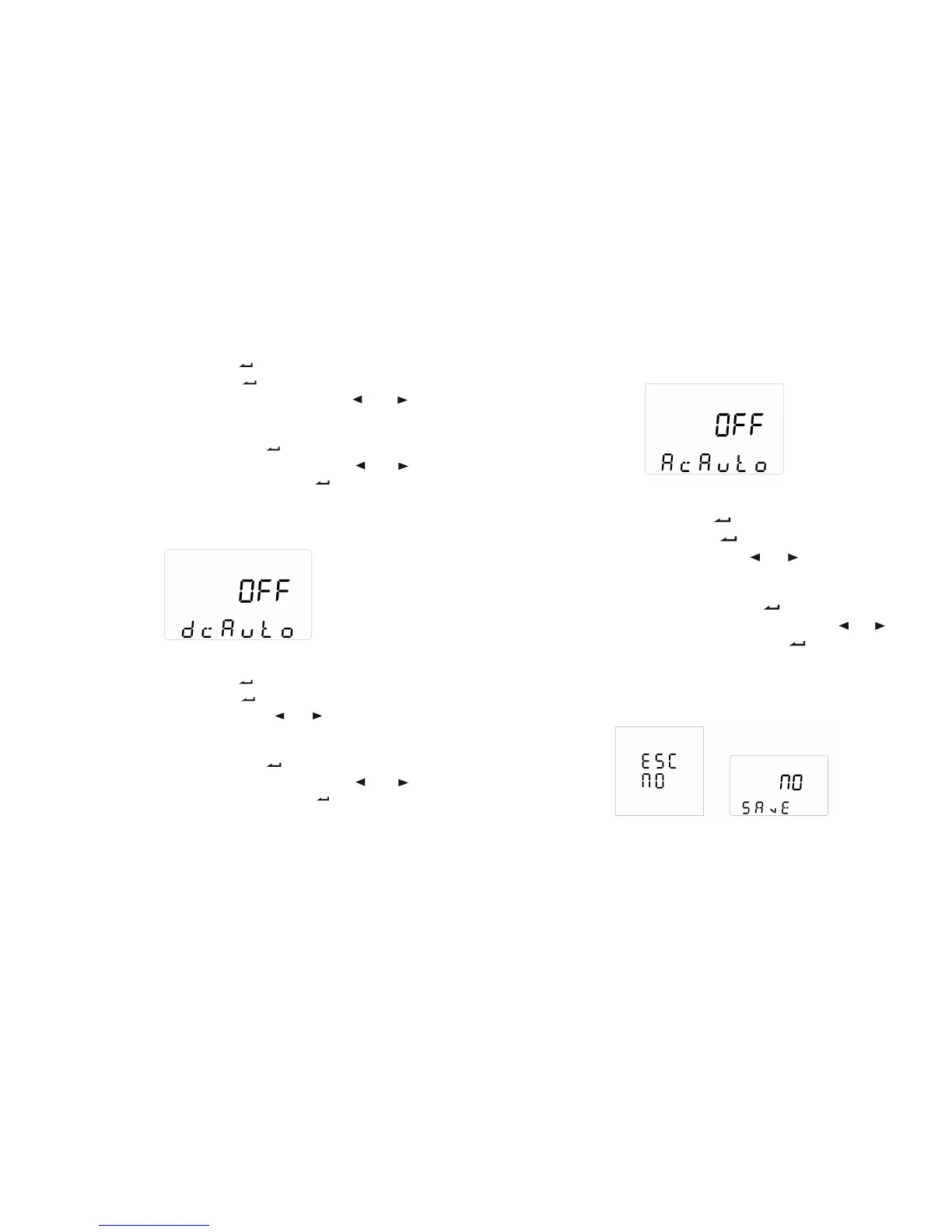
5.9 DC self-start function setting
1. The above figure shows DC function setting interface of tower UPS (tower
UPS can be set through the panel).
2. Press the function setting key “ ” for more than 5 seconds to enter the
setting interface. Press the key “ ” momentarily to select DC self-starting
function setting interface. Press the key “ ” or “ ” momentarily to select
the DC self-starting function. The user can select ON or OFF the DC
self-starting function is off by default.
3. After selecting “Confirm”, press the key “ ” momentarily to save the interface
(by reference to “save and exit setting”). Press the key “ ” or “ ”
momentarily, choose “Yes”, and then press the key “ ” momentarily to save
and exit it.
-21-
5.10 AC self-start function setting
1. The above figure shows AC function setting interface of tower UPS (tower UPS
can be set through the panel).
2. Press the function setting key “ ” for more than 5 seconds to enter the
setting interface. Press the key “ ” momentarily to select DC Auto-start
function setting interface. Press the key “ ” or “ ” momentarily to select
the AC auto-start function. The user can select “ON” or “OFF” the AC
Auto-start function is off by default.
3. After selecting “Confirm”, press the key “ ” momentarily to save the
interface (by reference to “save and exit setting”). Press the key “ ” or “ ”
momentarily, choose “Yes”, and then press the key “ ” momentarily to save
and exit it.
5.11 Save and exit setting or direct-exit setting
Save and exit setting
1. The left figure shows “save setting” interface of rack UPS, and the right figure
shows the inverter no-load shutdown function setting interface of tower UPS.



 To Next Page