User Manual 200 kVA-1200 kVA UPS 5 Operation
70
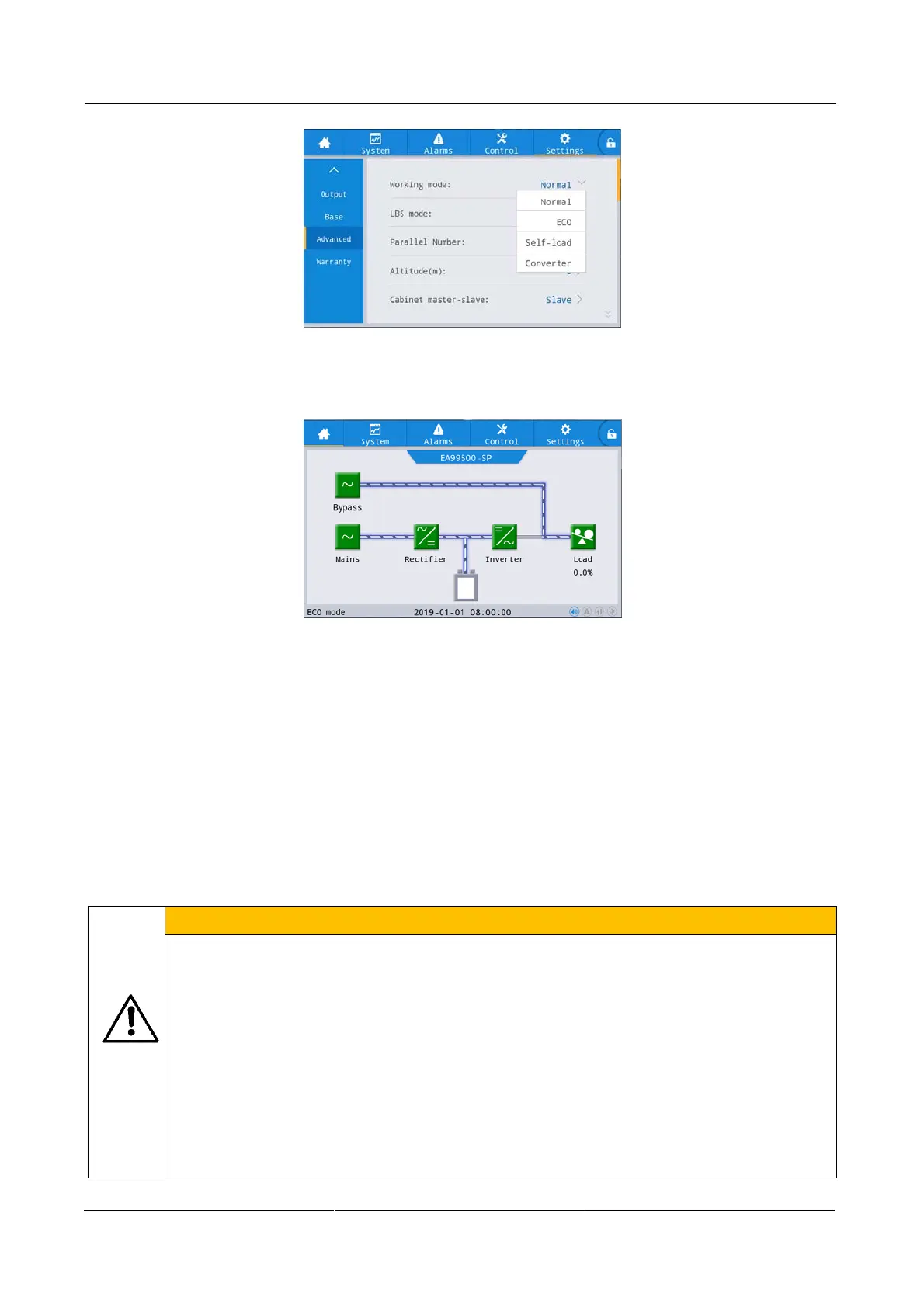
Fig. 5-8 ECO mode
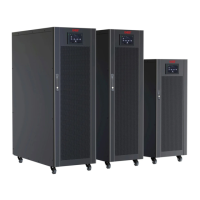
After completing the operation, observe the energy flow diagram of the home page. When the energy flow
diagram is shown in Fig. 5-9 the current working mode of UPS is ECO mode.
Fig. 5-9 Energy flow diagram of ECO mode
Exit ECO operating mode.
Operation procedures:
Step 1: Set normal operating mode
If the "Control" on the main menu of the monitoring display unit is gray, unlock it first: chick the password lock
on the upper right corner of the display interface while the system will pop up the unlock window and enter the
password to complete the unlocking.
In the main menu of monitoring display unit, click [Settings]→[Advanced]→[Working mode]→[Normal], as
shown in Fig. 5-8.
5.5 Emergency Power Off (EPO)
CAUTION
In default setting, the operation of EPO causes switching UPS to bypass output to prevent
accidental power outages. If UPS have no output directly by the EPO operation, set "EPO
action" to "Shutdown".
After closing the emergency power off (EPO) button, it possible to cause no output of UPS and
the power failure of the load. Therefore, only use this feature if it is really required to
disconnect power supply from the key loads.
In case of rupture, spontaneous combustion,electric leakage or fire, earthquake or other serious
disasters, the users shall perform emergency shutdown EPO operation and disconnect the
power distribution switch of the equipment including (mains input switch, bypass input switch,
battery switch), on the premise of ensuring their own safety.


 To Next Page