15 -
5.3 Setup your cameras
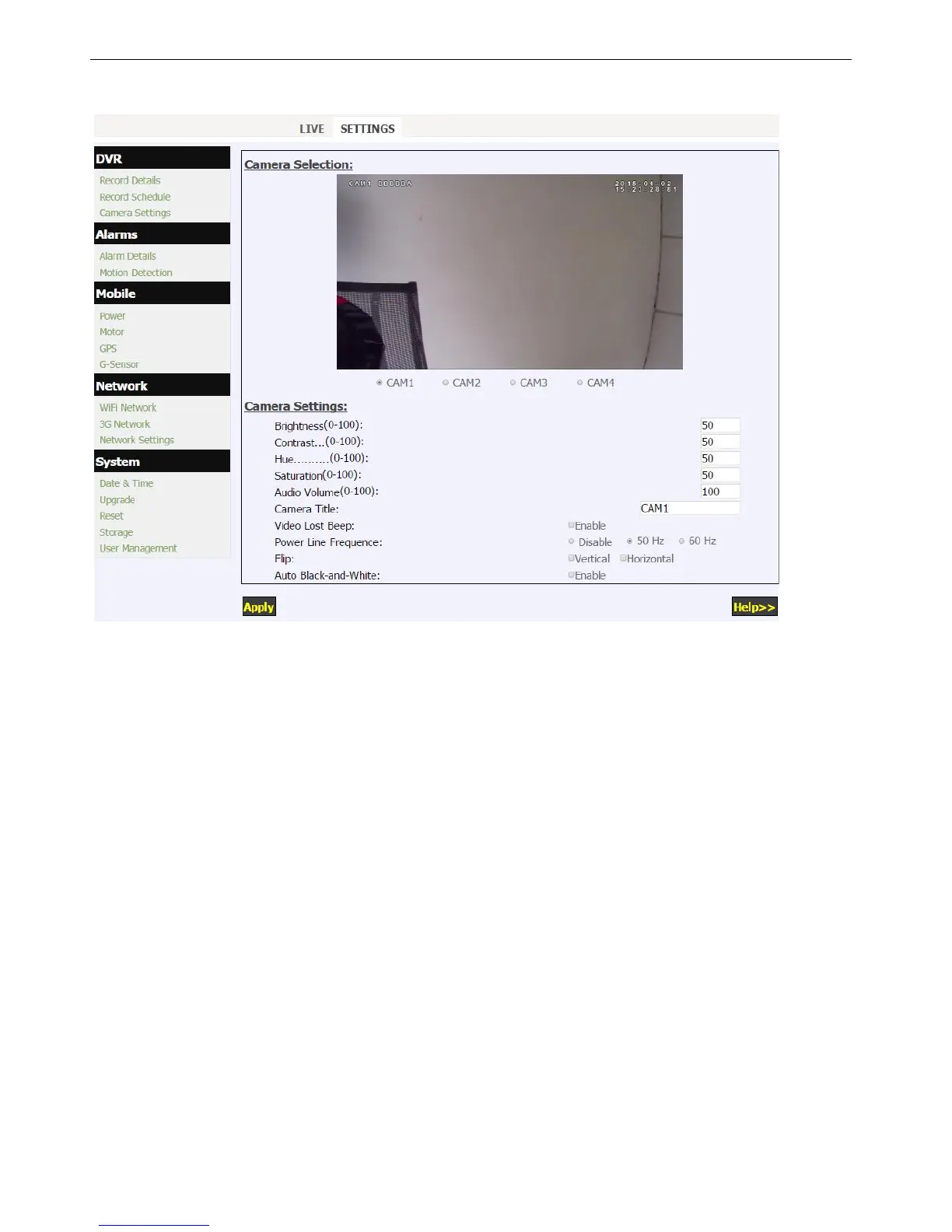
Click “Camera Setting” in the DVR menu to setup the cameras.
1. Click CAMx to adjust each camera's brightness, contrast, audio volume, and other settings.
2. Max 12 characters are limited for each camera title.
3. Camera image can be flipped in direction of horizontal or vertical.
4. When “Auto Black-and-White” is enabled, it would switch from color mode to Black&White mode, or from
Black&White mode to color mode automatically according to the camera light sensor device.


 To Next Page