18 -
5.7 Setup vehicle parameters
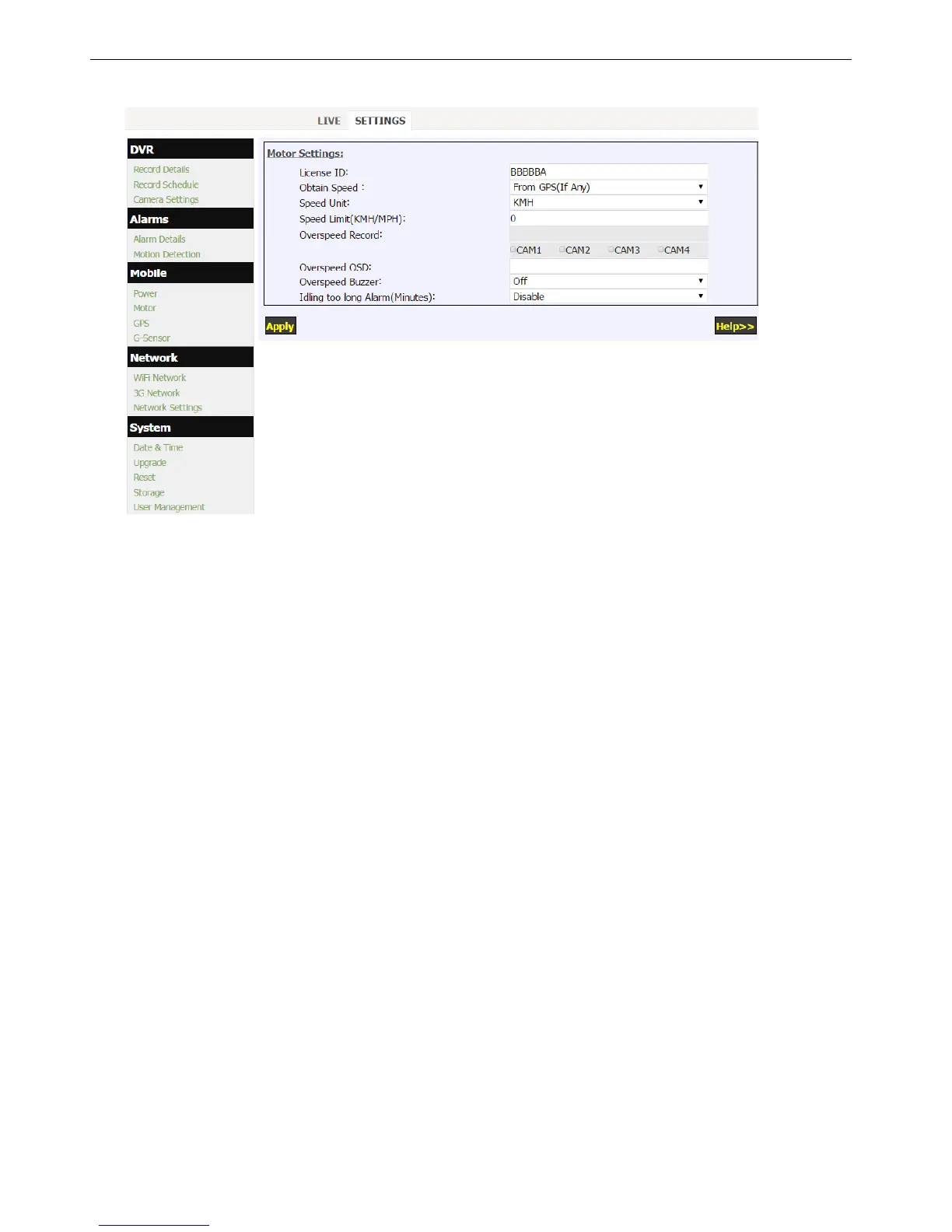
Click “Motor” in the “Mobile” menu to setup vehicle parameters.
1. Speed obtains from GPS (if existing).
2. The item "Speed Limit" is used to set the speed alarm threshold.
3. Combined Recording can be triggered when over speed.
4. The image burn in characters can be edited and applied when over speed.


 To Next Page