19 -
5.8 Setup GPS parameters
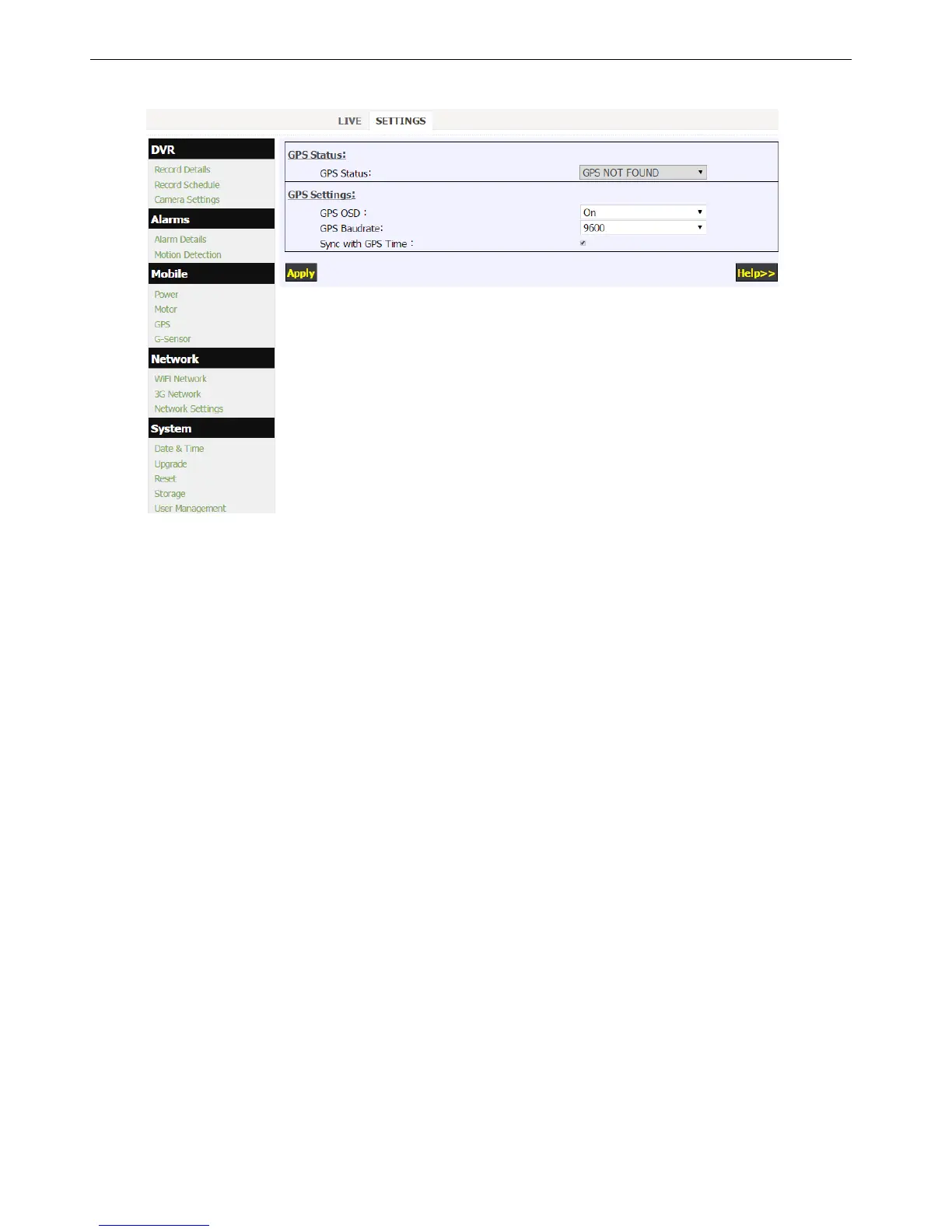
Click “GPS” in the “Mobile” menu to setup the GPS parameters.
1. GPS Status:
GPS NOT FOUND: No GPS detected.
GPS DATA: GPS is found but data stream error (baudrate or protocol error).
GPS GPRMC: GPS GPRMC means correct but inactive GPRMC frames.
(GPS searching in processing, or GPS signal is weak or lost)
2. GPS OSD gives the option if longitude/latitude data to be burned in video image.
3. Sync with GPS Time gives the option to synchronize the DVR system time with GPS time.
4. DVR system time will be synchronized with GPS time every hour if sync option enabled, and only minutes and
seconds will be synchronized. If you want to set date and hour, please reference "Date and Time" menu.


 To Next Page