23 -
5.12 Set up 3G Network
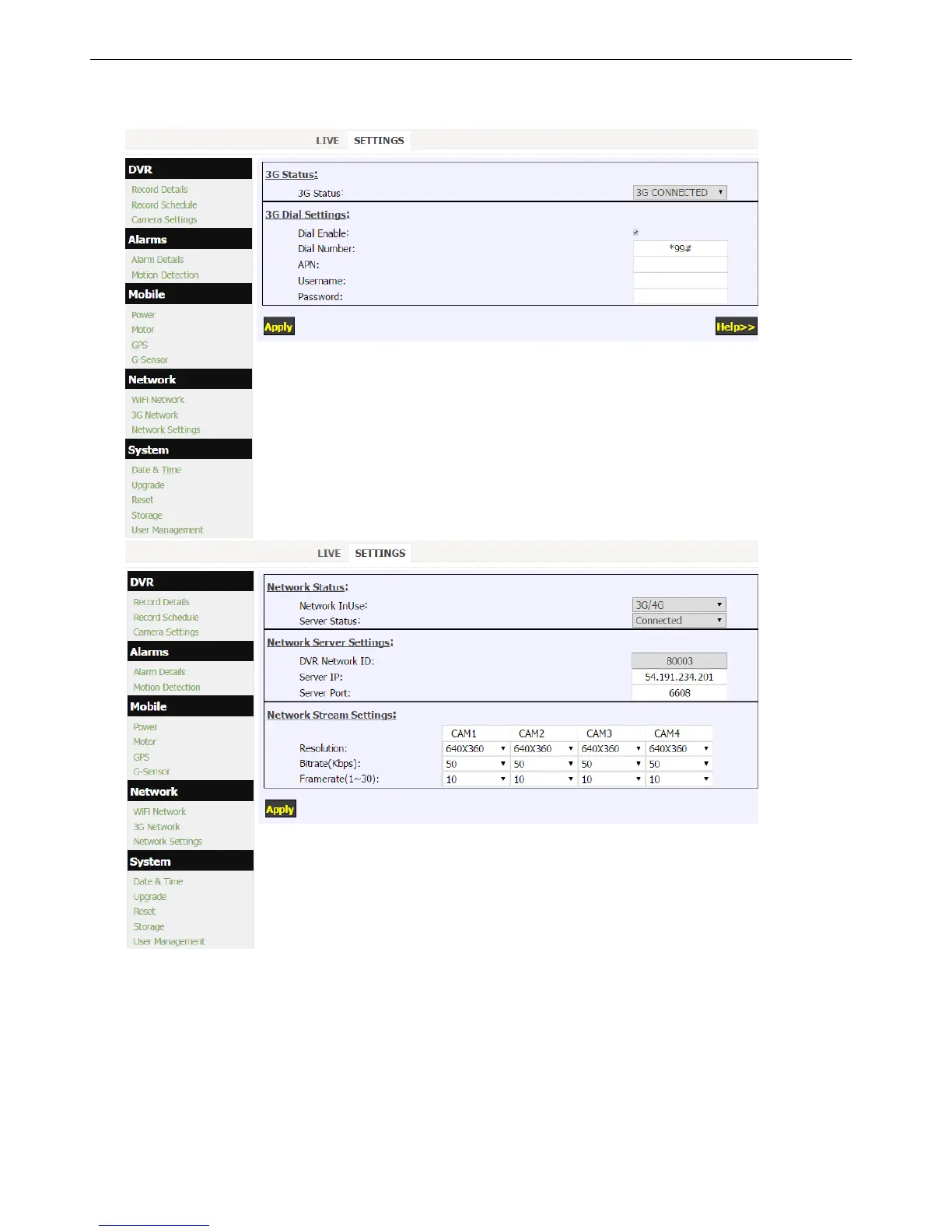
Click “3G Network” and “Network Settings”in the “System” menu to setup 3G Network.
(3G function is only available with HD DVR for 3G/4G version)
1. 3G Status:
3G NOT FOUND: 3G module is not detected by DVR.
3G LOADED: 3G is loaded without service (SIM card error or no RF signal).
3G CONNECTED: 3G module works properly.
2. Make sure that your SIM card is correctly inserted (Keep the side with metal pads adown)
3. Intelligent devices (PC, Pad or Phone) connected to DVR can access internet when 3G is OK.
4. When needed, get APN & Password from you local 3G service provider.
5. “Network InUse”: The DVR can communicate with server by WIFI or 3G/4G network. WIFI network always has
the priority.


 To Next Page