17 -
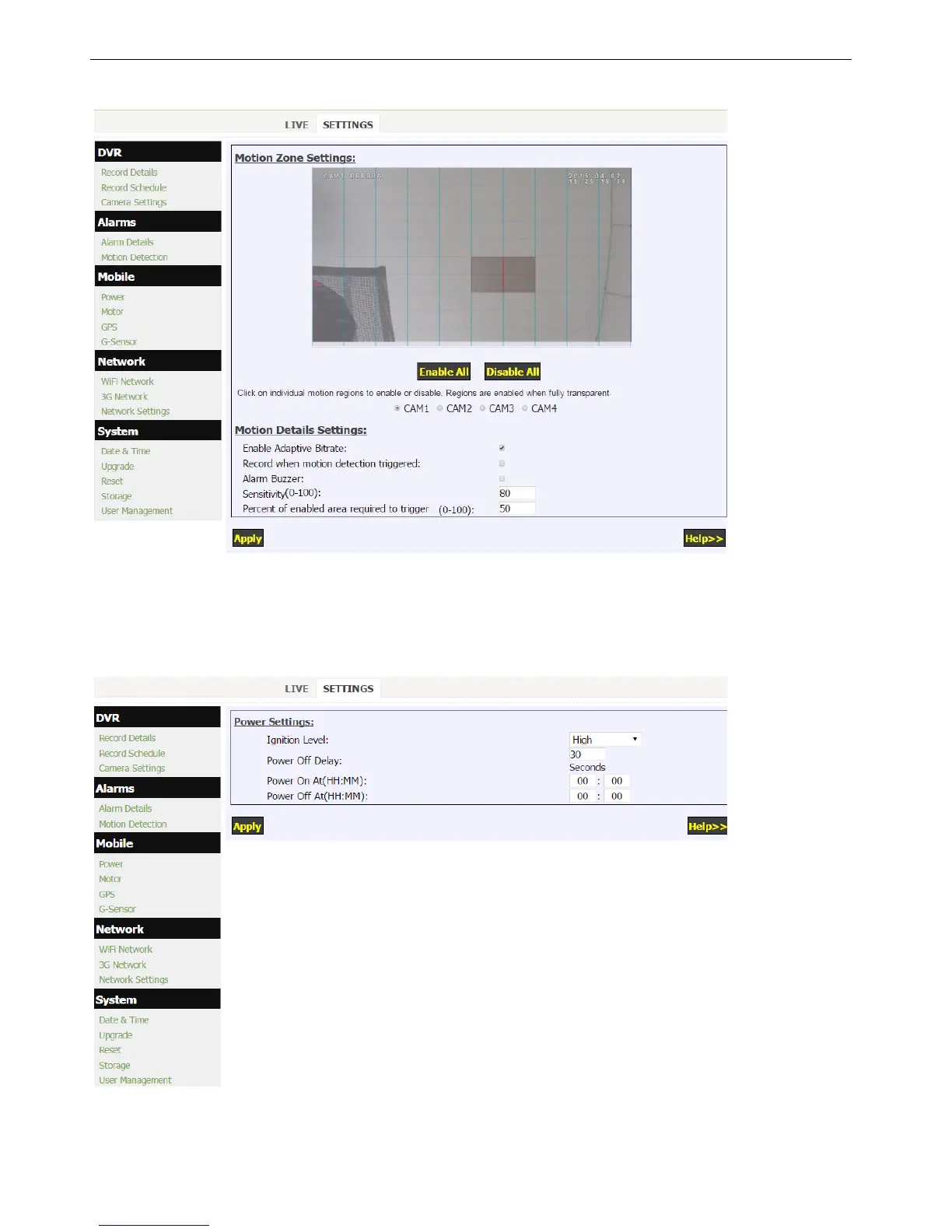
5.5 Setup Motion Detection
Click “Motion Detection” to set up Motion Detection alarm.
1. Up to 12 motion detection areas can be activated for each camera.
2. Each camera needs to be configed individual.
5.6 Setup power
Click “Power” in the “Mobile” menu to setup the power supply.
1. Default ignition level is HIGH, while LOW for few cars with main switch on negative pole.
2. Power Off Delay is used to set how long the DVR keeps working after ignition is off.
3. "Power On At" and "Power Off At" is used for scheduling Power On/Off. To enable this function, keep the yellow
ignition wire connected with red power wire.


 To Next Page