EasyManua.ls Logo

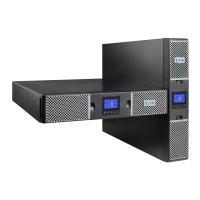
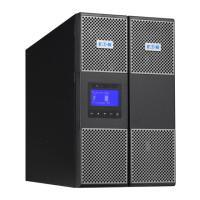
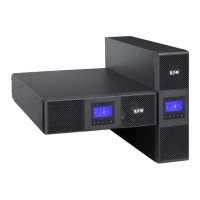
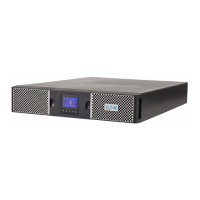
Eaton 9PX 3000 GRT - User Manual

Eaton 9PX 3000 GRT
46 pages
Print Icon
To Next Page IconTo Next Page
Loading...
ENGLISH
9PX 700 RT
9PX 1000 RT
9PX 1000GRT
9PX 1500 RT
9PX 1500GRT
9PX 2000 RT
9PX 2200 GRT
9PX 3000 RT
9PX 3000 GRT
9PX 3000 GLRT
9PX EBM 36V RT
9PX EBM 48V RT
9PX EBM 72V RT
Installation
and user manual
Copyright © 2016 EATON
All rights reserved.
9PX 1-3 KVA US_EN
Questo manuale d’istruzione è fornito da trovaprezzi.it. Scopri tutte le offerte per Eaton 9PX 1000i
RT2U o cerca il tuo prodotto tra le migliori offerte di Gruppi di Continuità

Questions and Answers

  • A
    andres62Aug 12, 2025
    What to do if no battery LED is on and my Eaton 9PX 3000 GRT beeps continuously?
    • M
      Meredith KnightAug 13, 2025
      If no battery LED is on and the Eaton UPS beeps continuously, verify that all batteries are properly connected. If the condition persists, contact your service representative. The batteries are disconnected.
  • R
    Rachel ByrdAug 16, 2025
    What to do if the Power overload LED is on and the Eaton 9PX 3000 GRT beeps continuously?
    • D
      Daniel ChapmanAug 16, 2025
      If the Eaton UPS's power requirements exceed its capacity, remove some equipment from the UPS. The UPS will continue to operate, but it might switch to Bypass mode or shut down if the load increases. The alarm will reset once the condition is no longer active.
  • A
    Adam WilsonAug 20, 2025
    Why is the battery mode LED on and my Eaton 9PX 3000 GRT beeping every 10 seconds?
    • H
      hkimAug 20, 2025
      When the battery mode LED is on and the Eaton UPS beeps every 10 seconds, it indicates a utility failure, and the UPS is running on battery power. Prepare your equipment for shutdown.
  • W
    wjonesAug 25, 2025
    What does it mean when the bypass mode LED is on for my Eaton UPS?
    • S
      samuel07Aug 25, 2025
      If the bypass mode LED is on in your Eaton UPS, it means the equipment is powered but not protected by the UPS. Check for overtemperature, overload, or UPS failure alarms.
  • J
    Jamie BrandtAug 27, 2025
    How to fix Eaton UPS overtemperature LED on and beeping?
    • A
      amitchellAug 27, 2025
      If the UPS internal temperature is too high or a fan has failed and the Eaton UPS overtemperature LED is on, and it beeps every 3 seconds: * Clear vents and remove any heat sources. * Ensure airflow around the UPS is not restricted. * Restart the UPS. If the condition persists, shut down the UPS and contact your service representative. If the UPS transferred to Bypass mode, it will return to normal operation when the temperature drops 5°C below the warning level.
  • B
    Brittany McphersonAug 31, 2025
    Why does my Eaton 9PX 3000 GRT not start?
    • D
      Don WilsonSep 1, 2025
      If the Eaton UPS does not start, check the input connections. Also, if the UPS Status menu displays the "Remote Power Off" notice, inactivate the RPO input, because the Remote Power Off (RPO) switch might be active or the RPO connector might be missing.
  • C
    Crystal ScottSep 4, 2025
    Why is my Eaton UPS not providing the expected backup time?
    • J
      Joseph PhillipsSep 4, 2025
      If the Eaton UPS does not provide the expected backup time, apply utility power for 48 hours to charge the batteries. If the condition persists, contact your service representative.
  • M
    Marissa EvansSep 8, 2025
    What does it mean when the battery fault LED is on and my Eaton 9PX 3000 GRT UPS is beeping continuously?
    • M
      mwuSep 8, 2025
      If the battery fault LED is on and the Eaton UPS beeps continuously, verify that all batteries are properly connected. Start a new battery test: if the condition persists, contact your service representative. The battery test failed due to bad or disconnected batteries, or the battery minimum voltage was reached in ABM cycling mode.

Summary

Safety Instructions

Safety of Persons

Guidelines for safe handling and servicing by qualified personnel.

Product Safety

Precautions for safe connection and operation of the UPS unit.

2. Presentation

3. Installation

3.1 Inspecting the Equipment

Procedures for checking equipment for damage during shipment and before installation.

3.3 Connecting the Internal Battery

Step-by-step guide for connecting the internal battery pack within the UPS.

3.4 Connecting the EBM(s)

Instructions for connecting Extended Battery Modules (EBMs) to the UPS.

3.6 Tower Installation

Steps for setting up the UPS in a vertical tower configuration.

3.7 Rack Installation

Instructions for mounting the UPS and related modules in a standard rack.

3.8 UPS Connection Without HotSwap MBP Module

How to connect the UPS to the AC power source and loads without the MBP module.

3.9 Connection With a HotSwap MBP Module

Procedures for connecting the UPS with the optional HotSwap MBP module for serviceability.

4. Communication

5. Operation

5.1 Start-Up and Normal Operation

Steps for starting the UPS and verifying normal operation.

5.2 Starting the UPS on Battery

Procedure for initiating UPS operation using battery power (cold start).

5.3 UPS Shutdown

Instructions for safely shutting down the UPS unit.

6. UPS Maintenance

6.3 When to Replace Batteries

Information on battery lifespan and notification for replacement.

6.4 Replacing Batteries

Detailed procedures and safety precautions for replacing UPS batteries.

Replacing the EBM(s)

Instructions for safely replacing Extended Battery Modules (EBMs).

Testing New Batteries

Procedure for performing a battery test after installation or replacement.

6.5 Replacing the UPS Equipped With a HotSwap MBP

Steps for replacing the UPS unit while it is connected to a HotSwap MBP module.

7. Troubleshooting

7.1 Typical Alarms and Faults

A chart identifying common UPS alarms, their causes, and recommended actions.

Eaton 9PX 3000 GRT Specifications

General IconGeneral
Output Power2700 W
Power Rating3000 VA
Input Voltage200-240 V
Output Voltage200-240 V
Form FactorTower
Battery TypeSealed Lead-Acid (SLA)
TopologyOnline Double Conversion
Network ManagementOptional Network Card
Output Frequency50/60 Hz +/- 0.1 % (autosensing)
Typical Recharge Time3 hours to 90%
Communication1 USB port + 1 serial port + 1 mini-terminal block for remote On/Off and remote output relay
Communication Ports1 USB port + 1 serial port + 1 mini-terminal block for remote On/Off and remote output relay

Related product manuals