EasyManua.ls Logo

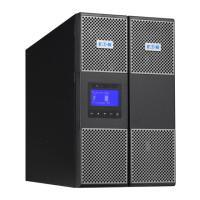
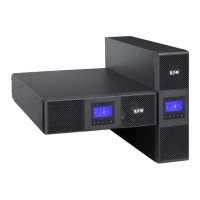
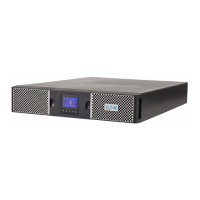
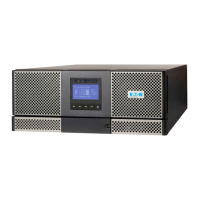
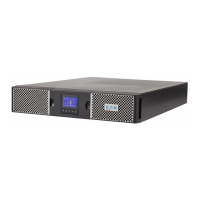
Eaton 9PX2200IRT2U - User Manual

Eaton 9PX2200IRT2U
96 pages
Print Icon
To Next Page IconTo Next Page
Loading...
9
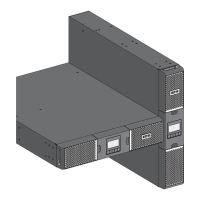
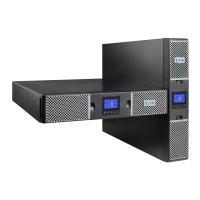
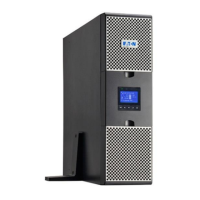
PX 1000i
9PX 1500i
9PX 2200i
9PX 3000i
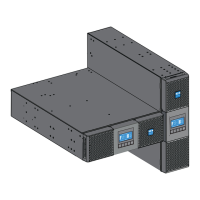
9PX EBM 48V
9PX EBM 72V
©
2015 EATON
版权
保留
有权
请致电您当地的服务代表

Questions and Answers

  • M
    Martin OchoaAug 13, 2025
    Why is the Bypass mode LED on in my Eaton 9PX2200IRT2U?
    • M
      Miss Amy CobbAug 13, 2025
      The Bypass mode LED turns on when an overload or fault occurs, or when the UPS receives a command to enter Bypass mode. When this happens, your equipment is powered but not protected by the UPS. Check for alarms such as overtemperature, overload, or UPS failure.
  • A
    alexis00Aug 16, 2025
    What to do if my Eaton UPS doesn't provide the expected backup time?
    • E
      emma89Aug 16, 2025
      If your Eaton UPS isn't providing the expected backup time, the batteries likely need charging or servicing. Connect the UPS to utility power for 48 hours to allow the batteries to charge. If the issue continues after charging, you may need to contact your service representative.
  • J
    James WatersAug 20, 2025
    What to do if the battery fault LED is on and my Eaton 9PX2200IRT2U UPS beeps continuously?
    • M
      Melissa SmithAug 20, 2025
      If the battery fault LED is illuminated and your Eaton UPS is beeping continuously, it indicates that the battery test has failed. This can be due to bad or disconnected batteries, or because the battery minimum voltage has been reached in ABM cycling mode. First, verify that all batteries are properly connected. Then, initiate a new battery test. If the problem persists, contact your service representative.
  • K
    Kathleen LopezAug 25, 2025
    What to do if the UPS overtemperature LED is on and my Eaton UPS beeps every 3 seconds?
    • R
      rodriguezangelAug 25, 2025
      If the UPS overtemperature LED is on and the UPS beeps every 3 seconds, it means the internal temperature is too high, or a fan has failed. If the UPS switched to Bypass mode, it will return to normal operation once the temperature drops 5°C below the warning level. If the problem persists, shut down the UPS, clear vents, remove heat sources, ensure proper airflow, and restart the UPS. If the issue continues, contact your service representative.
  • S
    Stephanie AllenAug 27, 2025
    What to do if the battery low LED is on and my Eaton 9PX2200IRT2U UPS beeps every 3 seconds?
    • Z
      zjensenAug 28, 2025
      If the battery low LED is on and your Eaton UPS is beeping every 3 seconds, it indicates that the UPS is running on battery power and the battery is running low. This is an approximate warning, and the actual time until shutdown may vary. The 'Battery Low' warning might appear before the batteries reach 20% capacity, depending on the UPS load and the number of Extended Battery Modules (EBMs).
  • B
    Brendan GordonAug 31, 2025
    How to fix an Eaton 9PX2200IRT2U that does not start?
    • S
      silvatinaAug 31, 2025
      If your Eaton UPS isn't starting, there could be a few reasons: * The input source might not be connected correctly: Check the input connections. * The Remote Power Off (RPO) switch might be active or the RPO connector is missing: If the UPS Status menu displays the 'Remote Power Off' notice, inactivate the RPO input.
  • Y
    Yvette PeckSep 4, 2025
    What to do if the battery mode LED is on and my Eaton UPS beeps every 10 seconds?
    • S
      smithyolandaSep 4, 2025
      If the battery mode LED is on and your Eaton UPS beeps every 10 seconds, it means a utility failure has occurred, and the UPS is now in Battery mode. The UPS is using battery power to keep your equipment running. Prepare your equipment for shutdown.
  • P
    Penny FordSep 8, 2025
    What to do if no battery LED is on and my Eaton UPS beeps continuously?
    • L
      lmedinaSep 8, 2025
      If no battery LED is on and your Eaton UPS beeps continuously, it indicates that the batteries are disconnected. Verify that all batteries are properly connected. If the condition persists, contact your service representative.

Summary

Safety Instructions

Special Symbols

Explains symbols used on UPS and accessories for alerts.

Personal Safety Precautions

Guidelines for safe handling of batteries and system components.

Product Safety Guidelines

Recommendations for safe installation and operation of the UPS unit.

Appearance Overview

User Settings Configuration

Customization options for language, time, LCD, alarms, and operational parameters.

Installation Procedures

UPS Operation

Startup and Normal Operation

Procedures for powering on the UPS and normal running states.

Battery Power Operation

How to power on and operate the UPS using battery backup.

UPS Shutdown Procedure

Steps for safely powering down the UPS unit.

UPS Maintenance

Time to Replace Battery

Guidance on when to replace the UPS battery based on LCD indication.

Battery Replacement Procedure

Detailed steps for safely replacing the UPS internal battery.

Troubleshooting Guide

Typical Alarms and Faults

Identification and resolution of common UPS alarms, faults, and error conditions.

Alarm Muting and Support

How to mute alarms and access service or technical support.

UPS Specifications

Eaton 9PX2200IRT2U Specifications

General IconGeneral
Model9PX2200IRT2U
CategoryUPS
Power Rating2200 VA / 1980 W
Frequency50/60 Hz
Runtime at Half Load14 minutes
Extended Battery CapabilityYes
Form Factor2U Rackmount
Input Voltage200-240 VAC
Output Voltage200-240 VAC
Battery TypeSealed Lead-Acid
Communication PortsUSB, Serial, SmartSlot
Outlets8
Network ManagementOptional
TopologyDouble conversion online

Related product manuals