EasyManua.ls Logo

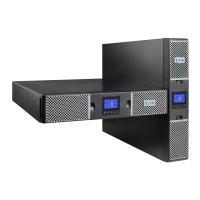
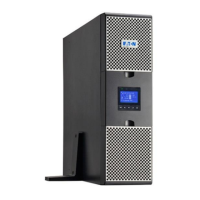
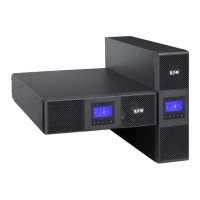
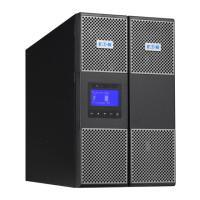
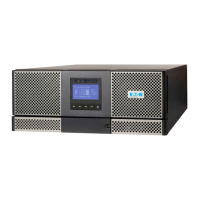
Eaton 9PX8KSP - User Manual

Eaton 9PX8KSP
48 pages
Print Icon
To Next Page IconTo Next Page
Loading...
ENGLISH
9PX8KSP
9PX10KSP
9PXEBM360SP
Installation
and user manual
Copyright © 2014 EATON
All rights reserved.
Service and support:
Call your local service representative
614-00205-01_EN

Questions and Answers

  • J
    John BanksSep 3, 2025
    What to do if the input/output bad wiring LED is on and the Eaton 9PX8KSP is beeping continuously?
    • C
      Christopher RaySep 4, 2025
      The input/output cables are not connected to the correct terminal blocks. Connect the input/output cables correctly.
  • K
    Karen SimpsonSep 18, 2025
    What to do when the Input/Output Bad Wiring LED is on and Eaton Power Supply beeps continuously?
    • E
      Eileen BarnesSep 18, 2025
      If the Input/Output Bad Wiring LED is on and the Eaton Power Supply beeps continuously, it indicates that the Input/Output cables are not connected to the correct terminal blocks. Connect the Input/Output cables correctly.
  • J
    Jimmy JenkinsSep 16, 2025
    Why is the No Battery LED on and Eaton Power Supply beeping continuously?
    • J
      Jasmine RobertsSep 16, 2025
      If the No Battery LED is on and the Eaton Power Supply is beeping continuously, the batteries are disconnected. Verify that all batteries are properly connected. If the condition persists, contact your service representative.
  • T
    tammy56Sep 14, 2025
    What does it mean when the Battery Fault LED is on and Eaton Power Supply beeps continuously?
    • O
      opayneSep 14, 2025
      If the Battery Fault LED is on and the Eaton Power Supply beeps continuously, the battery test has failed due to bad or disconnected batteries, or the battery minimum voltage is reached in ABM cycling mode. Verify that all batteries are properly connected. Start a new battery test; if the condition persists, contact your service representative.
  • D
    Danielle FrancisSep 12, 2025
    Why won't my Eaton Power Supply start?
    • R
      Richard ScottSep 12, 2025
      The Eaton Power Supply might not start because the input source is not connected correctly. Check the input connections. Alternatively, the Remote Power Off (RPO) switch may be active or the RPO connector is missing. If the UPS Status menu displays the 'Remote Power Off' notice, inactivate the RPO input.
  • M
    Megan AndersonSep 12, 2025
    How to fix an Eaton Power Supply with the Overtemperature LED on and beeping every 3 seconds?
    • A
      andersonjerrySep 12, 2025
      If the UPS Overtemperature LED is on and it beeps every 3 seconds, the UPS internal temperature is too high or a fan has failed. If the UPS transferred to Bypass mode, it will return to normal operation when the temperature drops 5°C below the warning level. If the condition persists, shut down the UPS. Clear vents and remove any heat sources, ensure airflow is not restricted, allow the UPS to cool, and then restart it. If the condition continues to persist, contact your service representative.
  • W
    williamnelsonSep 9, 2025
    Why doesn't my Eaton Power Supply provide the expected backup time?
    • S
      Steven CunninghamSep 9, 2025
      If the Eaton Power Supply isn't providing the expected backup time, the batteries may need charging or servicing. Apply utility power for 48 hours to charge the batteries. If the issue continues, contact your service representative.
  • T
    Theresa FletcherSep 7, 2025
    Why is the Bypass Mode LED on for my Eaton Power Supply?
    • D
      Donna LopezSep 7, 2025
      The Bypass Mode LED is on because an overload or fault has occurred, or a command has been received, and the Eaton Power Supply is in Bypass mode. This means your equipment is powered but not protected by the UPS. Check for alarms indicating overtemperature, overload, or UPS failure.
  • D
    dfosterSep 5, 2025
    What to do if the Battery Mode LED is on and Eaton Power Supply beeps every 10 seconds?
    • W
      watsonlauraSep 5, 2025
      If the Battery Mode LED is illuminated and the Eaton Power Supply beeps every 10 seconds, it means a utility failure has occurred, and the UPS is operating in Battery mode. You should prepare your equipment for shutdown, as the UPS is currently powering it with battery power.
  • K
    Kimberly MortonAug 20, 2025
    What to do if the power overload LED is on and the Eaton 9PX8KSP beeps continuously?
    • B
      Bradley ClarkAug 21, 2025
      If the power requirements exceed the UPS capacity, remove some equipment from the Eaton UPS. The UPS will continue to operate, but may switch to Bypass mode or shut down if the load increases. The alarm resets when the condition becomes inactive.

Eaton 9PX8KSP Specifications

General IconGeneral
Model9PX8KSP
Output Power Factor1.0
TopologyDouble Conversion Online
Frequency50/60 Hz
TypeUPS
Power Rating8000 VA
Output Power Capacity8000 VA / 8000 W
Input Voltage200-240 VAC
Output Voltage200/208/220/230/240 VAC
Battery TypeSealed Lead-Acid (SLA)
Form FactorTower
EfficiencyUp to 94%
CommunicationUSB
ExpandabilityExternal Battery Pack Support
Typical Recharge Time3 hours
Communication PortsUSB, Serial
Operating Temperature0 to 40°C
Storage Temperature14°F to 113°F
Humidity0 to 95% non-condensing

Related product manuals