14 Amended: Jan 2014
If T1/T2 is required on a site where these delays need to be active during certain times and turned off
at all other times, generally a member of staff would need to operate the callpoint or I/O.
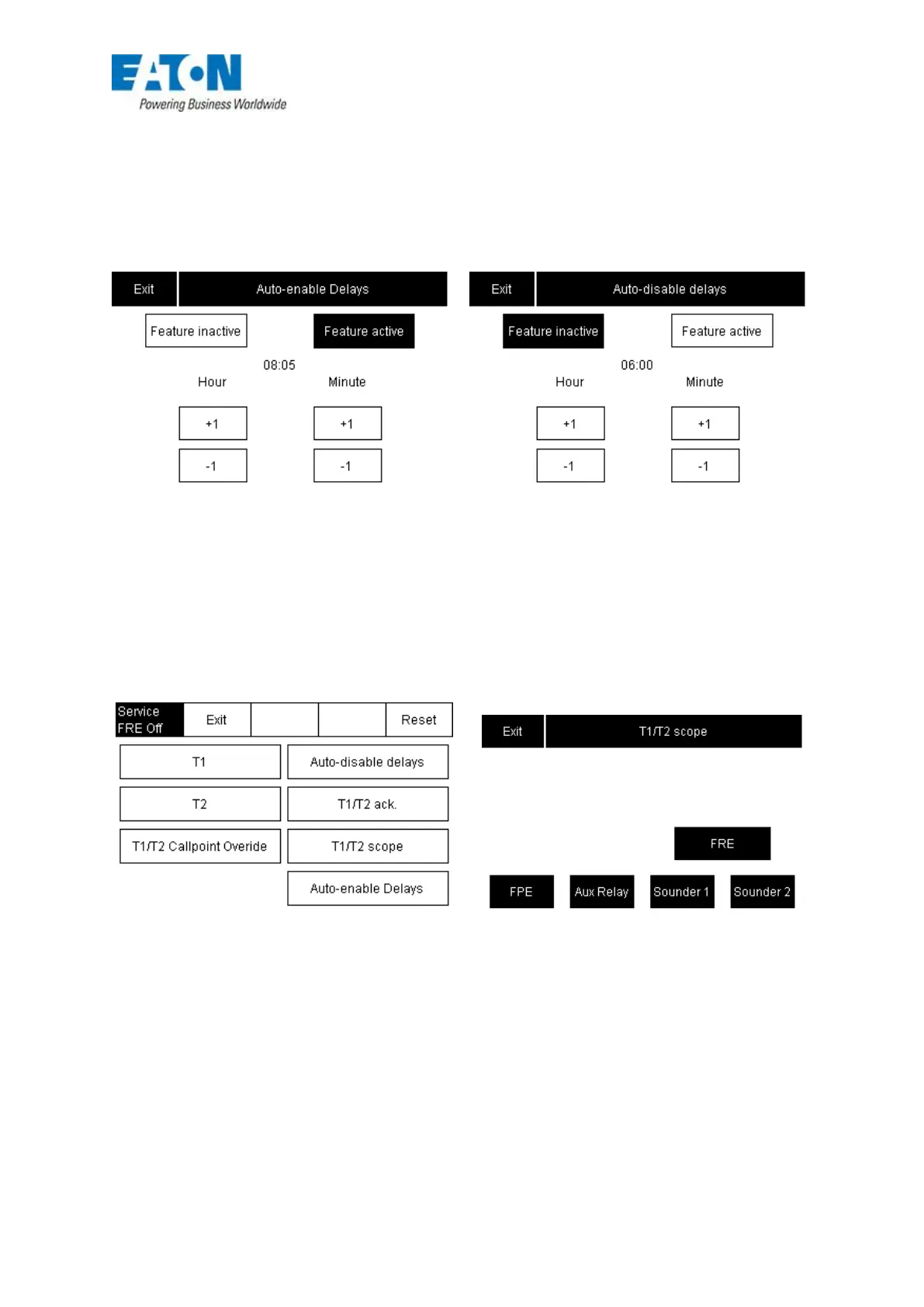
However, within the T1/T2 menu is a feature called ‘Auto enable delays’. This feature enables the
user to automatically set T1/T2 at the required times as a backup if the input is missed.
A more recent amendment (July 2011) has introduced an automatic disable feature to run alongside
the auto enable feature. (see FIG 5)
FIG 6
The release dated July 2011 has also introduce extra features within the T1/T2 the first of which
allows the user to select which internal outputs respond to the T1/T2 time delays (see FIG 6)
FIG 7











 To Next Page