P.44
PM10U
EBARA
CORPORATION
6.5 DIP Switch setting display
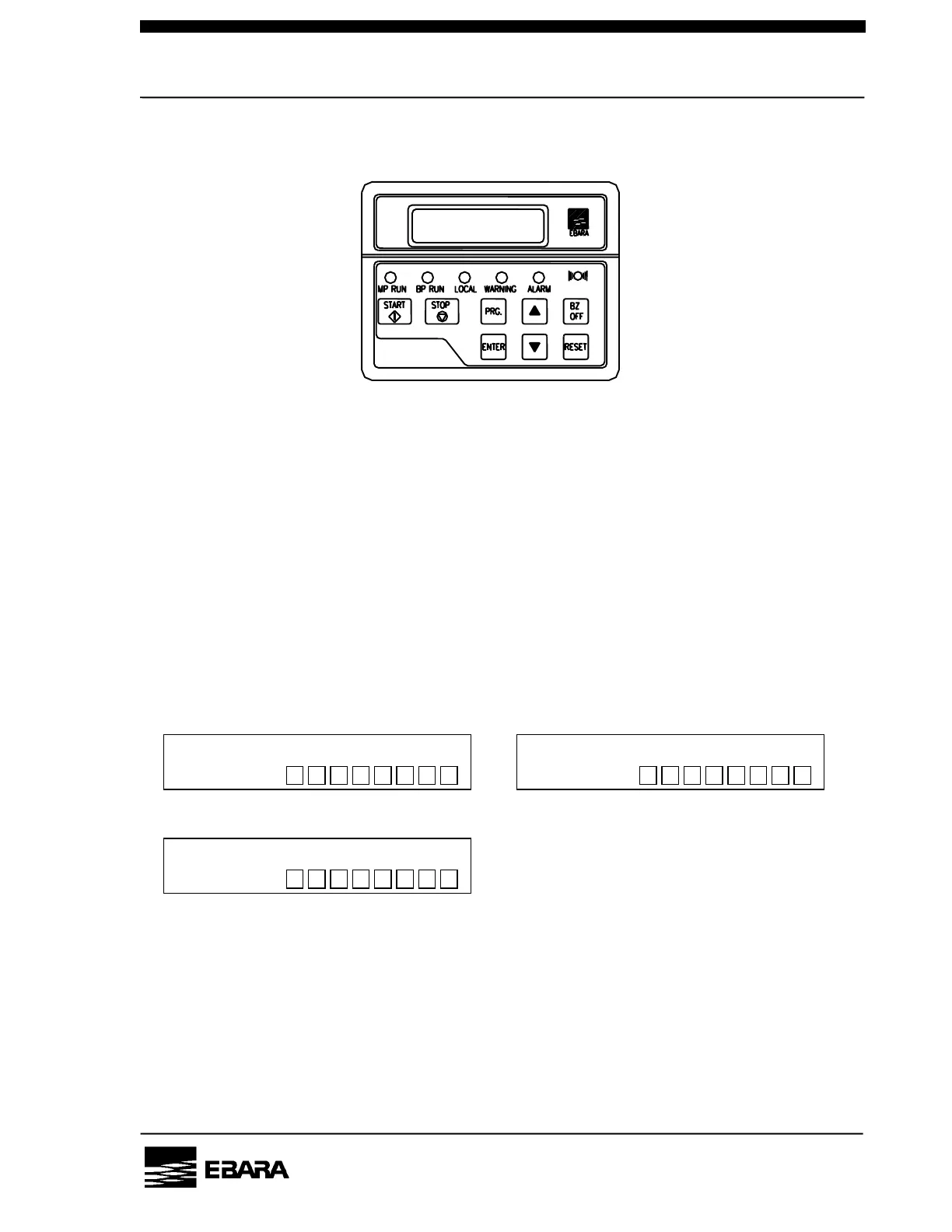
Fig 6.4 LCD controller
Key functions will be as follows on the setting display.
START : Invalid
STOP This stops pump operation.
RESET This resets trip and alarm.
BZ.OFF This switches the dip switch numbers.
▲ This sets the selected dip switch ON.
▼ This sets the selected dip switch OFF.
ENTER Move display level. Or indicate set up conditions.
DIP Switch-A DIP Switch-B
DIP Switch-C
* indicate the dip switch number (1 to 8) currently you are setting.
Fig 6.5 DIP Switch
[NOTE] Duration of pump operation, dip switches, except A-3 (BUZZER) and
B-8 (LCD initialize), can not be used for parameter setting.
ON
OFF
C*
ON
OFF
A*
ON
OFF
B*



 To Next Page