
 Need help?
Do you have a question about the ebm-papst S4E400-AP02-39 and is the answer not in the manual?
This document provides operating instructions for an ebm-papst device, likely a fan or motor, designed for moving air. It covers safety regulations, proper use, technical data, connection and start-up procedures, and maintenance information.
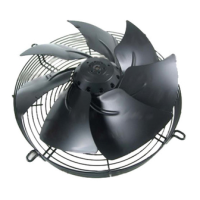
The device is exclusively designed as a built-in component for moving air according to its technical data. Any other or secondary use is considered improper. It is intended to operate with a fixed and isolating safety protection and a fixed guard grille, which must withstand the kinetic energy of a fan blade detaching at maximum speed. The device is a built-in component, and the owner/operator is responsible for providing adequate protection. It is crucial to shut down the device immediately if any missing or ineffective protective features are detected. The device is designed for cyclic speed loads, with rotating parts engineered for a maximum of one million load cycles.
The device, identified by motor type M4E074-EI, is a single-phase unit.
The device must be operated with a density of 1.2 kg/m³ air and within the specified ambient temperature range. All protective features must be in place and the operating instructions followed. Improper use, such as operating with imbalance (due to dirt or icing), opening the terminal box during operation, moving air with abrasive or highly corrosive particles (unless specifically designed for it), moving air with dust pollution, operating near flammable materials or in explosive atmospheres, or using it as a safety component, is strictly prohibited.
When connecting the device, ensure the data on the type plate matches the connection data and the operating capacitor. The supply voltage must match the device's operating voltage. Only use cables designed for the current according to the type plate, following EN 61800-5-1 for cross-section determination. The protective earth must have a cross-section equal to or greater than the outer conductor cross-section. 105°C cables are recommended, with a minimum cross-section of AWG26/0.13 mm².
For electrical connections, always install a protective earth first and check its integrity. Use only cables meeting specified installation requirements for voltage, current, insulation material, and load. Route cables to prevent contact with rotating parts. If multiple devices are switched in parallel, ensure sufficient protection against accidental contact and short the connections to the mains supply and PE before working on them. The fan is a built-in component without an electrically isolating switch, so it must be connected to circuits that can be switched off with an all-pole separating switch.
Cable routing is critical to prevent water penetration. For fans installed lying flat, route the cable in a loop (water trap). For fans installed upright, ensure screwed cable glands are at the bottom and cables are routed downwards. The terminal box allows for an additional cable gland opening. When opening, be aware that the screwed cable gland may be under electrical voltage in case of a fault; do not use metal cable glands for plastic terminal boxes.
Regular maintenance is essential for safe and proper operation.
Before any work on the device, disconnect the voltage at all poles and wait five minutes for capacitors to discharge to prevent electric shock. Always secure the device from being switched on again. If the device has been out of use for some time, switch it on for at least two hours to evaporate condensate and move the bearings.


 To Next Page
 General