may cause incorrect focus and blurry images.
Do not turn the Pan/Tilt by force, it may cause damage to internal components of the Pan/Tilt mechanism.
For firmware upgrading or connection with an external device, refer to detailed instructions contained in the
CD.
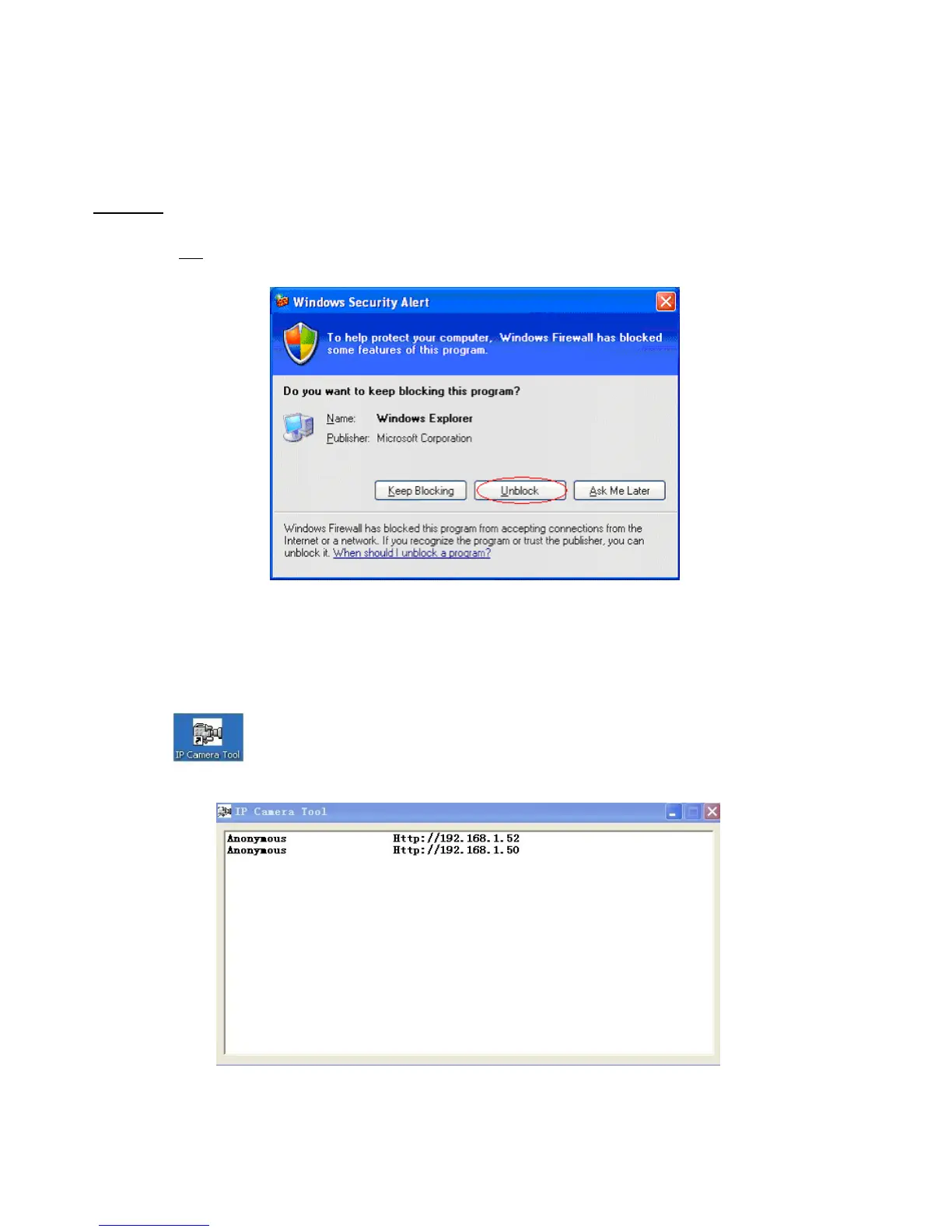
WARNING : On the first run of the program “IP Camera Tool” you might get a Windows Security Alert Popup. It
will ask you to choose a setting for the firewall. Please make sure you choose the ‘UNBLOCK’ option. Your IP
camera will not work without unblocking the firewall settings.
2.0 SOFTWARE OPERATION
2.1 IP Camera Tool
When the Device has been installed properly, you can double-click the Icon “IP Camera Tool”
and a dialog box shown in Figure 1.9 will pop up.
Figure 1.9
Note: The software searches IP Servers automatically over your LAN. It may take a few minutes before the IP



 To Next Page