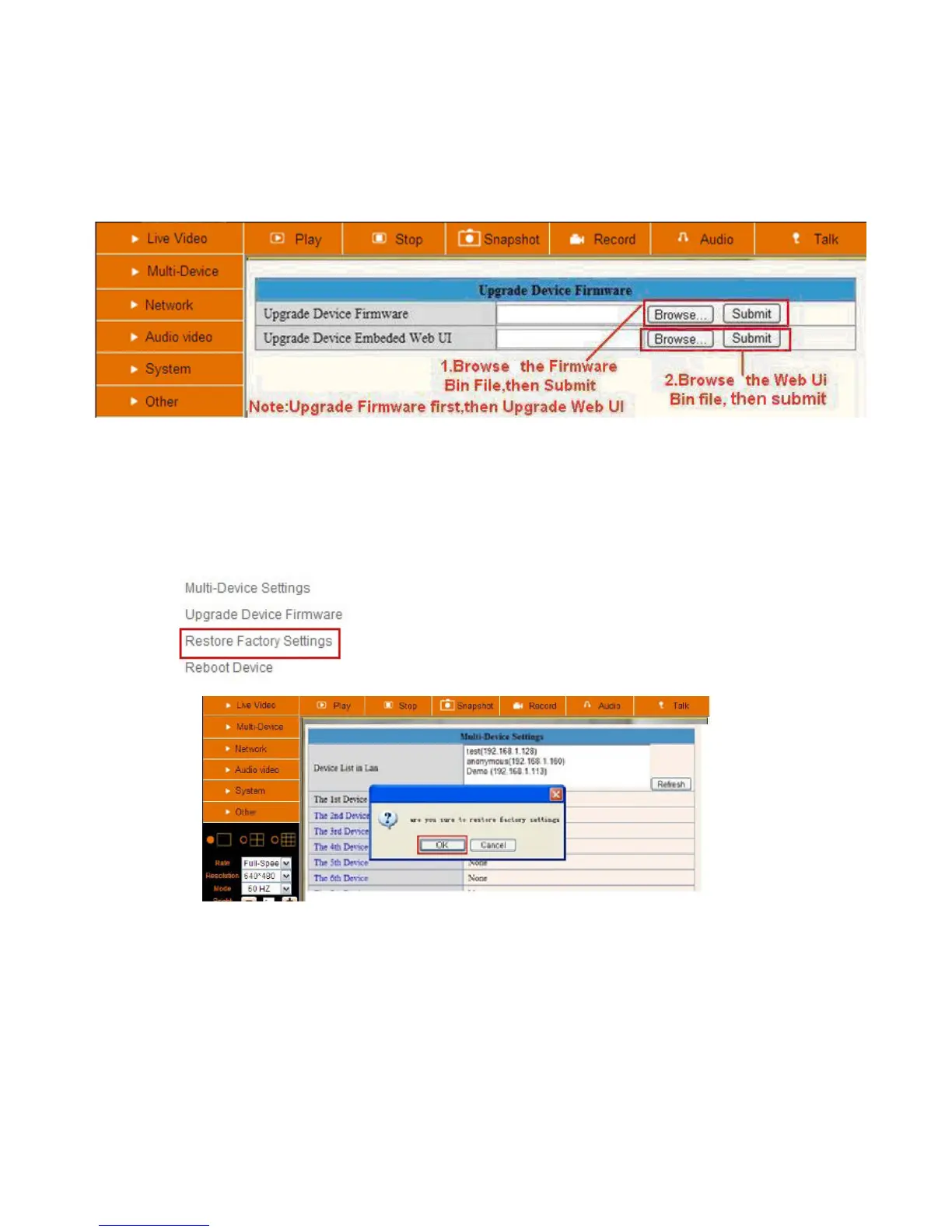
NOTE: Before doing an upgrade via Browser, please make sure the IP Camera Tool of your computer could
find the camera’s IP.
Attention: Please keep the power on during upgrading, and it’s better to use wired mode via network cable.
Please don’t upgrade unnecessarily, wrong operation or incorrect upgrade bin file can damage the
camera.
Figure 5.4
3.1.4 Restore Factory Settings
Click Restore Factory Settings, will pop-up a prompt, select OK, all the parameter will be returned to factory
settings, and the device will reboot.
Figure 5.5
3.1.5 Reboot Device
Click Reboot the device, will pop-up a prompt, select OK, then the device will reboot



 To Next Page