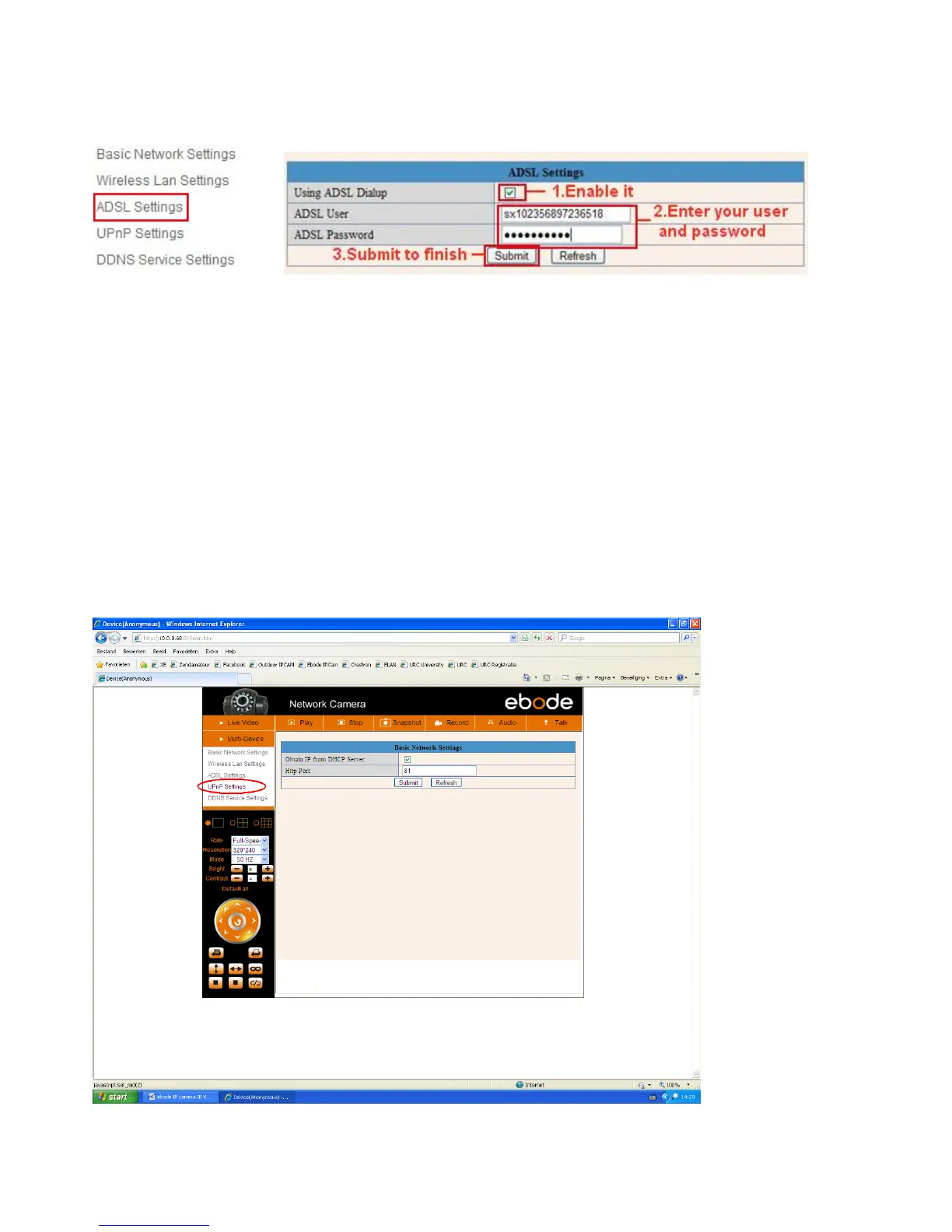
3.5 ADSL Settings (most users won`t need to use this option)
When connected to the Internet through ADSL directly, you can enter the ADSL username
And password obtained from ISP.
Figure 6.6 Figure 6.7
3.6 UPnP Settings
If we want to be able to see our camera live video from a computer outside our network, for example when
we are at work, we have to do some advanced settings in our router. For most people this will be a difficult
step, but we will try to help you out. UPnP stands for Universal plug n Play device. UPnP will do the port
forwarding in the router for us, so we don`t need to do this manually. In order to use this function we need to
have a router that is capable of using UPnP devices. Please make sure your router supports UPnP (please
check the manual of your router to determine if it supports UPnP), if not please skip the next step and
continue with step 3.7 DDNS Service Settings. By default UPnP is most likely disabled in your router. Please
refer to the router manual to enable UPnP.
Click Network > UPnP Settings to choose Using UPnP to Map Port:



 To Next Page