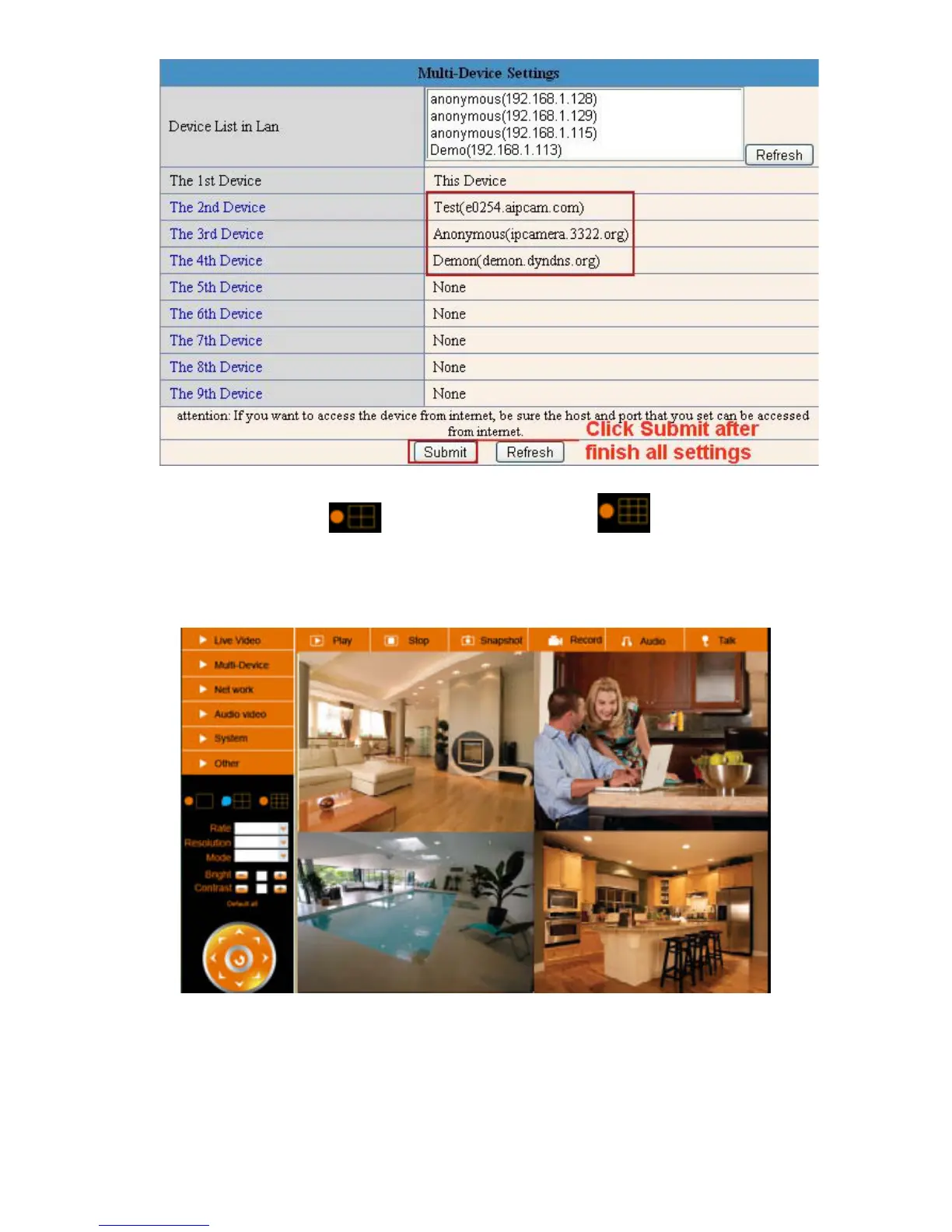
Figure 5.2
Click Live Video and then select
to see four channels, or click to see nine channels.
In this case, you can see all the cameras from a remote position by internet, for example, if you are on a
business trip, you can use the first camera’s (Host camera) DDNS to view all the devices via the internet.
Figure 5.3
3.1.3 Upgrade Device Firmware
If you want to upgrade the camera, please upgrade Device Firmware first, then upgrade Web UI.
Click Browse and choose correct bin file, then click Submit to do upgrading.



 To Next Page