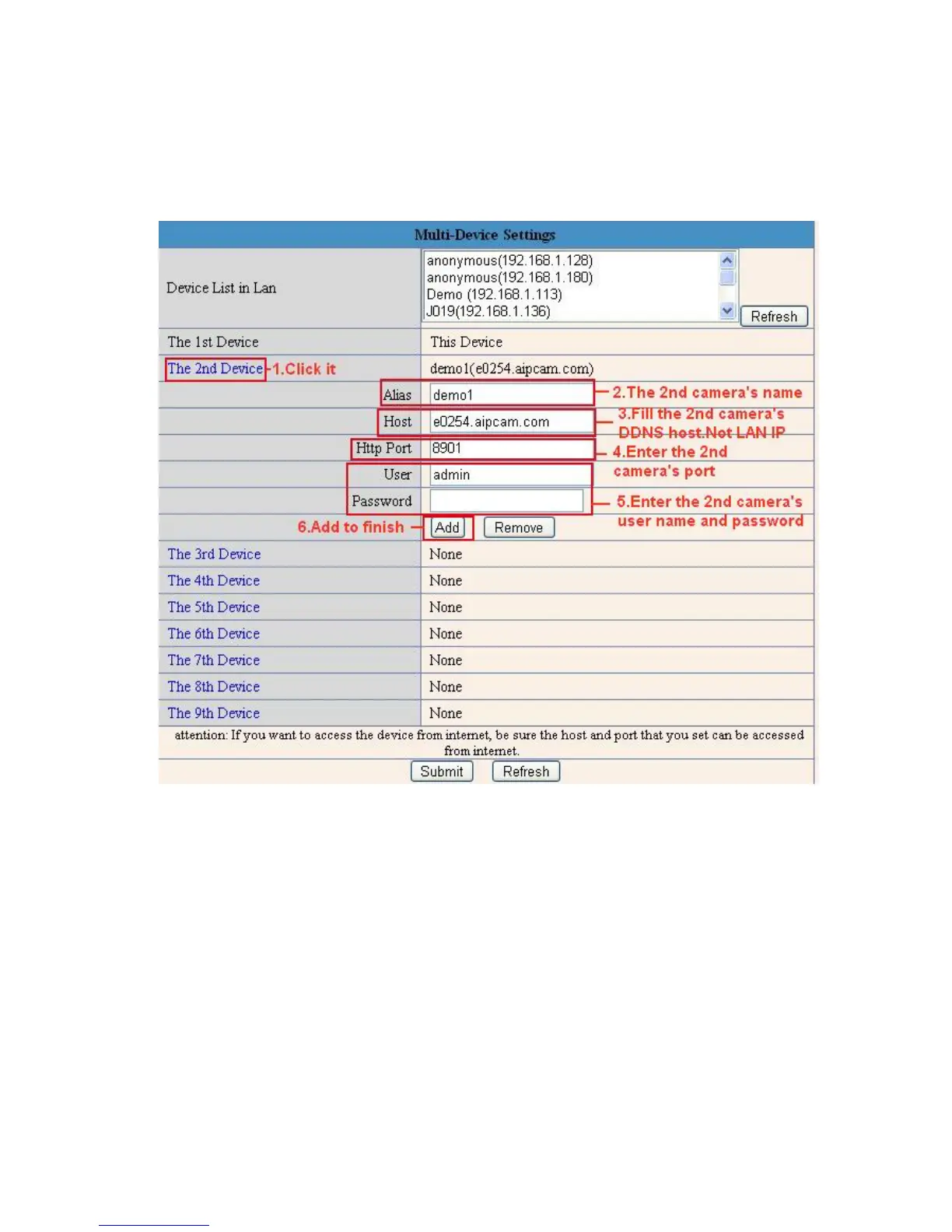
Click Multi-Device, select Multi-Device Settings. Choose the 2nd Device; fill in the 2nd camera’s Alias, Host,
Http Port, User, Password, click Add. Set more devices in the same way, after all done, click Submit.
NOTE: The Alias is optional; you can set the alias as you wish. The Host must be the camera’s DDNS domain
name, and without “http://”, it’s not the LAN IP address. If you have several cameras, you can use the same
DDNS domain name, just set different port number for each different camera.
Figure 5.1
Note: Add the other camera in the same way, Click submit to add all of them.



 To Next Page