LAN: RJ-45/10-100 base T
Power: DC 5V/2A power supply
Network Light: The green LED is on when connected to the network, the yellow LED blinks when data is
transferred.
Audio Output: The jack is used to connect an external speaker
I/O PINS: 1: Output A 2: Output B 3: Alarm input 4: Input (GND)
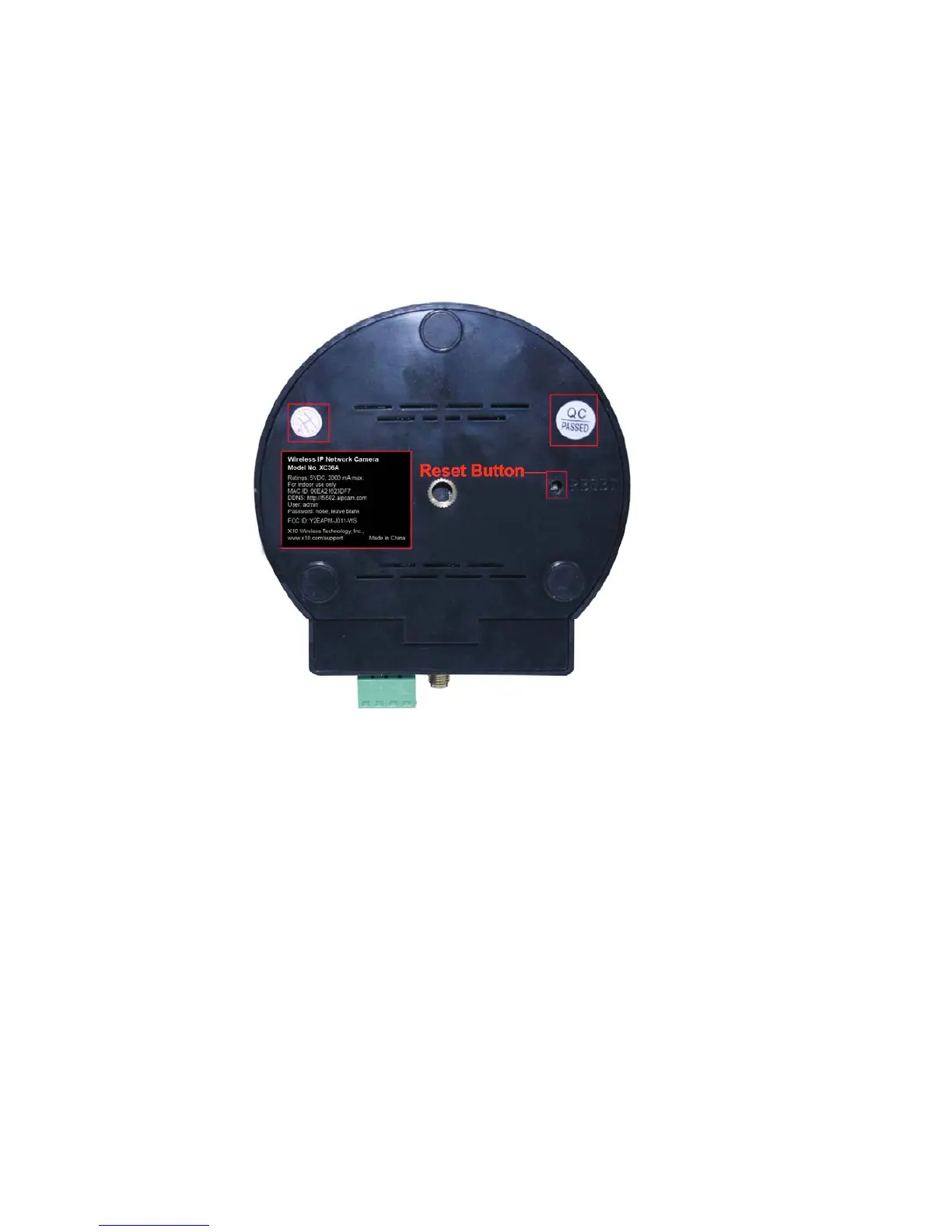
1.3.3 Bottom View
Figure 1.3
Please note the unique MAC and DDNS addresses on the bottom of the camera (different for every
camera).
RESET BUTTON: Press and hold the RESET BUTTON for 15 Seconds to reset the camera back to the factory
default settings. (Please keep the power on when doing a RESET)
1.4 PC System Requirements
System configuration requirements:
CPU: 2.06 GHZ or above.
Memory: 256M or above.
Network Card: 10M or above.
Display Card: 64M or above memory.
Recommended Operating system: Windows XP, Windows Vista, Windows 7.



 To Next Page