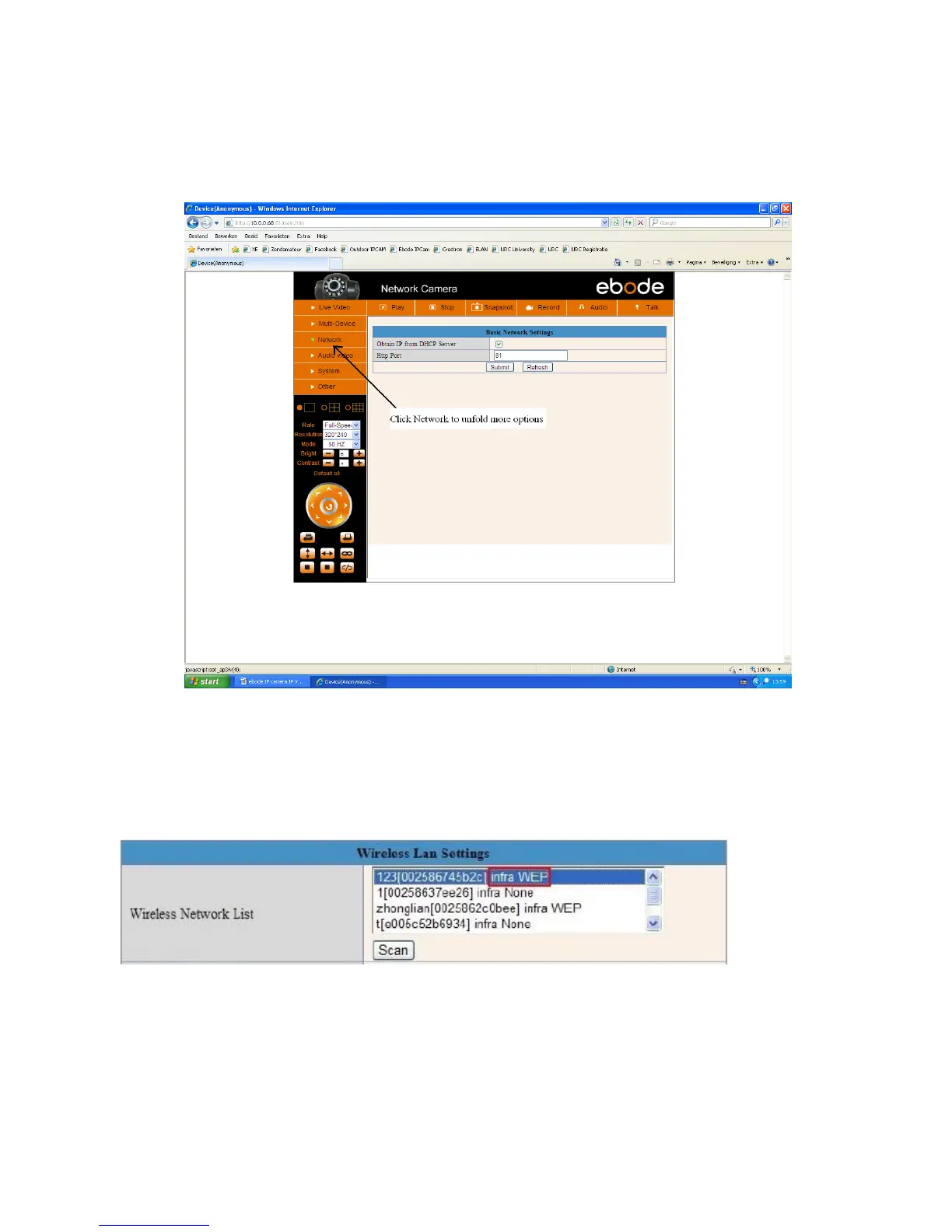
Please note that the (tree view) menu (Figure 6.1.1) can look different on different computer systems
depending on the resolution of the screen used. Figure 6.1.1 shows that we had to scroll over with our
mouse and click “Network” inside the tree view on the left and that the options unfold in the tree view
itself. After clicking “Network” you will see something like Figure 6.1.1.
6. Select your Wireless network in the list, please look careful and select the right one.
“Wireless Lan” can also be referred as “SSID” in some router manuals or on the bottom of the router.
7. Behind the SSID you can also find your type of encryption, in this particular case the Camera discovered:
Network type “infra” Encryption “WEP”.
8. If there is no encryption, just click “Submit”. (Figure 6.4).
9. If there is encryption, please input the share key (password), then click “Submit”. (Figure 6.5).
10. Wait about 30 seconds, the camera will reboot, then unplug the network cable. You might have to login
to the Camera again to continue with the next steps.



 To Next Page