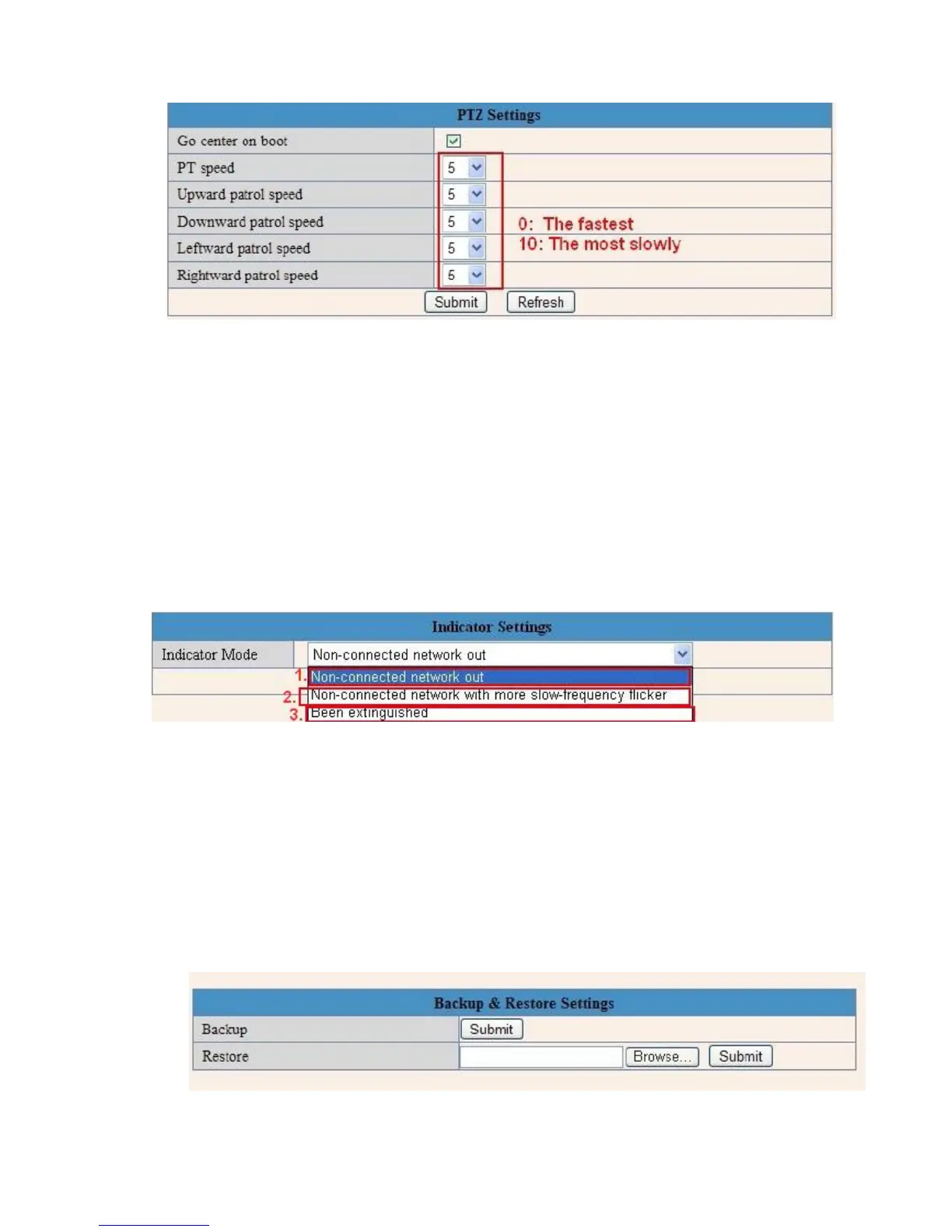
3.12 Pan, Tilt, (PTZ) Settings (note, there is no Zoom feature on this model)
Figure 8.6
1. Go center on boot: The camera rotates to the center automatically when it starts.
2. PT speed: Set Pan/Tilt speed.
3. Upward patrol speed: Set the speed of cruising upward.
4. Downward patrol speed: Set the speed of cruising downward.
5. Leftward patrol speed: Set the speed of cruising leftward.
6. Rightward patrol speed: Set the speed of cruising rightward.
NOTE: Value 0 means the fastest, value 10 means the slowest. In order to protect the camera’s motor, we
recommend that setting the speed to value 5.
3.13 Indicator Settings
Figure 8.7
Set the pilot lamp mode, to one of the following three options:
(1) Non-connected network out: Flicker while connected to the internet and turn off when disconnected.
(2) Non-connected network with more slow-frequency flicker: Flicker while connect to the internet and more
slower when disconnected.
(3) Extinguished: Stay OFF.
3.14 Backup & Restore
Figure 8.8



 To Next Page