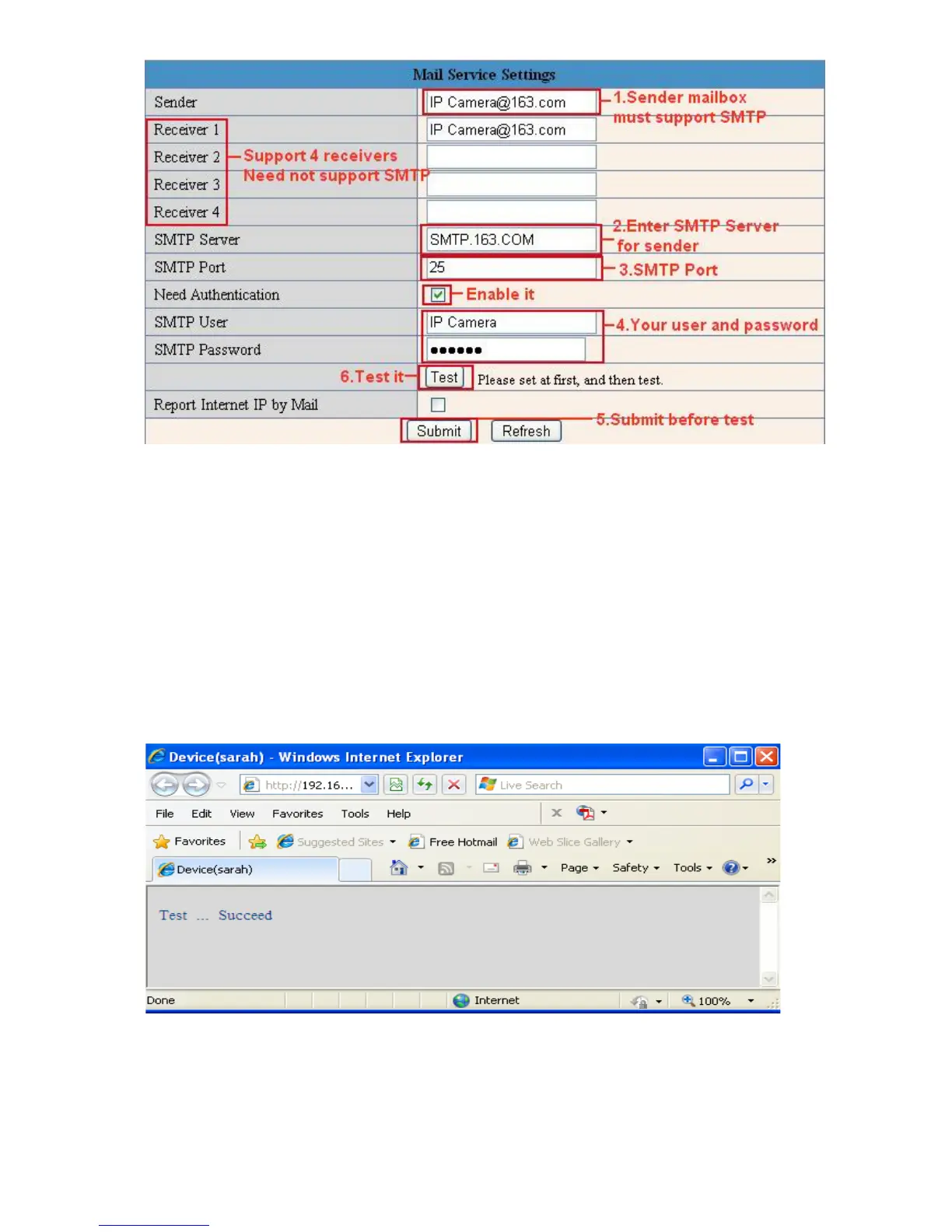
Figure 9.1
Sender: Make sure the sender mailbox server provider supports SMTP, and the mailbox should not enable SSL
or TSL encryption.
Receiver: Here you can set four receivers. For receiver, there is no SMTP limitation.
SMTP Server: The sender’s SMTP Server.
SMTP Port: The sender’s SMTP Port, usually is 25, some SMTP servers have their own port, such as 587.
Need Authentication: If there is SMTP user & password, please select authentication.
SMTP User: Input correct SMTP User here. Some SMTP User is the sender’s full email address, such as
test@qq.com, some are without suffix, only the username, such as test.
SMTP Password: Input correct SMTP password here.
NOTE: Please click Submit first before choosing Test.
You will see the test result after click Test.
Figure 9.2
If it shows the following errors when you click Test. Please check whether the information you filled in is
incorrect and try again.



 To Next Page