FCA‐22InstructionManual
Page9
#7Acceptthecalibration
PresstheMENUSELECT
downkeytoacceptthe
newvalue
#8ReturntoHome
Screen
PresstheCALIBRATE
downkeytoreturntothe
HomeScreen.
pHCalibration
The PHS10 pH sensor was calibrated with pH 7.0 and pH 10.0 buffers at the factory before shipping .
Verifythedisplayed pHagreeswith theactualpH .If the pH valuedeviates by more than0.2pHthen
adjustthevalueintheBuffer:#1 pH:Menubyse
ttingtheexistingpH7 valuetotheactualsamplevalue
andthenacceptingthecalibration.ForadetaileddescriptionseeElectrodeStandardizationintheC‐22
manual.
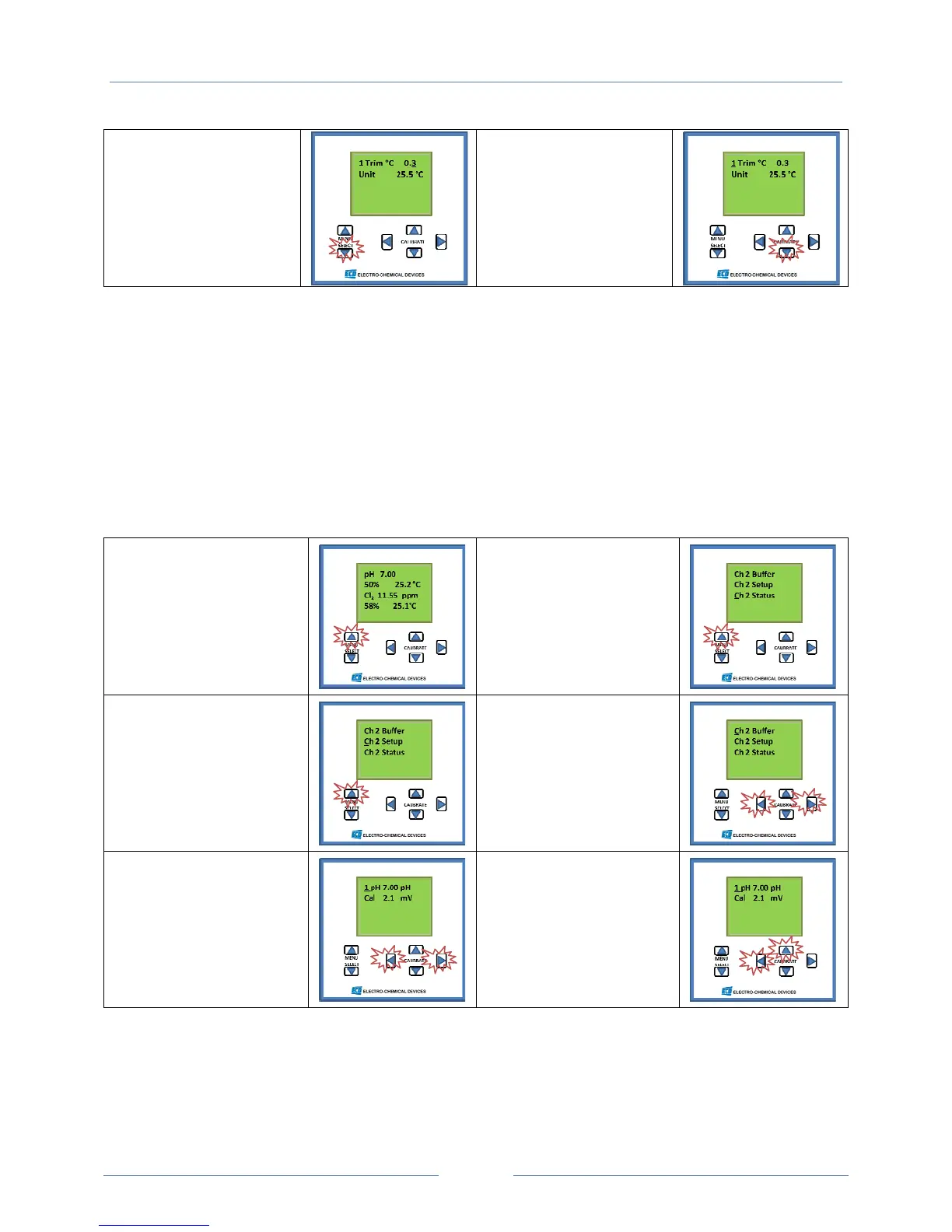
pHCalibrationScreenShots
Calibration2point
(Zeropt.andSlope)
#1HomeScreen
PressMenuSelect
Upbutton
#2SelectionMenu
StatusScreen
PressMenuSelect
Upbutton
#3SelectionMenu
SetUpScreen
PressMenuSelect
Upbutton
#4SelectionMenu
BufferScreen
(calibration)
SelectBUFFERby
simultaneouslypressing
thehorizontalCALIBRATE
keys.
#5ZeroPointCalibration
Initiatethecalibrationby
simultaneouslypressing
thehorizontalCALIBRATE
keyswiththesensorina
7.00pHsolution,or…
#5aStandardizetothe
SamplepHvalue
Adjustthedisplayedvalue
toagreewiththesample
valueusingtheCALIBRATE
keys



 To Next Page