EasyManua.ls Logo

Echo DSRM-200 - User Manual

Echo DSRM-200
28 pages
Print Icon
To Next Page IconTo Next Page
Loading...
Specifications, descriptions and illustrative material in this literature are as accurate as known at the time
of publication, but are subject to change without notice. Illustrations may include optional equipment and
accessories, and may not include all standard equipment.
Instruction Manual
X7508161200
© 3/2014 ECHO Inc.
X7722271404 / X772000164
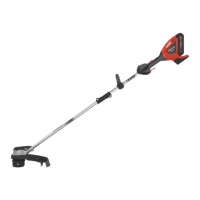
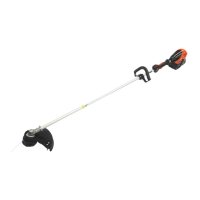
DSRM-200
CORDLESS GRASS
TRIMMER
Burn Hazard
The gear case and surrounding area may become extremely hot. Always keep clear of
gear case area, otherwise serious personal injury may occur.
Some of the dust created by this product contains chemicals known to the State of California to
cause cancer, birth defects or other reproductive harm.
Users of this equipment risk injury to themselves and others if the unit is used
improperly and/or safety precautions are not followed. ECHO provides an instruction
manual. It must be read and understood for proper and safe operation. Failure to do so
could result in serious injury.

Questions and Answers

  • C
    christinamillerAug 2, 2025
    What to do if my Echo Trimmer unit does not run when switched on?
    • A
      Adam HerreraAug 2, 2025
      If your Echo Trimmer doesn't run when switched on, it might be due to a discharged battery pack. In this case, you should charge the battery pack. Alternatively, grass might be jammed, so turn off the unit and clean the cutting attachment. Another possibility is that the battery pack is too hot; remove it and allow it to cool down slowly.
  • A
    Adam CallahanAug 9, 2025
    Why is the running time too short on my Echo DSRM-200 Trimmer?
    • T
      Tina WrightAug 9, 2025
      If the running time of your Echo Trimmer is too short, several factors could be responsible. The battery pack might be too hot, so remove it and let it cool down slowly. Another cause could be the motor unit circuitry overheating; turn off the unit and allow it to cool down. Also, check if the battery pack is discharged and charge it if necessary.
  • M
    moonkaitlinAug 17, 2025
    How to fix an Echo DSRM-200 Trimmer when the line won't feed?
    • C
      Courtney BarrAug 17, 2025
      If the line on your Echo Trimmer won't feed, it might be because there isn't enough line on the spool. Rewind the spool with new line. Alternatively, the line could be tangled in the spool; in this case, unwind and rewind the line to resolve the issue.
  • J
    Joseph SmithAug 25, 2025
    What to do if the red light on my Echo Trimmer charger flashes or does not light up?
    • J
      Jillian MasonAug 25, 2025
      If the red light on your Echo Trimmer charger flashes or doesn't light up, first ensure the plug is properly connected to the power outlet. If it is not, plug in the charger. Then, check the battery pack installation. If the issue persists, remove the battery pack, clean the charger and battery contacts, and reinstall it. If problems continue, there may be a fault in the charger or battery pack, and you should ask your ECHO dealer.

Summary

Introduction

The Instruction Manual

Manual contains specifications for safety, operation, maintenance, storage, and assembly.

Servicing Information

Parts;Serial Number

Information on identifying and obtaining genuine ECHO parts and assemblies.

Service

Details on warranty service and authorized servicing dealers.

ECHO Consumer Product Support

Contact information for product application, operation, or maintenance assistance.

Warranty Registration

Instructions for registering product for warranty coverage.

Additional or Replacement Manuals

How to obtain replacement operator and parts catalogs.

Safety

Manual Safety Symbols

Explanation of safety alert symbols and keywords used in the manual.

International Symbols

Definitions of various international safety symbols found on the product.

Important Information

Key safety reminders and advice for operating the grass trimmer.

Personal Condition and Safety Equipment

Requirements for the operator's physical condition and recommended safety gear.

Eye Protection

Mandates wearing ANSI Z87.1 or CE compliant eye protection during operation.

Hand Protection

Recommends sturdy, no-slip gloves for grip and protection.

Hearing;Ear Protection

Recommends wearing hearing protection when the unit is used.

Dust Protection

Advises using a dust mask for sensitive operators to avoid inhaling airborne materials.

Proper Clothing

Details on appropriate snug-fitting clothing, footwear, and hair covering.

Extended Operation; Extreme Conditions

Precautions for prolonged exposure to cold and vibration to prevent injury.

Repetitive Stress Injuries (RSI)

Information on preventing RSIs like Carpal Tunnel Syndrome from repetitive movements.

Keep a Firm Grip

Always hold handles tightly with thumbs and fingers.

Keep a Solid Stance

Maintain footing and balance; avoid unstable surfaces or overreaching.

Avoid Hot Surfaces

Avoid contact with hot surfaces during and immediately after operation.

Equipment

Operation

Starting Cordless Electric Trimmer

Step-by-step instructions for starting the electric trimmer.

Stopping Cordless Electric Trimmer

Step-by-step instructions for safely stopping the electric trimmer.

Description

Safety Decals

Location and importance of understanding safety decals on the unit.

Assembly

Nylon Line Head Installation

Instructions for installing the nylon line head onto the trimmer.

To Advance Trimmer Line

Method for advancing trimmer line during operation.

Remove Nylon Line Head

Instructions for safely removing the nylon line head from the trimmer.

Support Handle Adjustment

How to adjust the support handle for comfortable operation.

Battery Installation

Steps for correctly installing the battery pack into the power head.

Maintenance

Gear Case Lubrication

Steps for cleaning and lubricating the gear case.

Nylon Line Replacement

Instructions for replacing the nylon trimmer line.

Battery Removal

Steps for safely removing the battery pack from the trimmer.

Charging Battery

Detailed instructions for charging the battery pack and interpreting LED indicators.

Troubleshooting

Storage

Electric Trimmer

Procedures for preparing and storing the electric trimmer.

Battery

Guidelines for proper storage of the battery pack.

Battery Charger

Instructions for storing the battery charger.

Disposal

Trimmer

Information on disposing of plastic parts according to local regulations.

Battery

Information on responsible battery disposal and recycling through RBRC.

Specifications

Warranty Statement

Notes

Echo DSRM-200 Specifications

General IconGeneral
BrandEcho
ModelDSRM-200
CategoryTrimmer
LanguageEnglish

Related product manuals