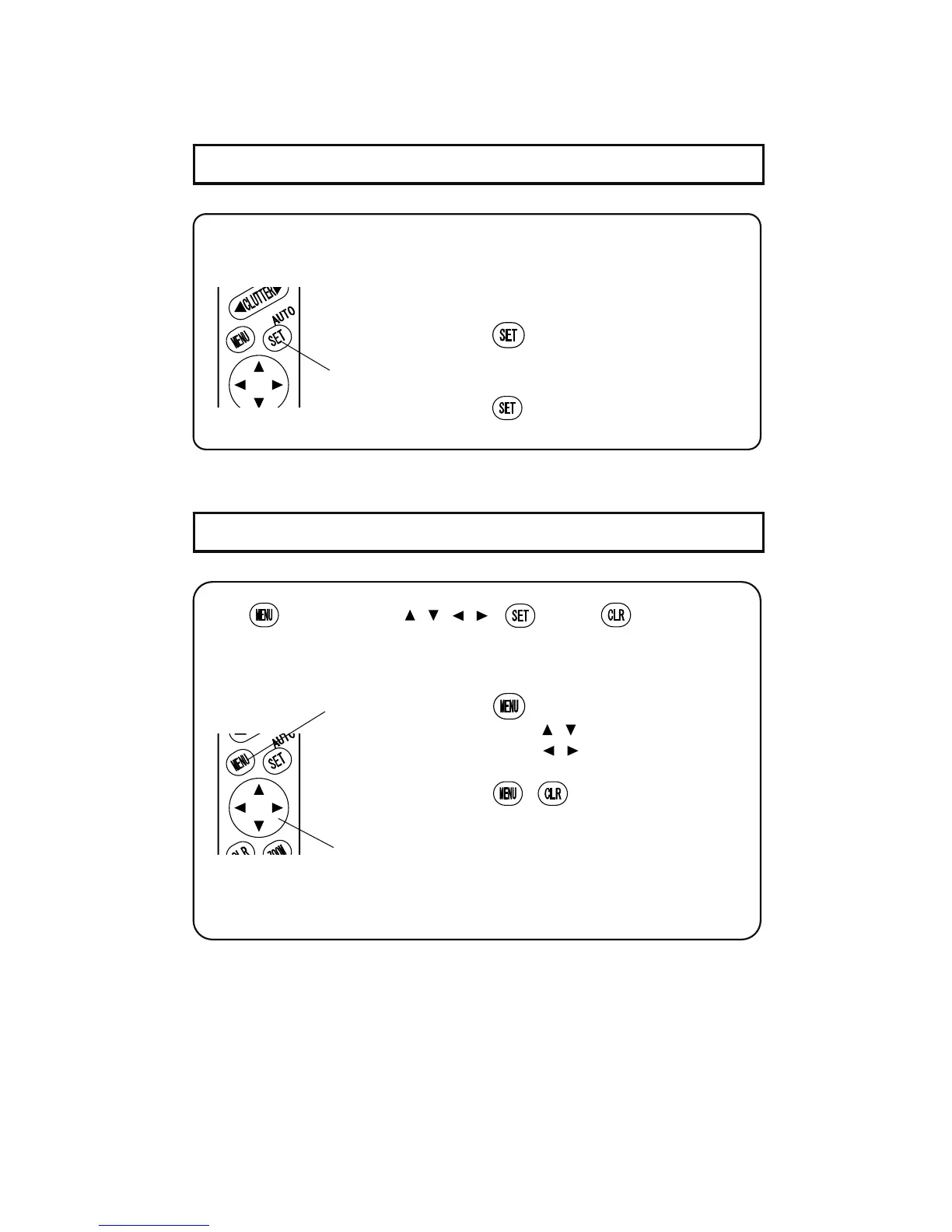
13-10. MENU KEY
13-9. AUTO KEY
Press
key to display Menu 1 and 2.
Direction key [
, ] to select.
Direction key [
, ] to change the set-up.
Press
or key to end the set-up
display.
※
Refer to page29 for Menu in details.
Use
key, direction key [ , , , ], key, and key to select the
function from menu display.
The detailed set-up can be selected from menu key.
1
Direction key
Menu key
Press auto key to set automatic function ON/OFF.
Go to Menu 2 Auto Key Setting for auto key set-up. (→page 38)


 To Next Page