29
15. MENU
<MENU 1>
1 SWEEP
2 PICTURE
3 SCALE LINE
4TEMPGRAPH
5 COLOR
6BACKGRD
[FRZ,1,2,3,4,
×
2,
×
3]
[50+200]
[OFF,ON]
[OFF,2
°
,10
°
]
[1,2,3,4,5,6]
[]
[MENU]:TO MENU 2
<MENU 2>
1 EXP RATE
2 A-MODE
3 SPLIT SCREEN
4 ALARM
5 OTHERS
[
×
2,
×
4,
×
8]
[OFF,ON]
[L/R,U/D]
[MENU]:TO FINISH MENU
Operation
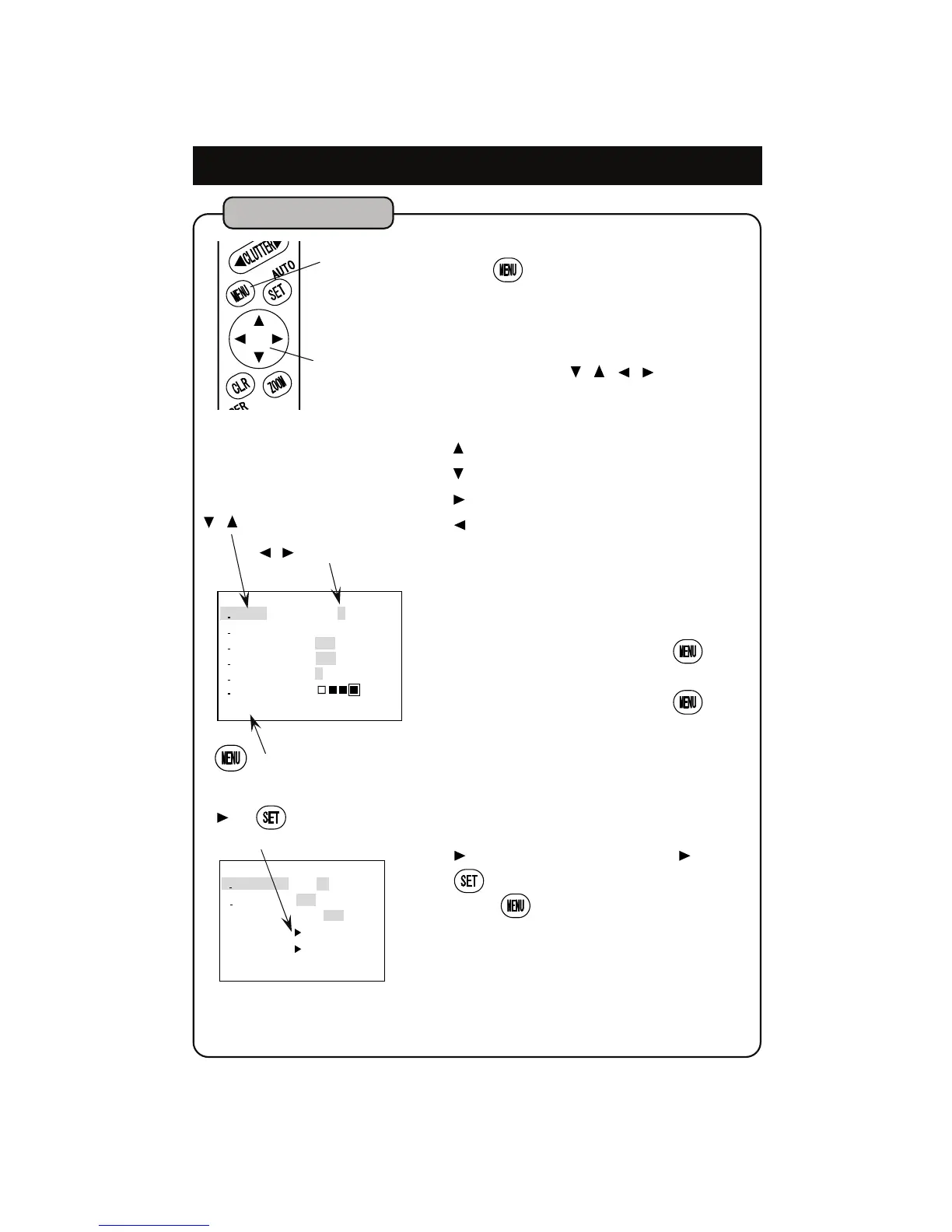
To display Menu mode
Press
key to display Menu 1.
To change the contents of Menu
Use direction key [
, , , ] to select and
change each item.
Selected items are shown in yellow frame.
・
to move up.
・
to move down.
・
to move right or enlarge the value.
・
to move left or lower the value.
T
o go to next MENU
・When Menu 1 is opened, press
key to
show Menu 2.
・When Menu 2 is opened, press
key to
clear the menu display.
T
o cancel MENU mode
・Set-up menu appears for the items having
mark on the right by pressing or
key.
・Press
key to return to the previous
menu display.
※
Operation may vary depending on the menu item.
※
Selected items are activated even after the power is set to OFF.
1
key to Menu 2
[[ , ] to change the set-up
[ , ] to change the item
[ ] or key to see the set-up


 To Next Page