16-1. MENU 1
16. FUNCTIONS IN MENU
Sweep/Sounding
Fast
Slow
Freeze
Sweep Speed
S
1
elect [1. SWEEP] in Menu 1.
S
et the sweeping speed.
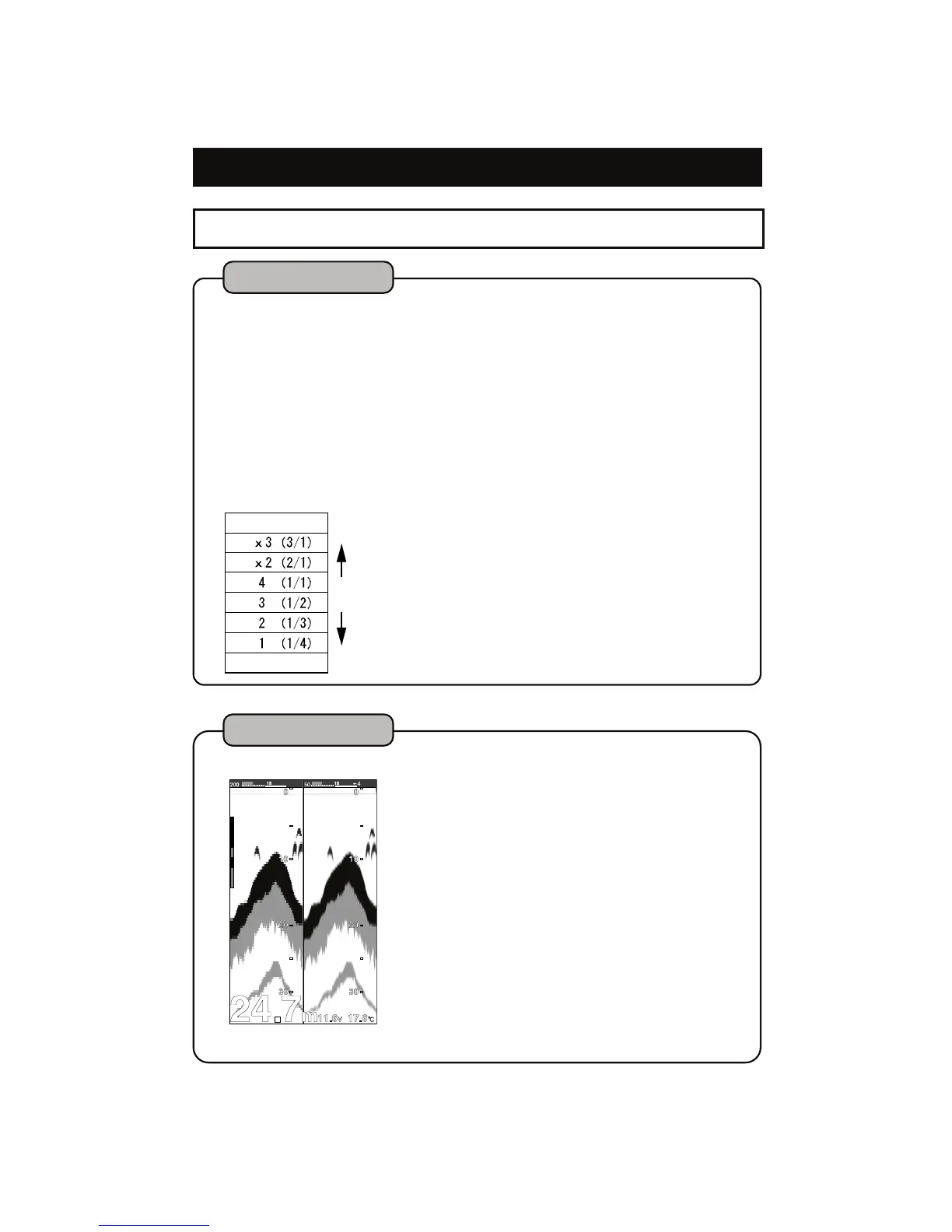
(7 steps: FRZ, 1, 2, 3, 4, x2, x3)
[Sweeping Speed]
For fishfinder display, the latest image (image beneath the vessel) is located at
the right edge of display. At the same time, the previous image keeps moving
to the left.
Sweep speed is the speed shifting the image. The image appears differently by
this set-up value.
[Relationship between sounding rate and sweep speed]
7 sweeping speeds can be selected. The following figure shows the ratio of
sweeping speed for sounding frequency. (Number of sounding rate to move
the image one time.)


 To Next Page