S
1
elect [4. ALARM] → [1.TEMP ALARM] in
Menu 2.
S
et the alarm condition.
IN RANGE:Alarm is ON within the range of 2
selected temperature. Temp display
blinks.
OUT RANGE:Alarm is ON outside the range
of 2 selected temperature. Temp
display blinks.
OFF :Temp alarm is OFF.
[Water Temp Alarm]
Alarm is ON within or exceeding the range of 2 different temperature.
※
Press key to stop alarm. However, blinking of temp display does not
stop. Also, alarm is ON once the temperature goes outside of the condition
and return to the alarming condition again.
3
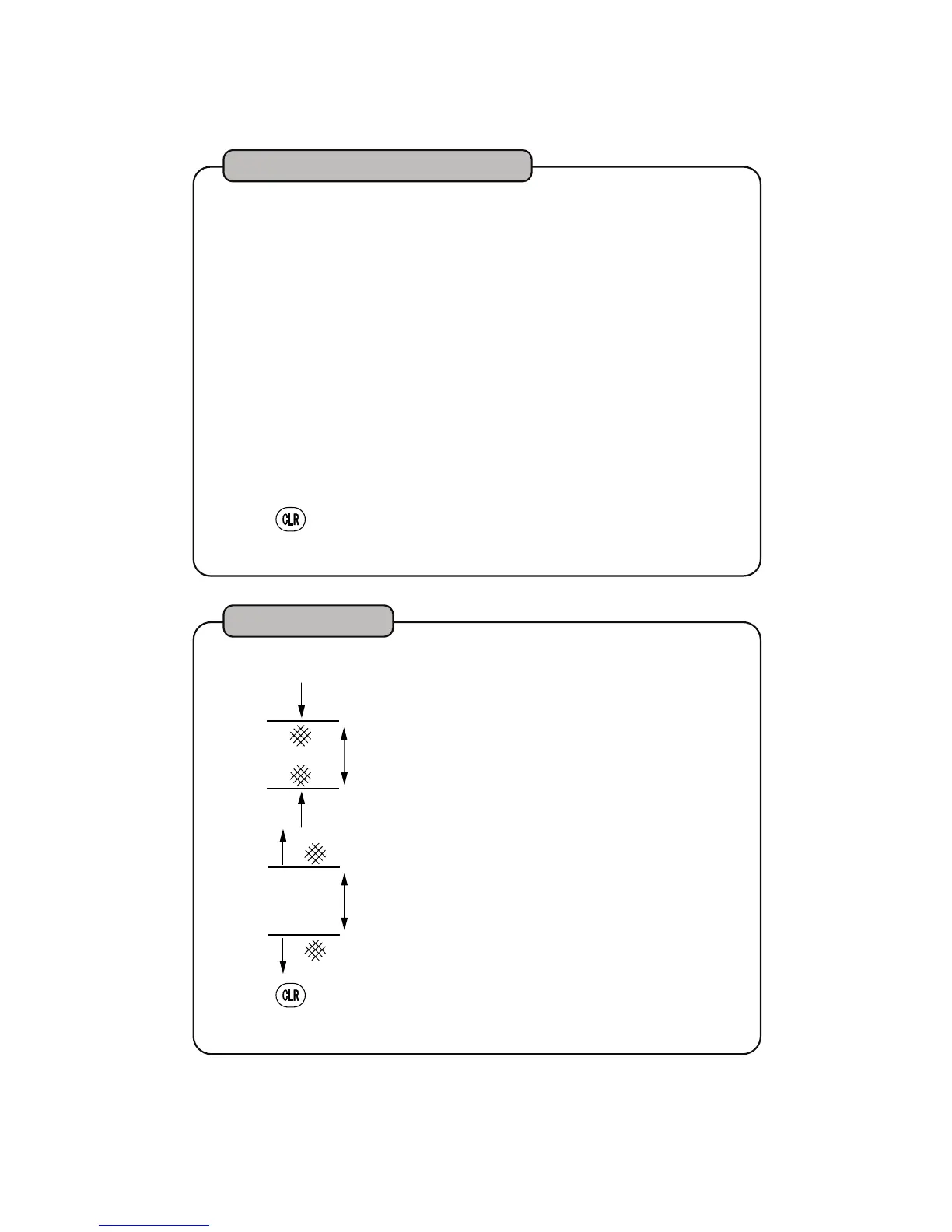
Water Temp Alarm
Example)
Depth 10m
Depth 15m
Within Range
Alarm
Alarm
Alarm
Outside of range
Outside of range
Depth 10m
Depth 15m
(Depth Set1)
(Depth Set2)
※
Press key to stop alarm. However, blinking of depth display does not
stop. Also, alarm is ON once the temperature goes outside of the condition
and return to the alarming condition again.
S
1
elect [4. ALARM] → [2.DEPTH ALARM] in
Menu 2.
S
et the alarm condition.
IN RANGE:Alarm is ON within the range of 2
selected depth. Depth display blinks.
OUT RANGE:Alarm is ON outside the range
of 2 selected depth. Depth display
blinks.
O
FF :Depth alarm is OFF.
[Depth Alarm]
3
Alarm is ON within or exceeding the range of 2 depth.
Depth Alarm
33


 To Next Page