28
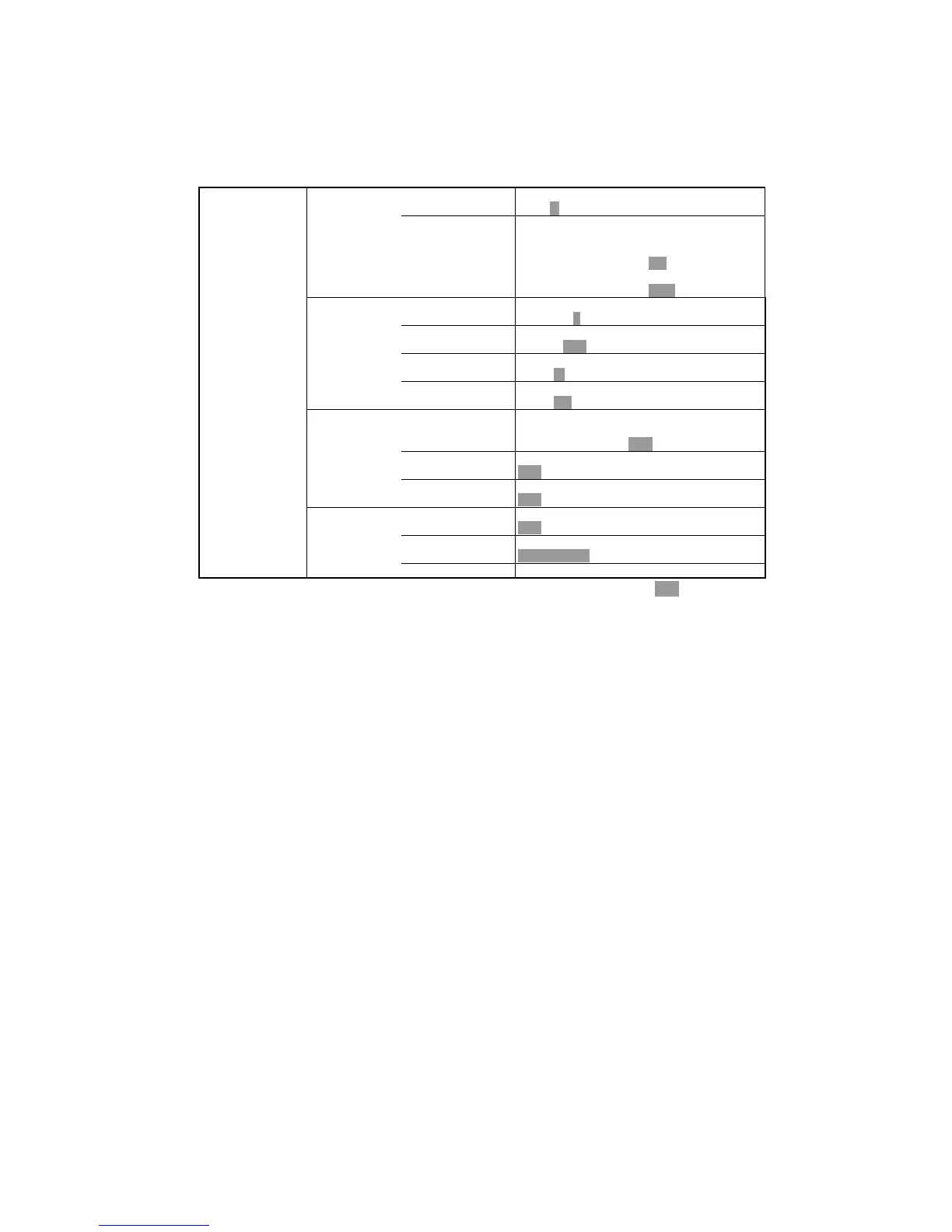
MENU 2 MEANING
4.PULSE LENGTH Select the pulse width.
S M L
5.AUTO KEY SET Enable/Disable following automatic functions.
1.AUTO G: Adjust the sensitivity
automatically. OFF ON
2.AUTO R: Adjust the depth automatically.
OFF RNG SFT
4.READOUT 1 1.DEPTH DIG Select the depth digit size.
OFF S L
2.SUPER RANGE Whole picture synchronizes to the changed
depth. OFF ON
3.DEPTH MARKER Select the color of depth marker.
OFF W R G B Y LB P
4.COLOR BAR Set the indication of color bar.
OFF ON
5.READOUT 2 1.LAT/LON ※Activated only when connecting to NMEA
output device. Select the display of
latitude/longitude. OFF ON
2.BOAT SPEED Set the indication of boat speed.
OFF ON
3.BEARING Set the bearing.
OFF ON
6. SYSTEM
MENU
1.SIMULATION Activate the simulation.
OFF ON
2.DISPLAY Set the display direction.
LANDSCAPE PORTRAIT L REV. P REV.
3.SYSTEM RESET Reset the set-up to the factory set-up.
※ : default set-up


 To Next Page