Page 10 of 20 2/3/2010 @ 9:00 AM
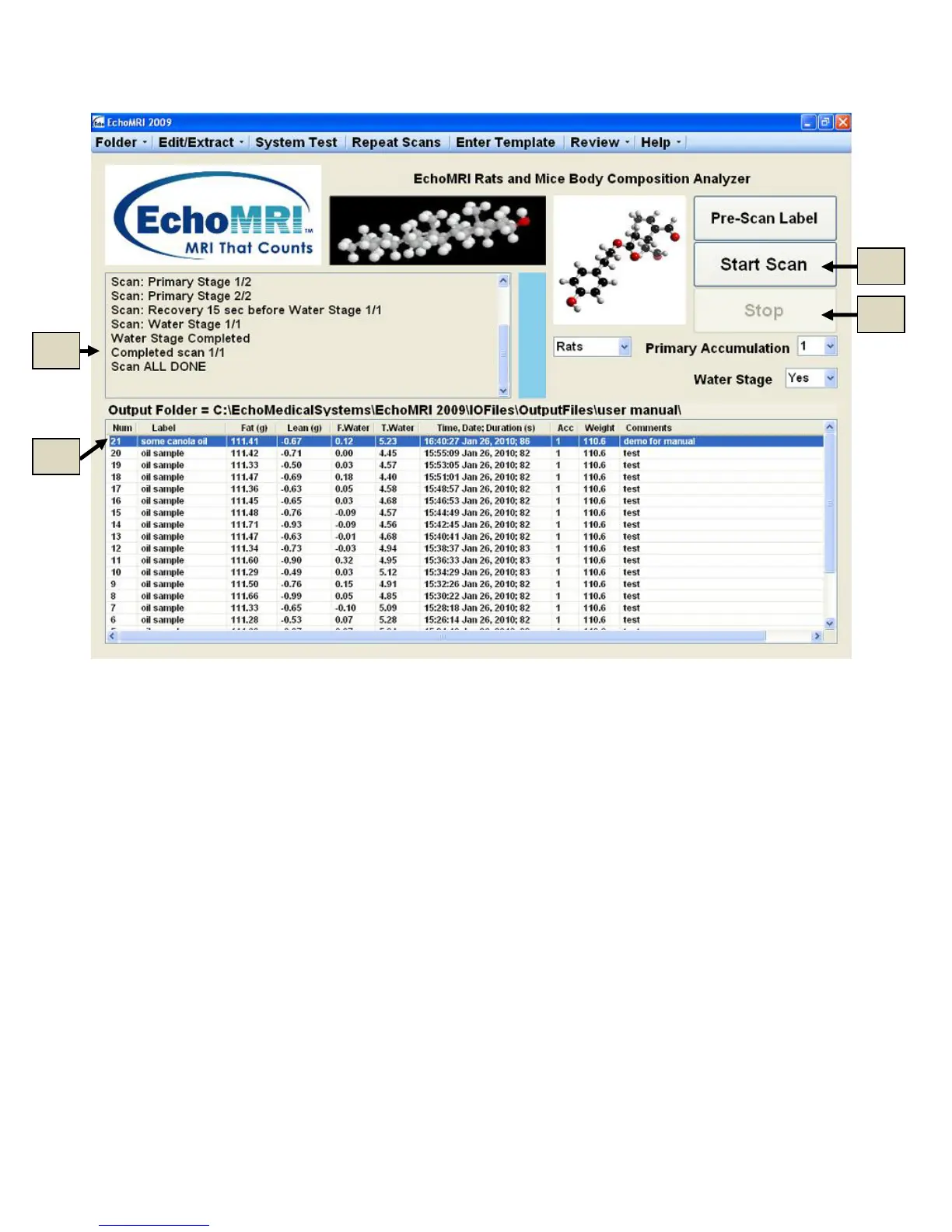
Figure 5.2
Start Scan - F5 key
A measurement scan starts when the Start Scan button is clicked (5d of Figure 5.2) or, alternatively, the
keyboard button F5 is pressed.
In some devices, before the scan starts, the position of the holder is checked, and if the holder is not fully
inserted a warning message suggests to insert it to the end.
Various stages of the scan such as Tuning, Recovery after Tuning, Primary Stage, Water Stage, and Scan Done
are displayed in the Scan Stages Report (5e in Figure 5.2).
After the scan is completed, the results are displayed in the Measured Results List (5c in Figure 5.2).
Progress of the scan is also indicated by the progress bar.
Stop Scan - F6 key
In some situations (e.g. the operator forgot to input some important details or did not place the correct subject in
the holder, etc) the operator may want to abort a scan. The STOP button (5f in Figure 5.2) or the keyboard



 To Next Page