Page 11 of 20 2/3/2010 @ 9:00 AM
button F6 should be clicked to terminate the scan process. An appropriate message will be displayed in the Scan
Stages Report window.
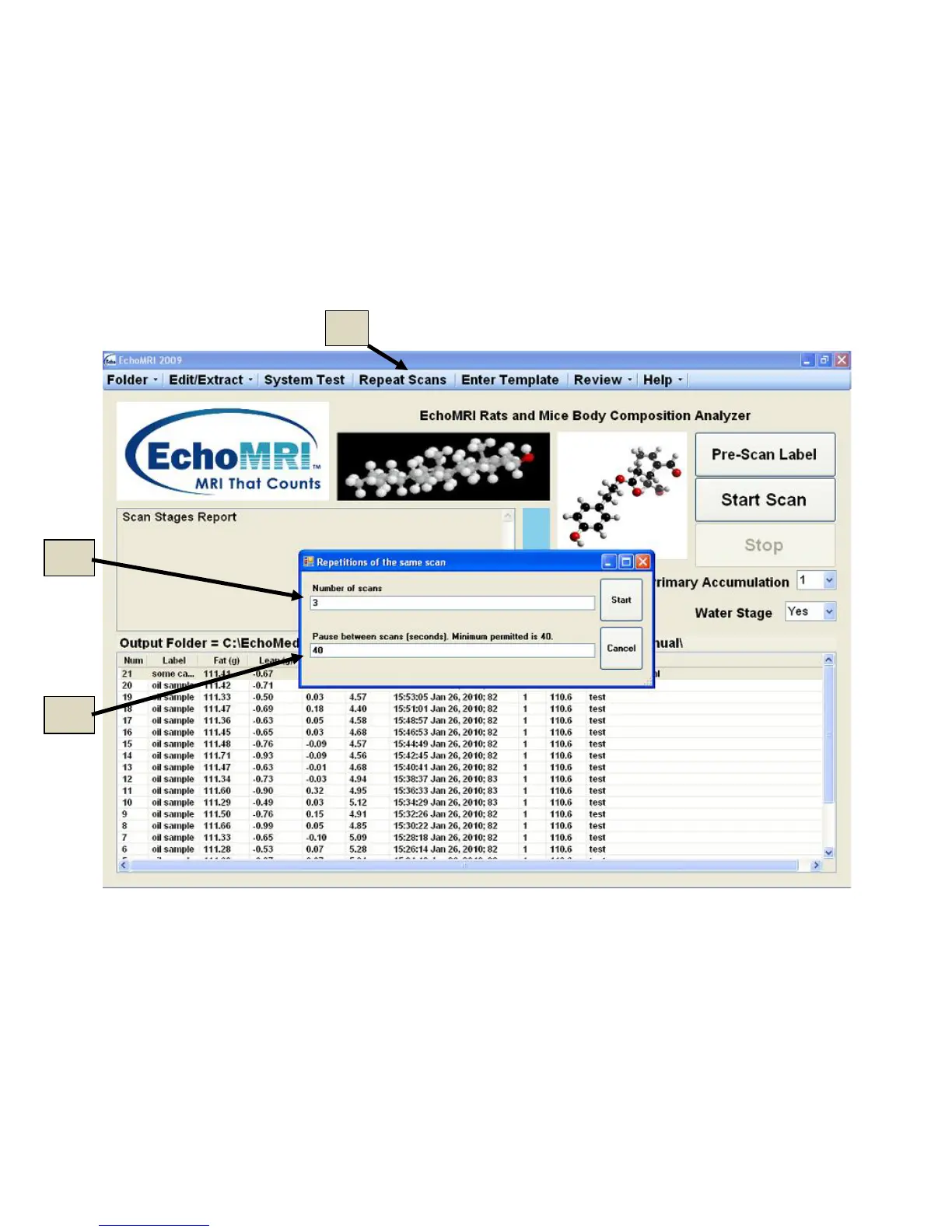
Repeat Scans - Ctrl + F5 key
The Repeat Scans function allows the user to scan the same subject multiple times without having to push "Start
Scan" every time. Before starting it, input label, weight, and comments using the Pre-Scan Label button (or F2
key). Pressing the Repeat Scans button (5g in Figure 5.3) opens a dialog in which you can select the number of
repetitions (5h in Figure 5.3) and the duration of the pause between consecutive scans (5i Figure 5.3). Pause
duration is not permitted to be smaller than some minimum, as too short a pause may affect scan results (the
default pause is the minimal pause permitted). The series is launched by button OK or canceled by Cancel.
Figure 5.3
Post-Scan Processing
Some post-scan processing can be done on individual or multiple scans by either pressing keyboard function
keys or by clicking items in Edit/Extract and Review menus. The full list of shortcuts is accessible by pressing
Help → Shortcuts. The following are descriptions of the functions:
Edit Comments: Ctrl + F2 or Edit/Extract → Post-Scan Comments



 To Next Page