Digital Camera User’s Manual
46
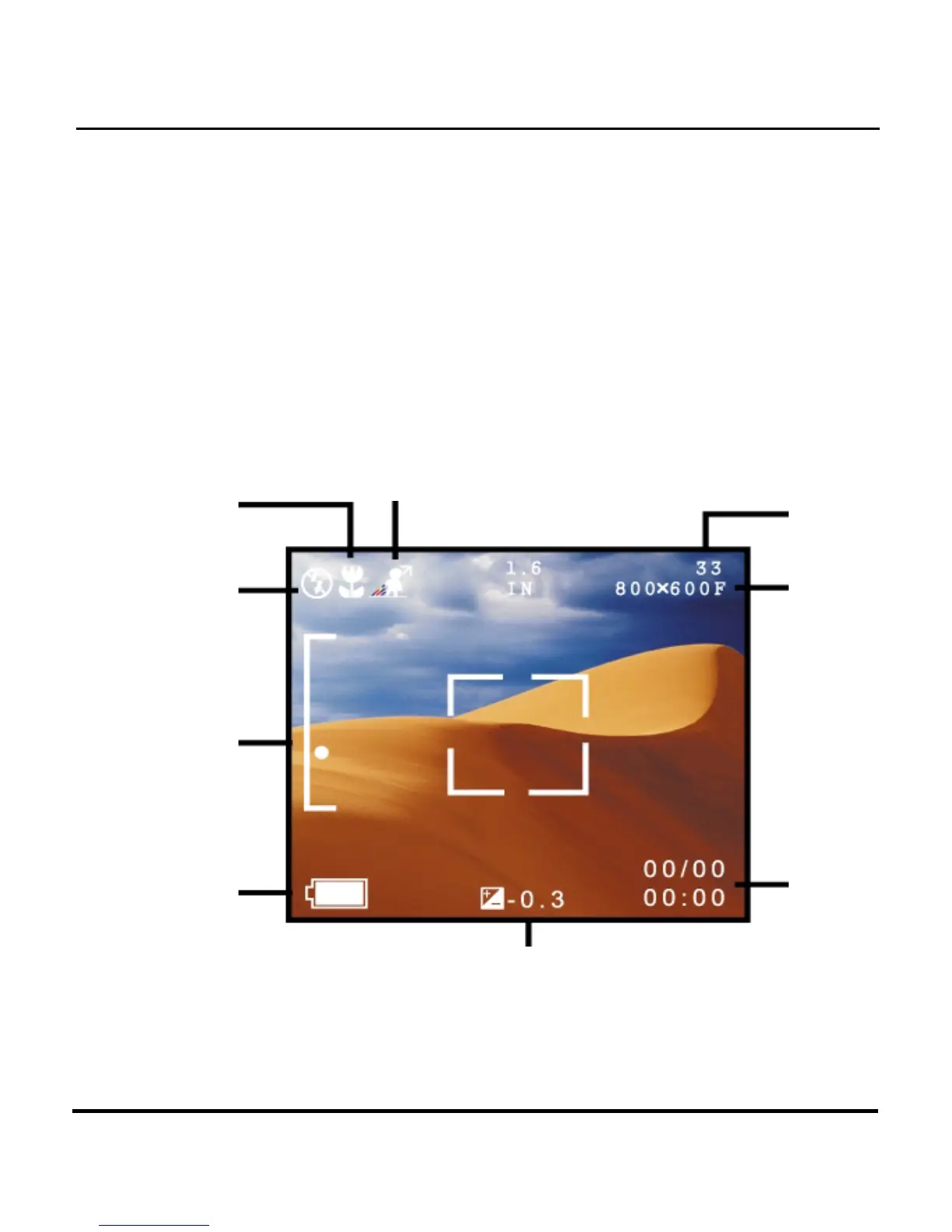
Chapter 6 – Using the LCD Display
When the camera is in any mode other than Setup
mode, current camera settings such as zoom, icons on
the LCD display indicate quality, etc. This chapter
describes these icons and their meanings.
White Balance Mode
Preset
Mode
Pictures
Flash
Mode
Quality
Zoom
Ratio
Date /
Time
Battery
Status
EV


 To Next Page