102
How to operate the DUAL PLAY
How to use the DUAL PLAY
The DUAL PLAY function provides another audio system (DVD, CD, MP3/WMA) specially for
rear seat passengers by using the optional rear seat monitor.
Setting the rear seat monitor
Setting of rear seat monitor can be made.
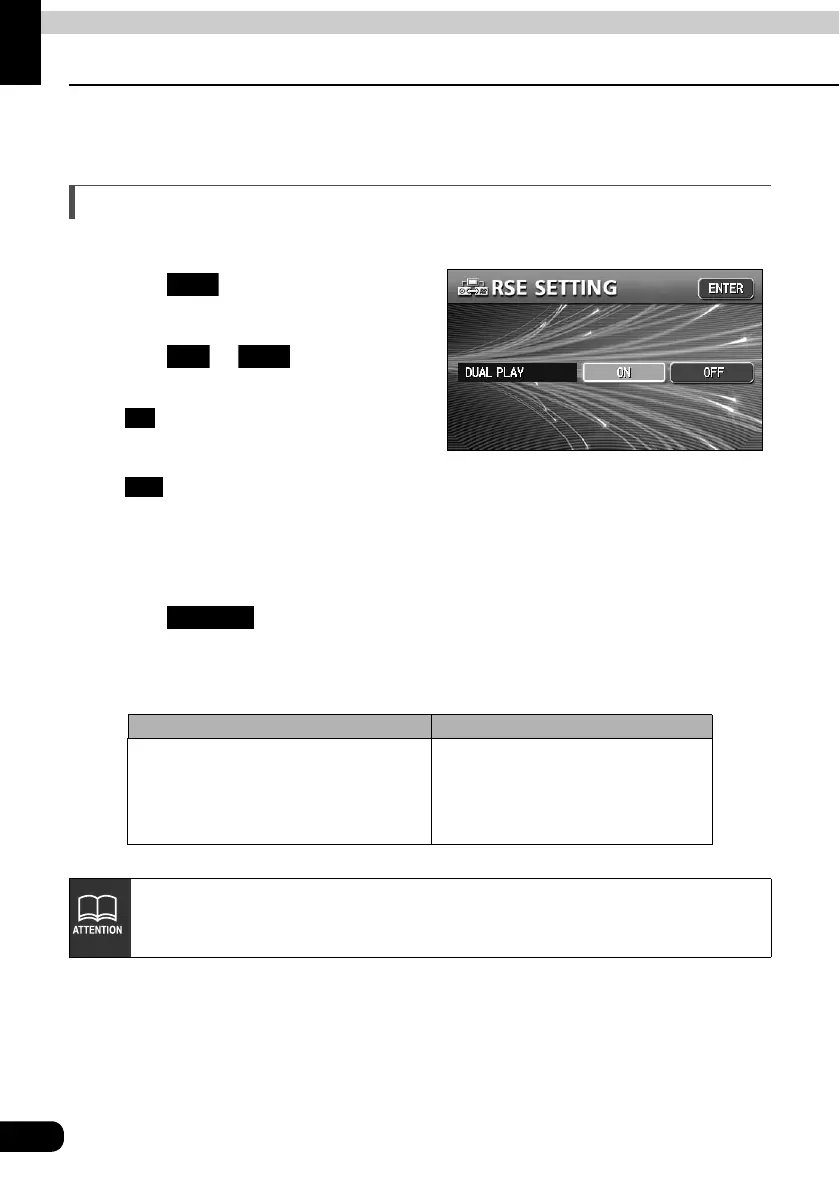
Touch on the
INFORMATION screen.
Touch or for DUAL
PLAY.
• :The rear seat monitor provides
audio and video separately from
the front seats.
• : The rear seat monitor does not provide audio and video.
When the DVD or VTR is selected for front seats, the same audio/video as the
front seats will be output.
• When the DUAL PLAY is set to ON, the audio for rear seat passengers can be
operated with the optional remote control [RRC106].
Touch .
In the DUAL PLAY mode, the combinations of the Audio functions that can be selectable are
as following:
Selected Audio mode for Front seat Selected Audio mode for Rear seat
•AM/FM
• DISC(DVD·CD·MP3/WMA)
•iPod
• CD changer
•VTR
• DISC(DVD·CD·MP3/WMA)
RSE
ON OFF
ON
OFF
ENTER
• The audio for rear seat passengers is output from rear monitor built-in speakers.
• This unit outputs the NTSC video signal. Use a monitor that accepts NTSC video
signal.



 To Next Page