Point registration
123
Point
registration
5. Destination archive
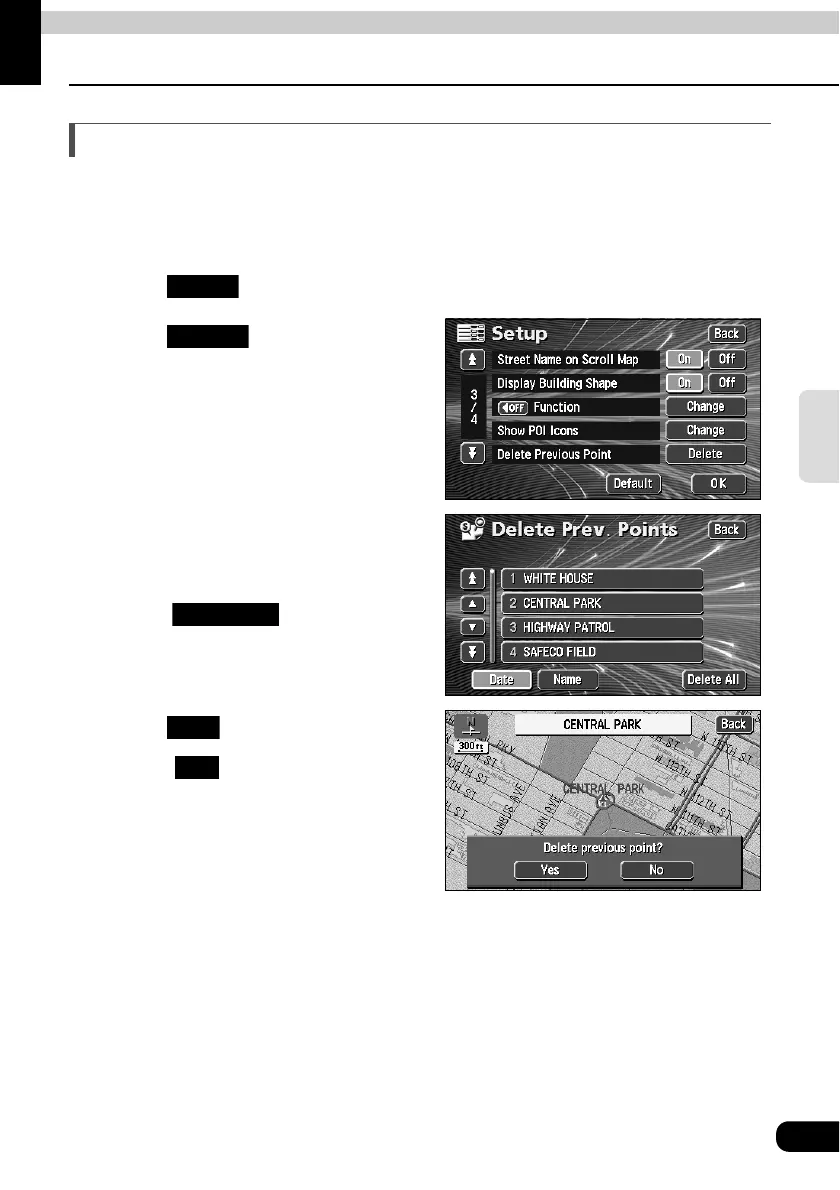
Deleting entries from the destination archive
Points on a map set as destinations are automatically recorded and can serve to retrieve a
map when setting a destination (maximum 100 destinations). When exceeding 100
destinations, the oldest entry is deleted every time a new one is entered. Unnecessary
destinations can be deleted.
Touch in the Menu screen.
Touch for Delete
Previous Point.
Touch the point name to be
deleted.
• To delete all destination archive items,
touch .
Touch .
• Touch to return to the original
screen.
Setup
Delete
Delete All
Yes
No



 To Next Page