44
Accelerating the path to discovery
®
1. Brief Operational Guidelines
The basics of operating your temperature controller would be these four steps. The User’s Manual serves as a
reference and provides a more thorough explanation of the controller’s functionality. New users who are not
familiar with controllers are advised to thoroughly study the complete handbook. The controller is set up to
operate with heating mantles attached to round-bottomed asks carrying out “normal” organic processes (i.e.,
non-polymeric reactions in solvents such as DMF, THF, toluene, etc.).
The three steps listed below will assist you in getting started if the controller is utilized with this kind of reaction.
1. To use heaters other than heating mantles, visit section 2
2. Never use the controller for heating oil baths, visit section 3.2
3. For information about unusual, pricey, or safety-critical processes for polymer synthesis, visit Appendix I.
2. Press the Reset Button
The reset button resets the over-temperature circuit and prepares the controller for use. The probe temperature
must be below the temperature of the high limit controller, or the circuit will not reset.
3. Place the thermocouple in the solution being heated
Place at least the rst 1/4” of the thermocouple directly in the solution being heated. Thermocouples can be bent
without harming them. If you’re heating a corrosive liquid, use Teon-coated thermocouples. The thermocouple
adapter should be connected to the controller via a receptacle in the rear of the controller.
4. Enter the setpoint
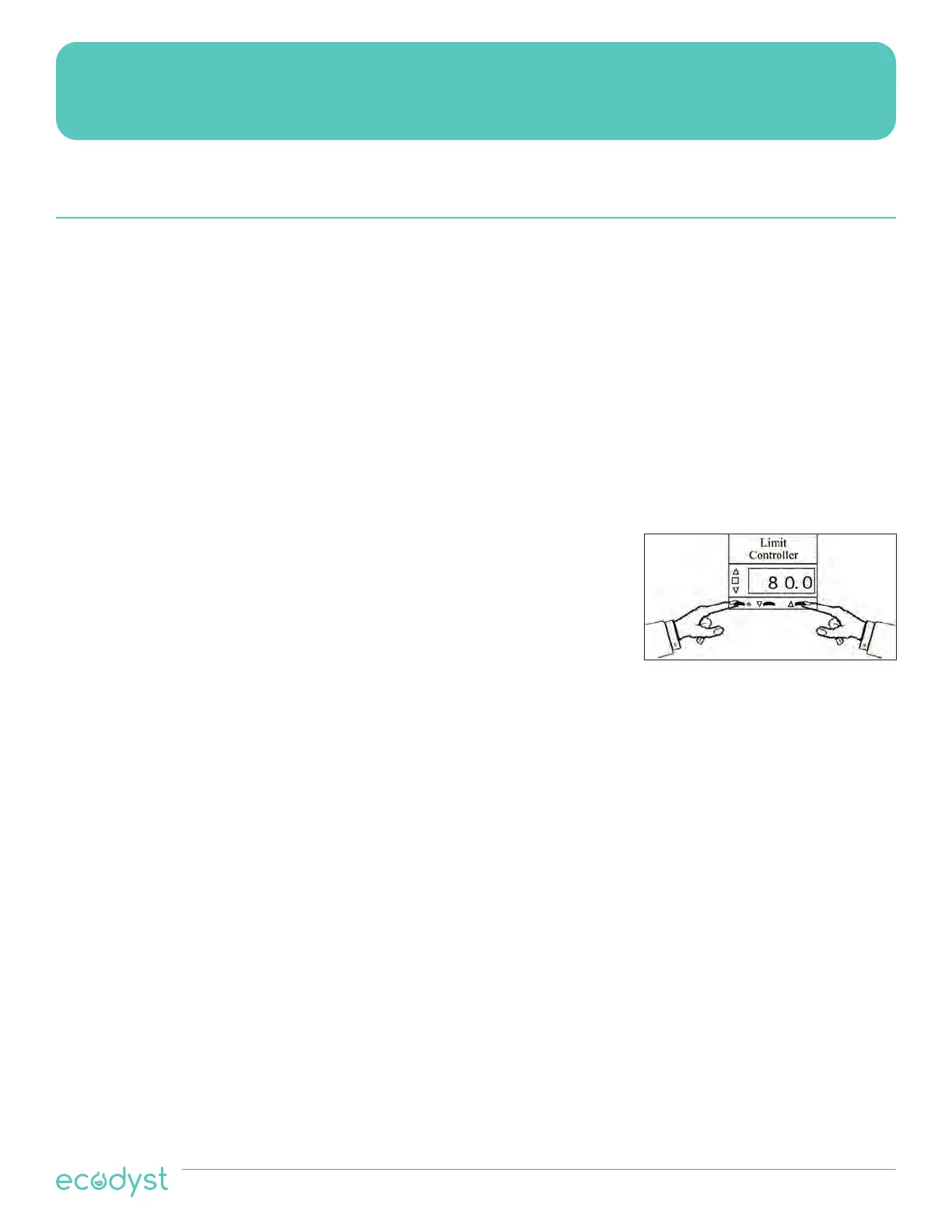
(i.e., the desired reaction temperature) into the setpoint controller by holding in the * button and simultaneously
pressing the
key to increase or the
key to decrease the setpoint. The setpoint can be seen at anytime by
holding in the * button, the setpoint appears as a blinking number in the display.
1. Enter the Over Temperature Limit
This meter, labeled “High Limit Controller”, is the back-up meter for the
setpoint controller. Set this meter about 5° C higher than the temperature
entered into the Setpoint Controller in Step 4.
If the reaction reaches this temperature limit for any reason, heating is
automatically stopped until being manually reset. See Section 3.3.
To enter a temperature into either of the digital meters, hold the * button and simultaneously press the
key to
increase or the
key to decrease the setpoint. The setpoint can be seen at any time by holding in the * button.
The setpoint appears as a blinking number in the display.
1. Brief Operational Guidelines
High Powered Heating Mantle Controllers
(HPC Controllers)


 To Next Page