13
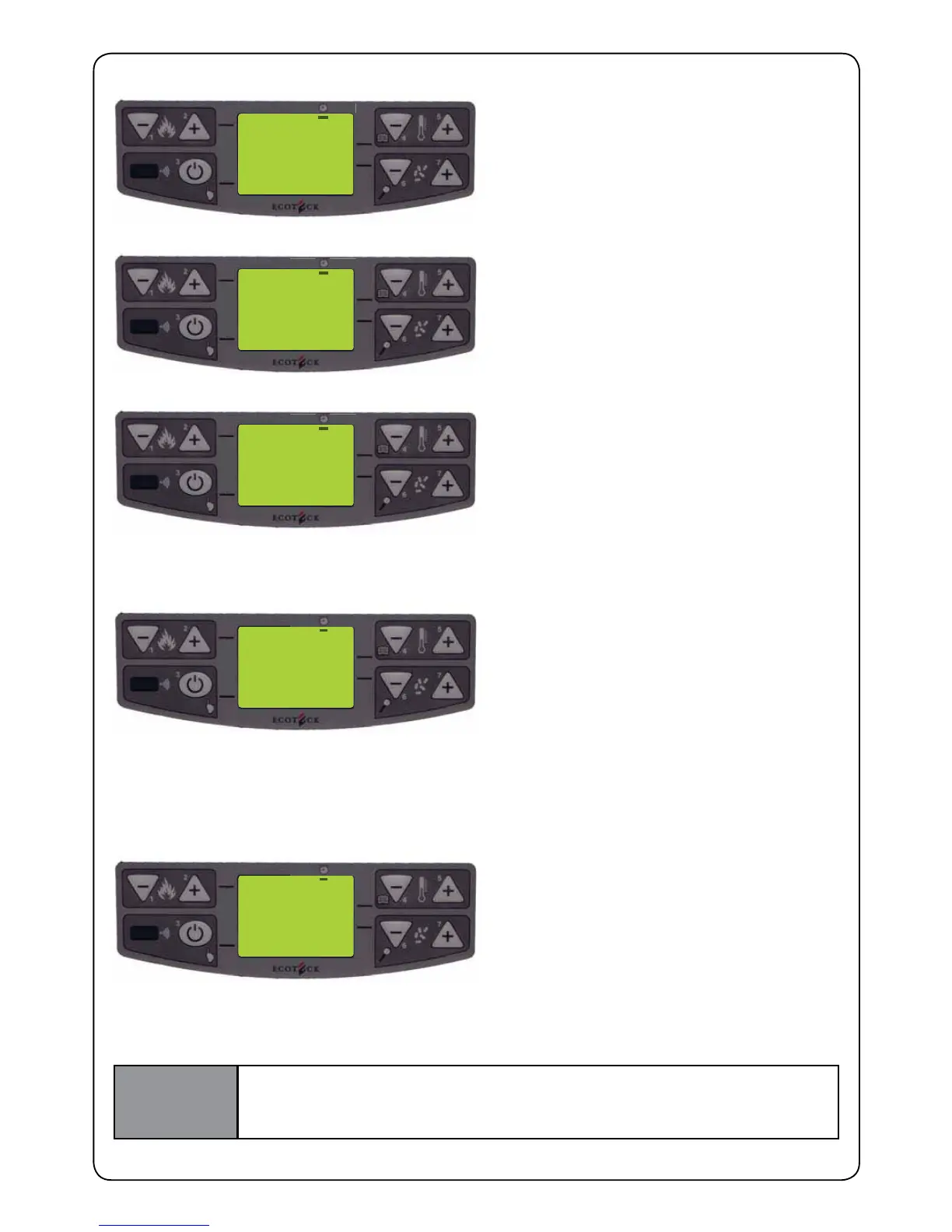
OFF 5
PROG - 1
FRIDAY
ON FRIDAY THE STOVE WILL NOT BE
SWITCHED ON
OFF 6
PROG - 1
SATURDAY
ON SATURDAY THE STOVE WILL NOT BE
SWITCHED ON
OFF 7
PROG - 1
SUNDAY
ON SUNDAY THE STOVE WILL NOT BE
SWITCHED ON
P - 3
PROG - 1
POWER
Set the desired power for PROG - 1 with
buttons P4 and P5
23° C
PROG - 1
SET TAMB
Set the desired temperature with buttons P4
and P5. Press P6 to conrm
IMPORTANT
USING THIS MODE, YOU HAVE TO MAKE SURE THAT EACH TIME THE
STOVE IS AUTOMATICALLY SWITCHED OFF, THE FIRE POT REMAINS
CLEAN IN ORDER TO GUARANTEE CORRECT AUTOMATIC IGNITION.
Carry out the same operations, changing times and days of activation for PROG-2 as well.
After we select the power we have to decide on the desired room temperature, independently from the
temperature we set during manual start-up setting. As soon as the room temperature is reached, the
stove will enter into modulation mode.
Conrm with button P6 to get into next program. At this point we select the power of PROG -1.


 To Next Page